
The Monstrous Manual stat block
The system’s own monster actor, given the full stat block: classification,
ecology, defences, attack routines, spoils, and the henchman fields that let a
monster be hired.
What opens first
Section titled “What opens first”A monster opens on its card — the half-page you fight from. Attacks and their damage, the creature’s powers, and its spells by level, in a window a little over half the height of the full block.
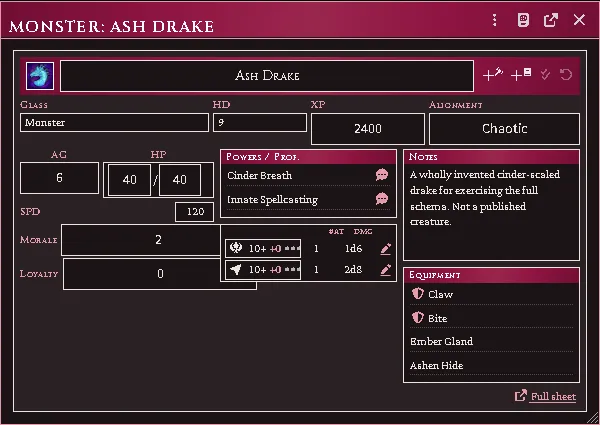
What a monster opens on: attacks, powers and spells on one page.
A power or spell whose entry carries prose has a speech bubble beside it. Click it and the whole entry goes to chat, so the table reads “Terrifying Visage” instead of waiting for someone to find the book. Rolling is separate and still sits on its own d20, and a power with no prose gets no button.
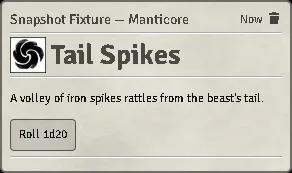
A named power posted to chat for the table to read.
Under the vitals, Number appearing lists the monster’s dungeon and wilderness formulas, each with a die that rolls it to chat — the same roll the full sheet’s Statblock makes.
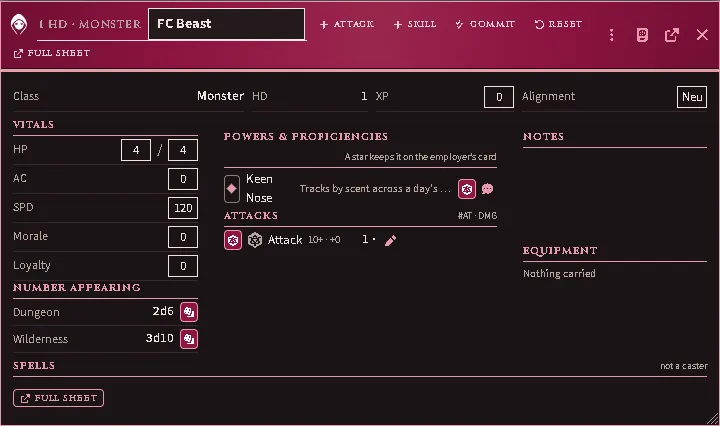
Number appearing under the vitals, a die beside each formula.
Everything else is one click away on Full sheet — the chip in the card’s header band, or the portrait beside the name. If you would rather land on the full block, set it once under Sheet Configuration on any monster — that choice is yours and this module will not move it again. Animals still open on the full block.
The sheet
Section titled “The sheet”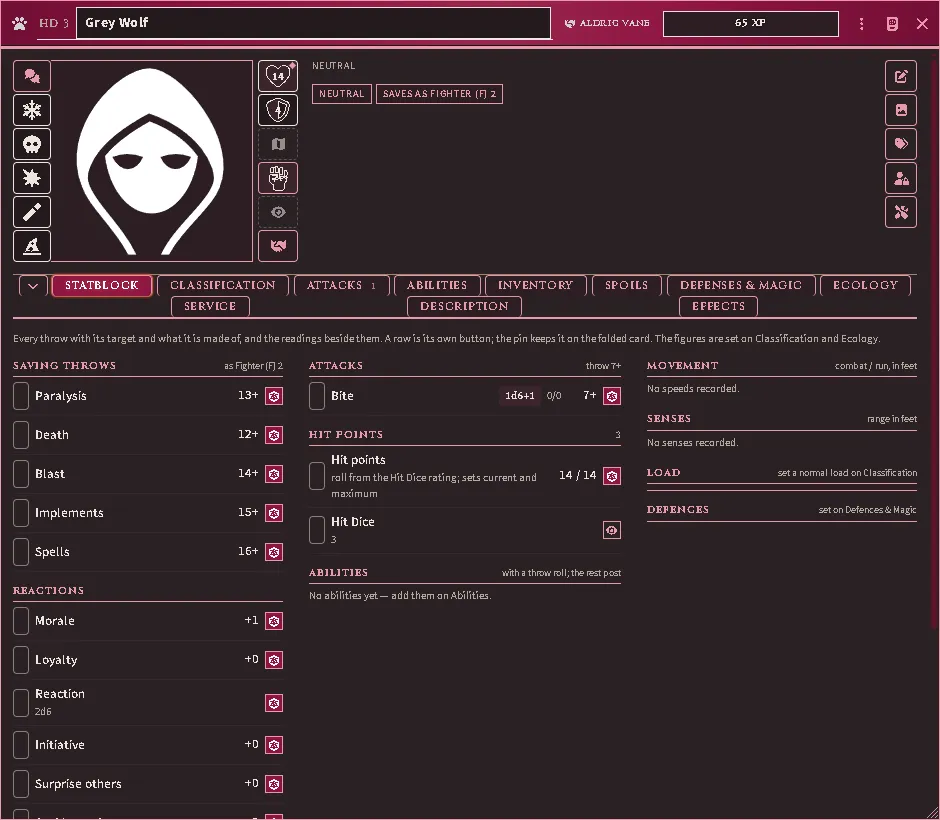
The full sheet on the shared frame: the band, the rails, and the Statblock tab of a creature in service — every throw a row with its pin.
Full sheet from the card, or open an animal actor, and this is the sheet you get: the same frame as the character sheet. The band in the window header holds the body form’s glyph, the Hit Dice rating, the name, the employer’s chip while the creature serves (a dot on it says a calamity’s loyalty throw is owed) and the XP award. The rails either side of the portrait are the reaction roll and the five saves on the left; hit points, armour class, the speed in force, the attack throw, the lightless range and the creature’s tokens on the scene on the right. Press the chevron on the tab strip and the sheet folds to the band, the rails and the pinned rows. An animal’s combat block uses the monster’s own field paths, and the extended block is where its body form, carrying load and training live.
The tabs:
- Statblock — the dashboard: saves, reactions and encounter rolls in the first column, attacks, hit points and abilities in the second, and the readings in the third — speeds, senses, the load bar, the defence pills and a caster’s slots. A row is its own button; its pin keeps it on the folded card.
- Classification — the pen for what the frame reads: types, identity, the Hit Dice rating and its roll, saves-as and the five save targets, the loads, the attributes, and the Figures rule with the core fields the system’s header used to carry (hit points, armour class, attack throw, morale, initiative, surprise, XP award, alignment, movement).
- Attacks — the attack routine, natural weapons and their damage types.
- Abilities — special abilities, tagged by category and carrying their XP contribution.
- Inventory — generic items, armor and clothing the monster carries. Armor Class is the value set on Classification and is not changed by anything carried here.
- Spoils — what a body is worth.
- Defenses & Magic — immunities, resistances and susceptibilities with the silver flaw, and what the creature casts as (class and level). The spell page itself is the Spells tab, on for any creature that carries a spell.
- Ecology — habitat, number appearing, lair chance, treasure.
- Animal — on an animal only: body form, carrying load and training.
- Service — core’s retainer fields and the manager picker, and, while the creature serves, the same Service panel a hireling’s character sheet shows (henchmen): standing, terms, the employer, the ledger and the recorded events.
- Description — the prose, a section at a time; each opens for editing in place and grows with its text. The appearance is edited on the art row instead, from the pen on the tools rail.
- Effects — the system’s active effects.
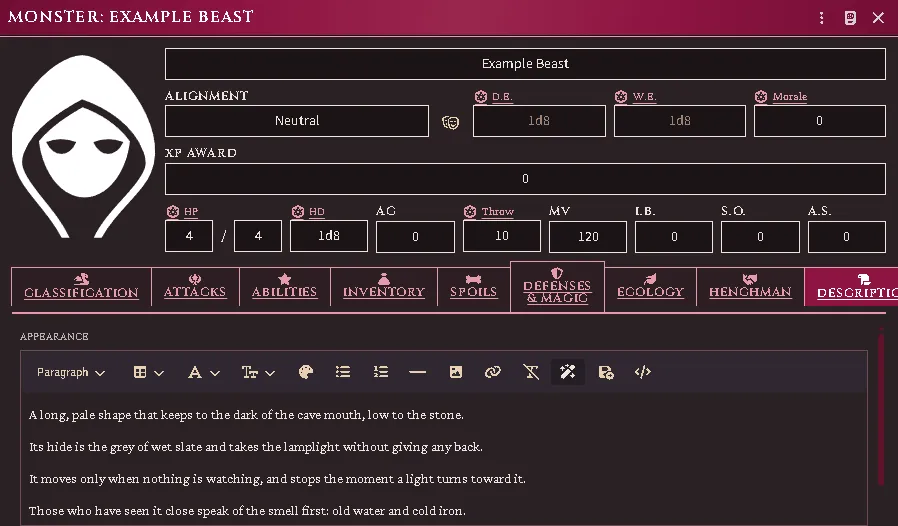
The Description tab’s Appearance open for editing: the toolbar above, and the text below it in full.
No new actor type is invented: this is core’s monster, extended through flags,
so everything that already reads a monster keeps working. The sheet is a
subclass of the system’s own, so it keeps every tab core defines — and core’s
plain sheet is still there under Sheet Configuration if you want the lean
view for a particular actor.
A monster that casts
Section titled “A monster that casts”An imported creature whose entry names spells carries them. A spell it casts “(as the spell)” or lists among its spell-like abilities is a copy of the imported document on its Spells tab, marked with the frequency the page prints beside it; one that casts as a class of a level gets that class’s slots at that level and a repertoire drawn from the class’s list; one whose entry prints a repertoire carries it as printed. A name no imported spell answers stays in the prose. The Spells tab is on for any creature that carries a spell, its slots at zero unless the entry fills them. A creature imported before the spells were gains its spells on Repair in place; a creature generated from a template whose row prints a spell column gets its slots and a drawn repertoire at generation.
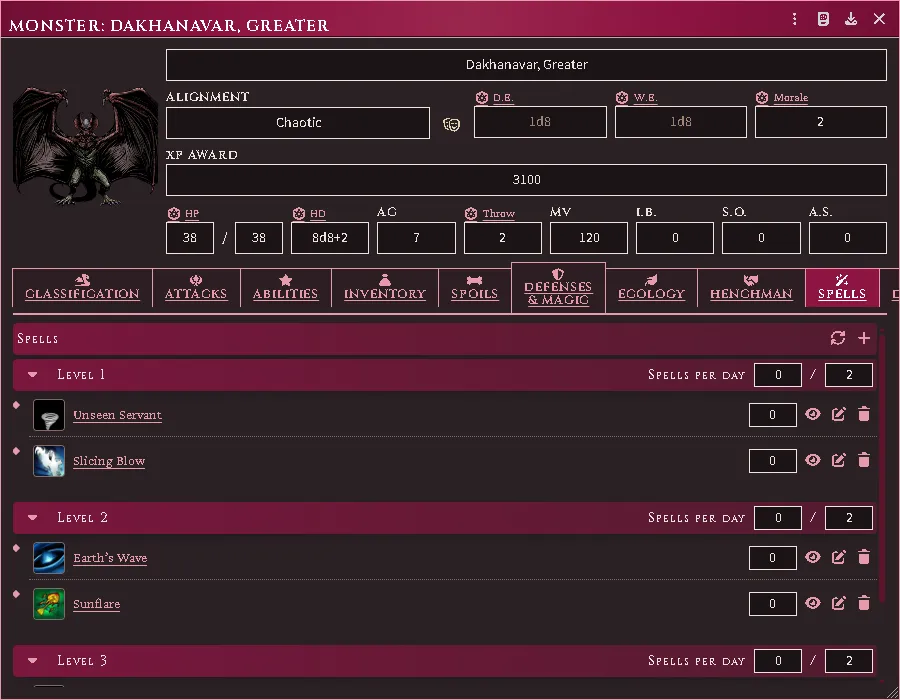
A creature that casts as a class: its slots by level and the repertoire drawn to them.
What an attack card shows
Section titled “What an attack card shows”An attack posts the system’s own card. What this module knows about the attacker — a maneuver, a mount, a shield variant, a condition, a named weapon’s bonus — joins the system’s labelled modifiers as rows of its own, so the dice tooltip audits the whole stack in one list. Who reads the card is the roll mode the attack was rolled under; the module adds no audience setting of its own.
Monsters as hirelings
Section titled “Monsters as hirelings”A monster can be hired like any other follower. Core’s own addHenchman rejects
non-character actors, so the module wires the retainer fields directly.
Animals are typed here too, which is what lets the group and mount features tell an animal from a person.
What a beast can carry, and who is riding it, sit on the extended block with the rest of its body.
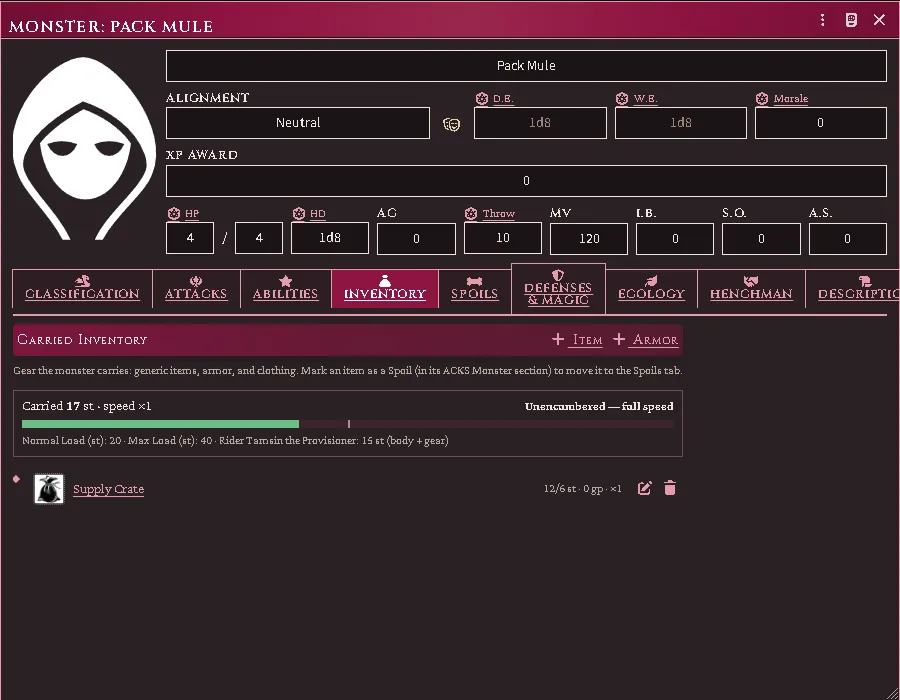
The capacity primitive on the sheet: carried weight, MM loads, and the rider named.
Groups of monsters
Section titled “Groups of monsters”A monster’s number appearing sizes a group: the group feature reads it into a dice formula, but nothing auto-rolls it — the Judge decides when a group is sized. A source with no ecology data returns nothing, and you type the size.
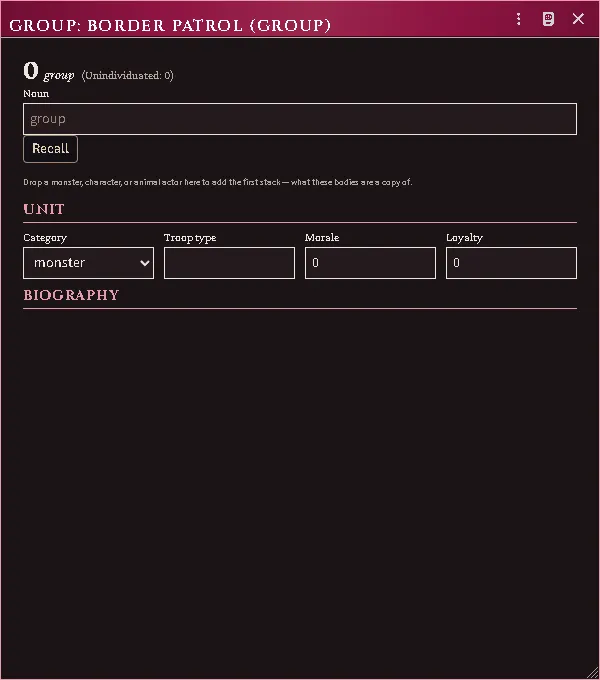
A retinue kept as one document rather than a dozen.
Where an imported creature came from
Section titled “Where an imported creature came from”A creature converted from another game’s book — an Old-School Essentials adventure brought in by the importer — carries a Source tab that a hand-built monster does not.
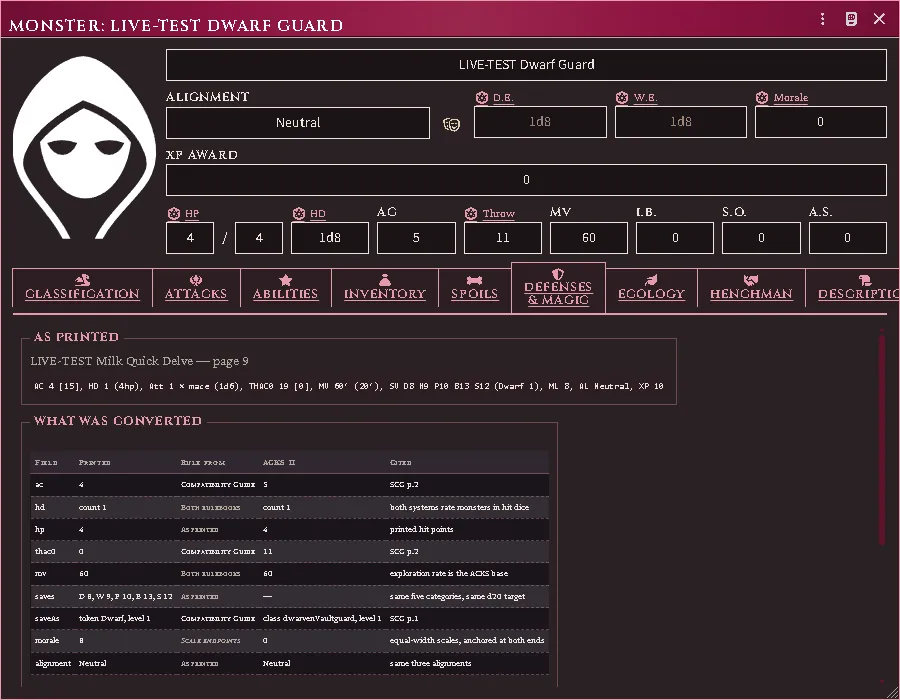
It shows three things side by side:
- the stat block exactly as printed, so you can hold it against your own copy of the book;
- every field that was converted, with the rule it was converted by — a published conversion, both rulebooks agreeing, a straight transcription, or a derivation;
- every field deliberately left alone, and why. Experience and treasure type are the common ones: neither game’s numbers mean the same thing, so the printed value is kept and shown here rather than written into a field where it would read as an ACKS II value.
Anything the importer’s reader did not recognise is listed too, so a clause it could not place is visible rather than lost.
The tab is read-only. If a number looks wrong at the table, this is where you check it — and then correct the field itself on the tab that owns it.
Common problems
Section titled “Common problems”A save throws an error on an old monster. Pre-migration monsters store saves
under the old keys (breath/wand rather than blast/implements). The sheet
warns instead of throwing — re-save the actor to bring it current.
The stat block is empty. The actor is a monster but was never given extras.
Fill in the Classification tab; everything else keys off it.
Damage types show a neutral icon. The weapon has no type and none could be resolved from the equipment classifier. That is honest — it shows a neutral icon rather than guessing.
Every feature here is free and none of it is gated. If it earns its keep at your table, you can chip in on Patreon.