
Domains
A domain is a ruler’s land, kept as the campaign game keeps it: the territory and its peasant families, the settlements and strongholds it holds, the month’s revenue and expenses, its morale, and the lieges and vassals around it. It is an actor like any other, with a sheet, a token and a place in a folder.
This is the record. Every figure on it is one you or an imported adventure enters; the module adds them up and says where something is missing, and works nothing out from the rules yet. A line you have not filled in is unset, not zero, and every total that leaves one out says so.
Make a domain
Section titled “Make a domain”Actors sidebar → Create Actor → type Domain.
The sheet is the Judge’s. A player who can open it reads it, opens its tabs, and changes nothing.
The frame
Section titled “The frame”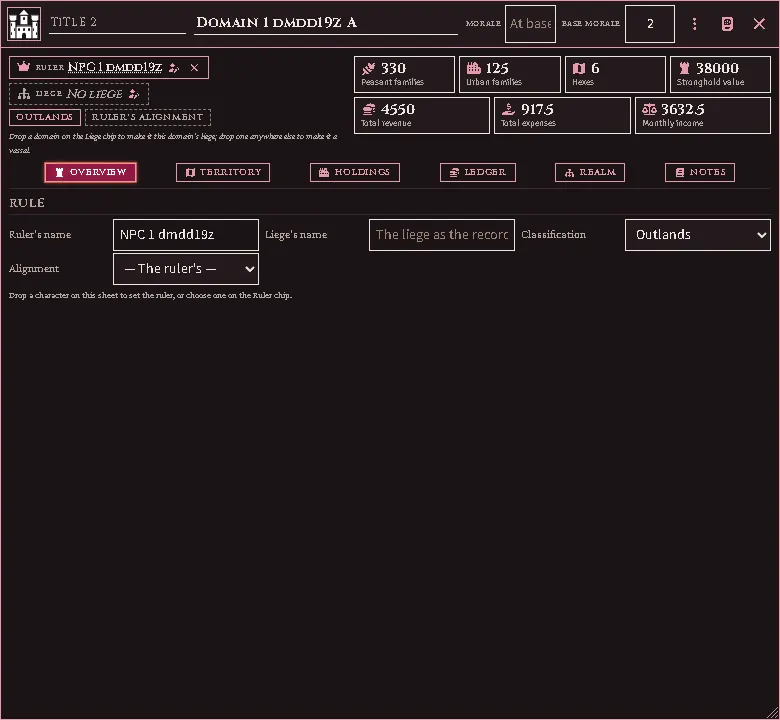
The top of the sheet stays put whichever tab is open.
- The band, in the window’s title bar: the domain’s heraldry (click it to choose a picture), its title before its name, and its morale — the current score, the base score, or both, as your record gives them. A blank current score means it stands at its base.
- Ruler and Liege — each names the actor, or the record’s word for one. Drag a character onto the Ruler, or a domain onto the Liege, or press the pencil to choose from a list. A domain cannot answer to one that already answers to it, and the list leaves those out. The × drops the actor and keeps the name.
- The tags — the classification, and the alignment (blank means the ruler’s).
- The rails — the peasant and urban families, the hexes, the stronghold’s value, and the month’s revenue, expenses and income. A figure with a + is at least that much: something on the record has no figure yet. A month figure with a half-filled mark is over lines left blank; hover it to see which. Click any figure to open the tab it is kept on.
Overview
Section titled “Overview”The record’s own words for the ruler and the liege, for a ruler or liege with no actor; the classification and alignment; and, when a figure leaves something out, a list of what.
Territory
Section titled “Territory”A row is a hex, or a run of hexes your record only gives as a total. Type the hex numbers separated by commas, or a count where the numbers are not listed. Families on each row add up to the domain’s peasant families. Shown lets players who can read the sheet see that row’s land value.
On the map
Section titled “On the map”On a hex map, the Country brush’s Domain pill paints hexes into a domain (see Painting the country). The Domains map mode draws each domain in a colour of its own, a vassal in a shade of its liege’s, with the border heaviest where two realms part. A hex painted into a domain reads as the domain’s classification unless you paint it a territory of its own.
The Territory tab lists the hexes painted into the domain after its own rows, each with a paintbrush mark. Keep turns one into a row of the record, or ties it to a row that counts hexes without naming them. Erasing a hex on the map deletes no row; the row is marked until you remove it.
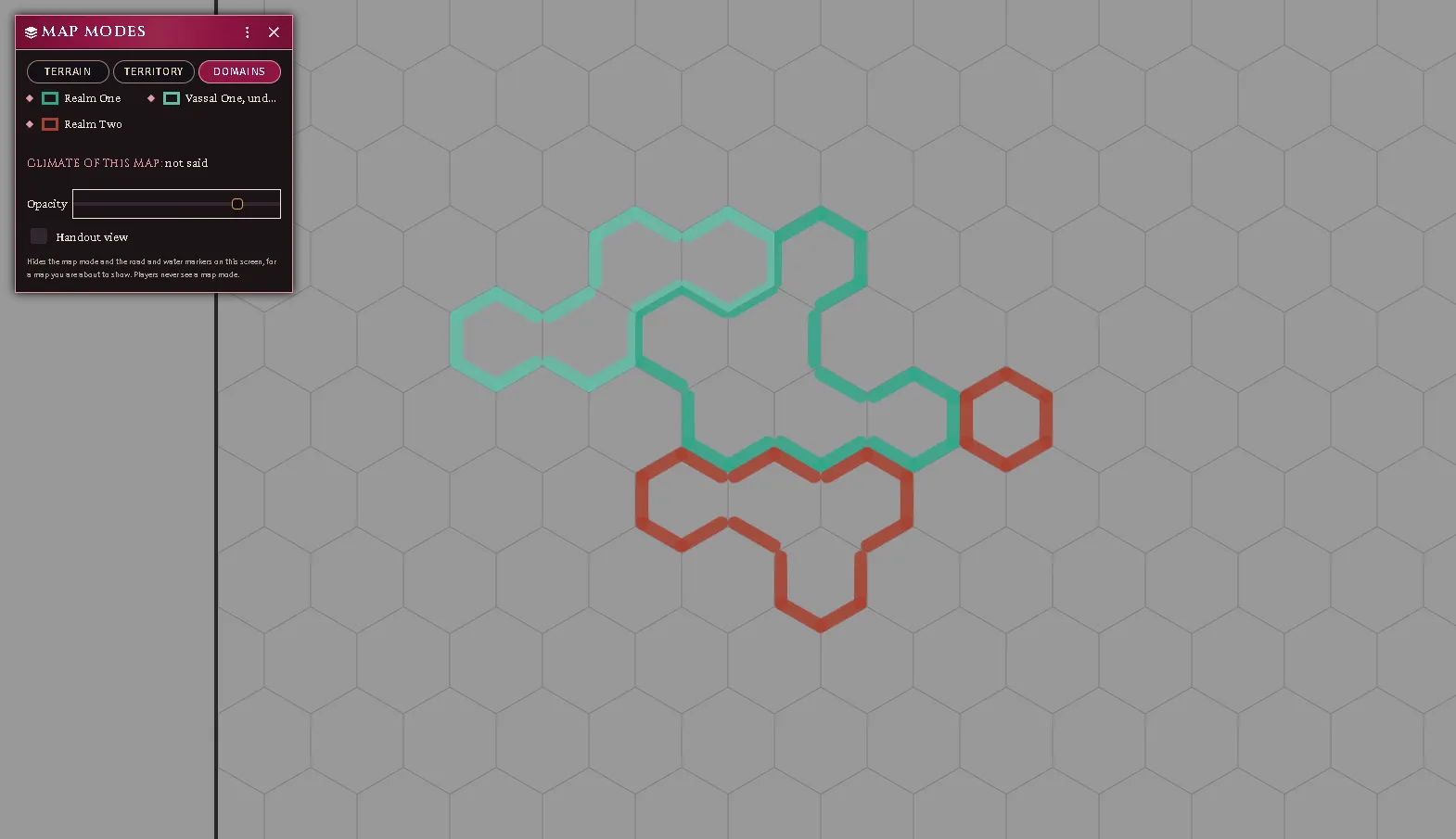
The Domains map mode: two realms and a vassal, the vassal a lighter shade of its liege, and the Map modes window’s legend.
Holdings
Section titled “Holdings”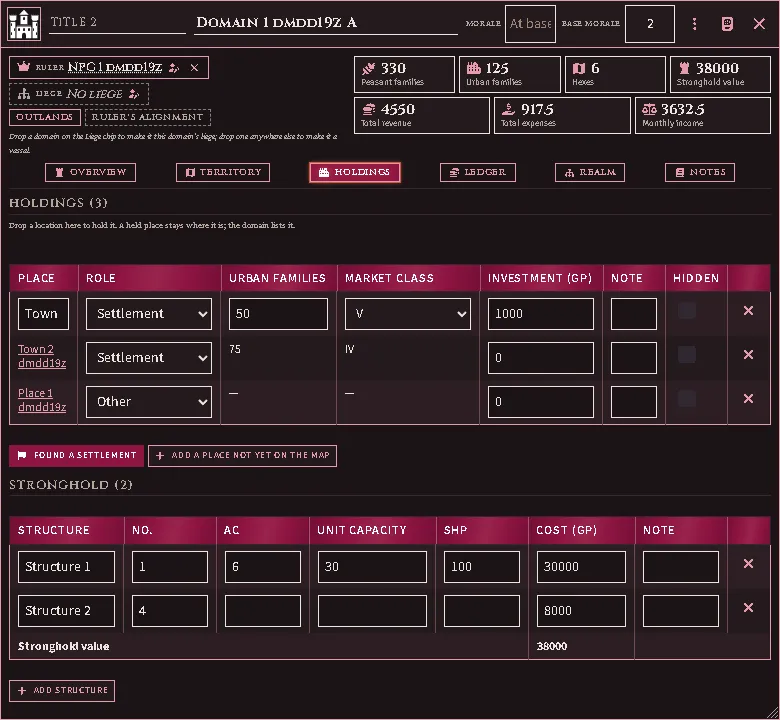
Drag a location onto the sheet to hold it. A place stays where it is; the domain lists it, and the place’s own sheet names the domain.
- Found a settlement makes a new location with a market and holds it at once. Its sheet opens so you can enter its families.
- A settlement — a location with a market — counts its own urban families and market class, read from its sheet. Change them there.
- Add a place not yet on the map is for a town your record names that has no location yet; type its families and market class on the row.
- A place can be held by one domain only. Dropping one another domain holds is refused, with that domain’s name — release it there first.
- Hidden keeps a holding off the sheet for players. A place that has been deleted stays on the list, marked, until you remove the row.
- A held place is never removed by the empty-place cleanup, even when nothing is kept in it.
Stronghold lists the structures: count, AC, unit capacity, SHP and the row’s whole cost. Their costs add up to the stronghold value.
Ledger
Section titled “Ledger”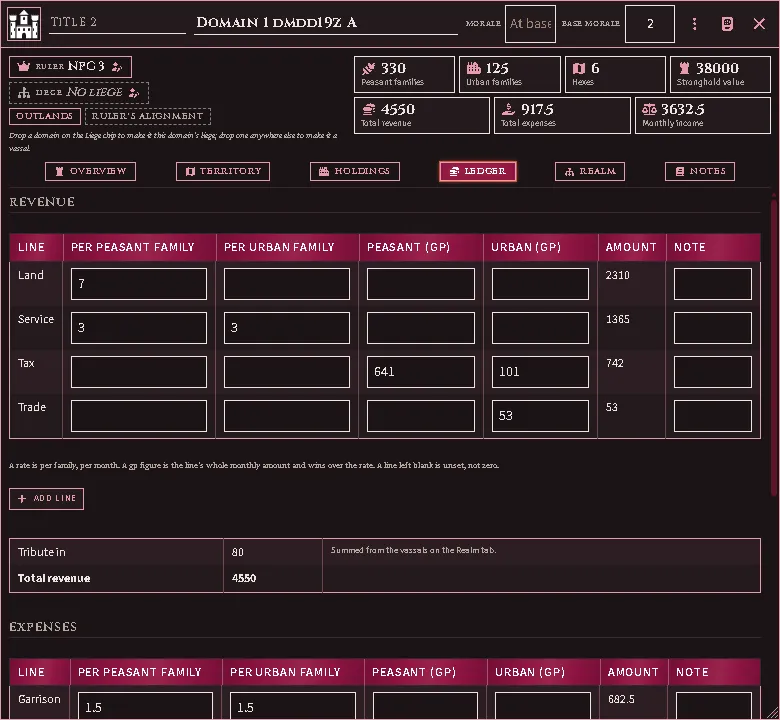
Each revenue and expense line takes a rate per peasant family and per urban family, or a flat gp figure for either side; a gp figure wins over the rate. The note beside a line is for anything the figure cannot say. Other lines take whatever your record lists beyond these.
Tribute in adds up the vassals on the Realm tab. Tribute out is what this domain pays its liege; a domain with no liege owes nothing.
When a line is blank, or a rate meets families nobody has counted, the totals count only what is set and say how many lines they left out. The Treasury row stays empty for now.
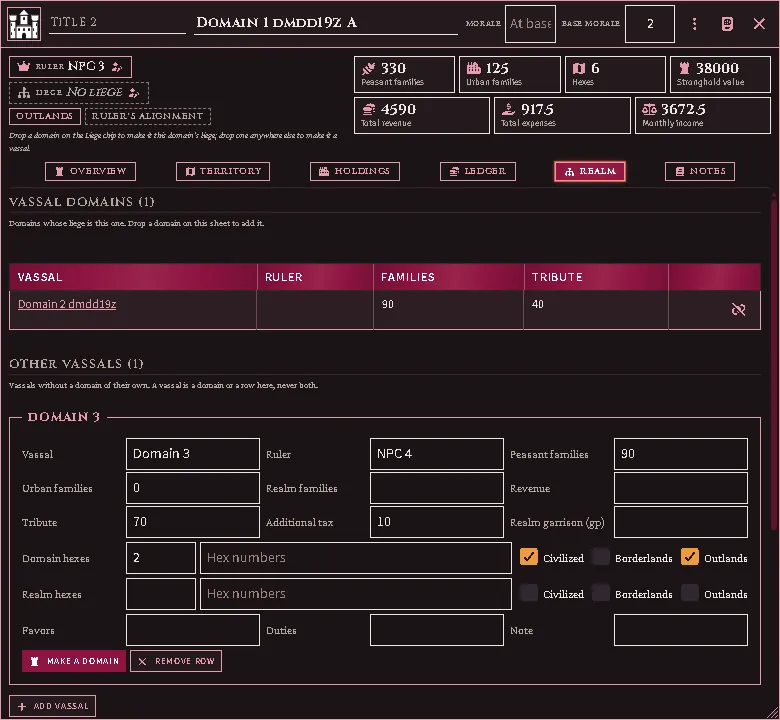
- Vassal domains are domains whose liege is this one. Drag a domain onto this sheet anywhere but the Liege to make it a vassal; the button beside one releases it.
- Other vassals are the vassals your record summarises in a row: families, hexes and their classification, revenue, tribute and any additional tax. A vassal is one or the other — a domain of its own, or a row here.
- Make a domain turns a row into a domain of its own, answering to this one, and removes the row. The new domain keeps everything the row said: its hexes and peasants as territory, its urban families as a settlement not yet on the map, its tribute and additional tax as what it pays, and the rest in its notes. This domain’s tribute in does not change.
- Favors and duties are rows of text.
A domain dropped on a location’s sheet or an organisation’s is refused: hold a place, or set a liege, from the domain’s own sheet.
Notes are the domain’s own; Judge’s notes are for you alone.
Coming next
Section titled “Coming next”The rules: the standard revenue and expense figures, morale, the treasury, the month’s turn and territory painted on the map. Each arrives without changing what you have entered.
Every feature here is free and none of it is gated. If it earns its keep at your table, you can chip in on Patreon.