
Appearance
Every window this module opens — and every window the ACKS system opens — is drawn from one palette: the burgundy spot colour and warm black the books are printed in, on parchment or on tooled leather depending on your seat.
If that is not what you want, ACKS look → System style turns all of it off. Start there; the rest of this page describes the settings that shape the book look, and they only apply while you are using it.
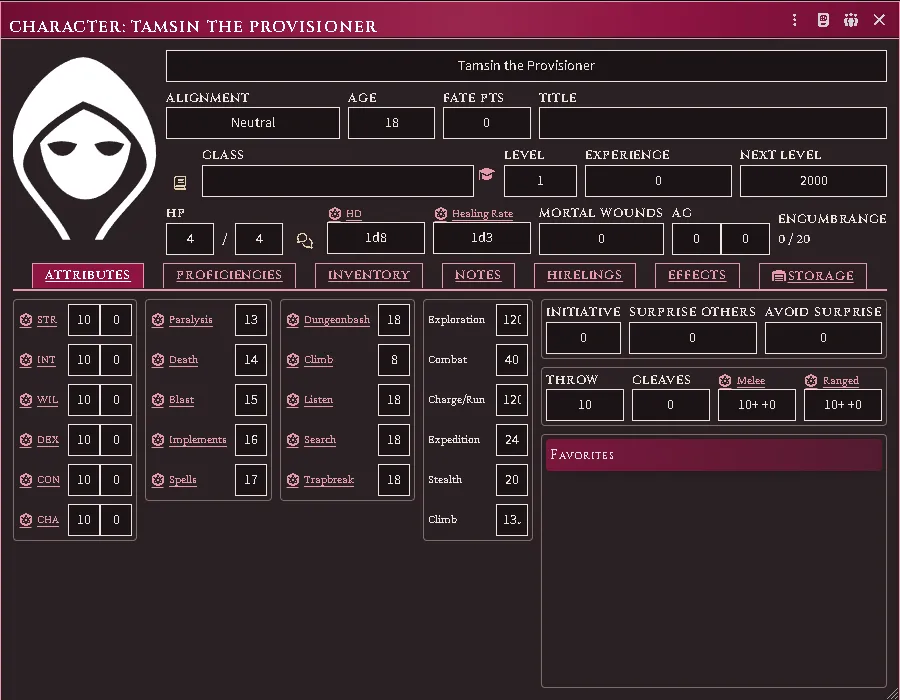
The system’s own character sheet on a dark seat, in the ACKS palette.
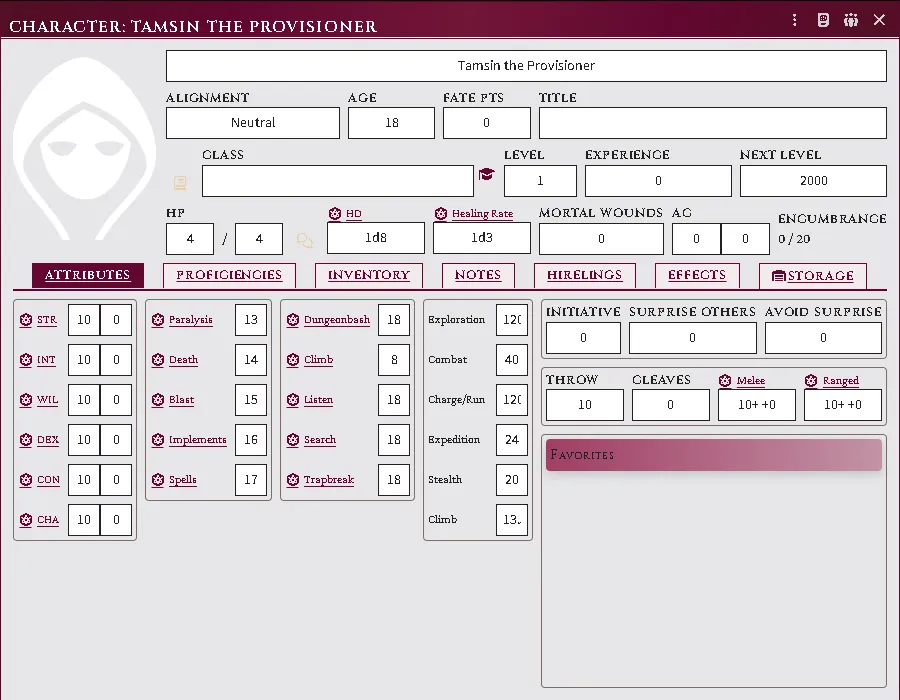
The same sheet on a light seat: ruled page, boxed write-in fields.
Turn the ACKS look off
Section titled “Turn the ACKS look off”Configure Settings → Module Settings → Extras → ACKS look. Per player; it changes nothing for anyone else at the table.
| Setting | What it does |
|---|---|
| Book style (default) | The ACKS palette and lettering, everywhere this module draws |
| System style | No ACKS palette and no ACKS lettering anywhere — every surface uses the colours and faces your client already uses |
System style is a genuine opt-out rather than a lighter version of the same thing. It covers this module’s own windows too — follower cards, the location and henchmen sheets, every dialog — not just the system’s. Your roll cards in chat change the most visibly, because those are dressed by this module and nothing else.
Two honest limits. It gives you the ACKS system’s look, not a neutral Foundry: the system itself paints every window header and hardcodes some of its own dialog colours, and turning this module down cannot turn that off. And light versus dark becomes Foundry’s business — the ACKS colour scheme setting below stops applying, because there is no ACKS palette left for it to pin. Set your seat in Configure Settings → Core → Colour Scheme instead.
Text size is not part of the look and keeps working either way; see below.
Pick a colour scheme
Section titled “Pick a colour scheme”Configure Settings → Module Settings → Extras → ACKS colour scheme. Per player; it changes nothing for anyone else at the table.
| Setting | What it does |
|---|---|
| Follow Foundry (default) | Matches whatever colour scheme the rest of your client uses |
| Always light | Parchment, whatever Foundry is set to |
| Always dark | Tooled leather, whatever Foundry is set to |
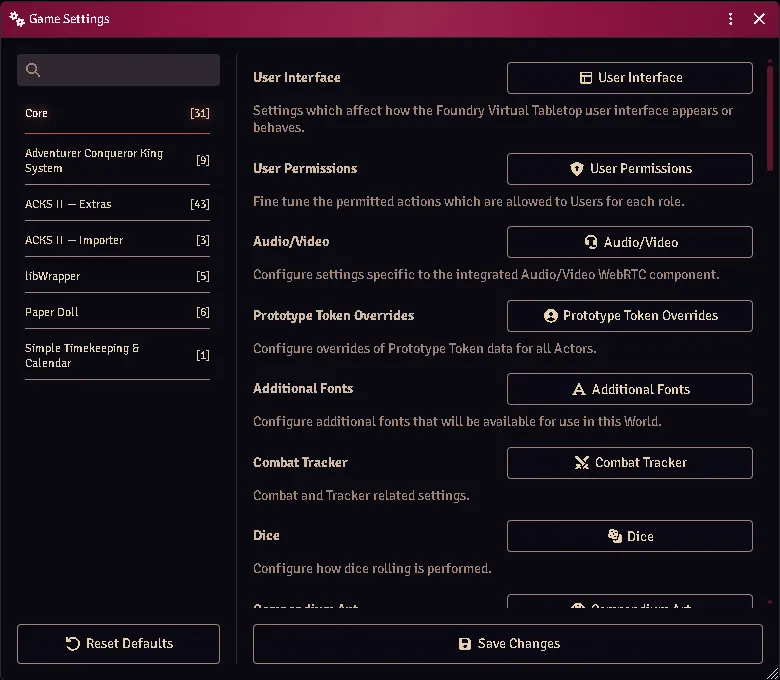
The per-player setting that holds the ACKS look steady.
Follow Foundry genuinely follows. Foundry lets you theme application windows separately from the rest of the interface (Configure Settings → Core → Colour Scheme), and the ACKS palette tracks whichever of those applies to the window you are looking at.
One combination is imperfect: with the interface set dark and application windows set light, ACKS surfaces stay dark inside those windows. Set ACKS colour scheme to Always light and it resolves.
Change the text size
Section titled “Change the text size”ACKS font size sets the base size, in pixels, for every ACKS surface — follower cards, module windows, and the system’s sheets. One knob rescales the whole family; Foundry’s own UI scale applies on top of it.
Choose how much styling the system’s sheets take
Section titled “Choose how much styling the system’s sheets take”ACKS styling on system sheets decides how far the look reaches into the windows the ACKS system opens — the character sheet, the item sheet, its dialogs.
| Setting | What it does |
|---|---|
| Full dress (default) | Banners, tabs and ACKS write-in fields throughout. The character sheet opens wider to fit them |
| Palette only | The system keeps its own layout, spacing and width; only the colours change |
Both follow your colour scheme. This setting is how much ACKS, never whether dark mode works.
Full dress widens the character sheet by about 90px. The ACKS write-in fields are roomier than the ones that sheet was laid out around, so it is given the room rather than made to do without them — and it is a minimum, not a fixed width, so if you drag the sheet wider it stays where you put it. If you would rather keep the sheet exactly as the system draws it, that is what Palette only is for.
There used to be a Character-sheet theme on/off toggle, and it was removed because off never returned you to anything coherent: it left this module’s windows in the ACKS look and the system’s in Foundry’s default one, and on a dark seat it could put ACKS panels on a page drawn for a light one. ACKS look → System style is the opt-out done properly — everything stands down together, so there is no half-dressed state to land in, and nothing is left picking its colours from a different scheme than the window around it.
Choose what the world opens on
Section titled “Choose what the world opens on”Configure Settings → Module Settings → Extras → Default look and sheets (world). One setting for the whole table, asked once at the world’s first launch and changeable any time after.
| Choice | What it does |
|---|---|
| Foundry — no ACKS styling | Foundry’s own colours and faces; sheets fall back to the next set that has one |
| ACKS system sheets | The ACKS look, and the system’s own sheets wherever it has one |
| ACKS Extras sheets (default) | The ACKS look and this module’s sheets throughout |
A type the chosen set has no sheet for takes the next set’s — Extras, then the system, then Foundry — so nothing is ever left without a sheet. Each player’s own ACKS look setting above still wins on their seat.
Changing it asks for a reload, and after the reload every actor and item opens on the chosen set. If you had pinned a type through Foundry’s Configure Default Sheets to one of the ACKS sheets, choosing a preset releases that pin so the preset can govern; a pin naming a third-party sheet is yours and stays. Pin a type again afterwards if you want one type to differ from the rest.
Where the ACKS compendia live
Section titled “Where the ACKS compendia live”The Compendium Packs sidebar gathers every ACKS pack under one folder — this module’s, the other modules in the family, and the system’s own — instead of leaving them loose at the root among everything else installed.
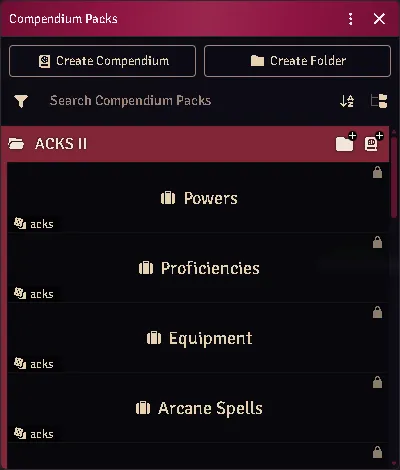
Every ACKS pack under one folder, rather than loose at the root.
The folder is matched by name, so every ACKS module declaring it lands in the same one rather than each making its own.
Colour is never the only signal
Section titled “Colour is never the only signal”No distinction in this module is carried by hue alone. A lit lamp and an unlit one differ by the weight of the glyph, not its colour; a magical light and a mundane one are different marks. That is partly the books’ own discipline — they are printed in one spot colour and a black — and partly so the interface still reads on a colourblind seat, in greyscale, or printed.
Every feature here is free and none of it is gated. If it earns its keep at your table, you can chip in on Patreon.