
Item Markets
Buy and sell equipment at any settlement with a market, at ACKS II availability and prices — with merchant imports, commissions, directed searches, the magic-item market, mercantile ventures, market research, and the goods and demand a settlement trades in.
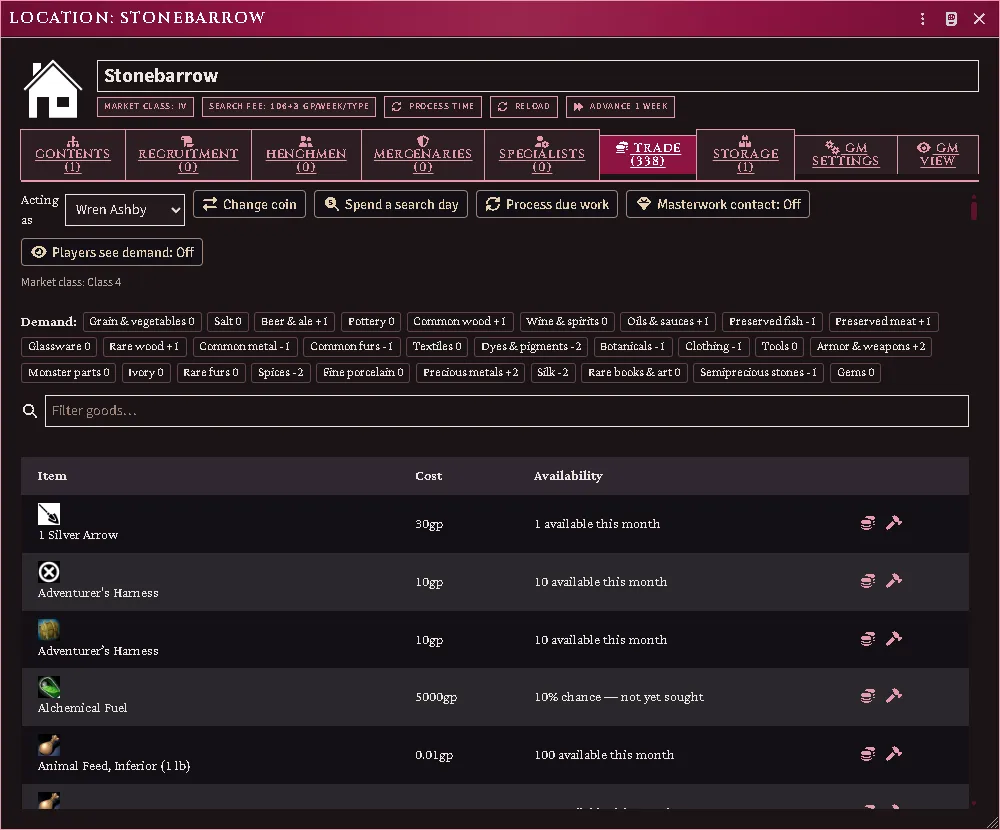
A market’s Trade tab: who the Judge is acting as, the coin, search-day and process controls, the two Judge switches, the settlement’s demand modifier per good, the one report held about it, and the catalog with what the class makes available this month.
- Import the rules tables from your books via the importer (Getting Started, or Reimport One Shelf → Rules tables): equipment availability, market characteristics, magic-item transactions, wages and construction, and the market chapter’s prose figures. Every number the market applies is read from these; an action whose table is missing refuses and names it. A table the extractor could not fill completely is reported at import and shows as incomplete rather than as “unavailable”.
- Import merchandise (the same step): each trade good becomes a Merchandise Item in the cookbook compendium. A world Item of the same key overrides it, and a good you make yourself joins every roll and window.
- Give a location a market (its market class derives from urban families, or set the override). The location sheet grows a Trade tab.
- Optional: Configure parties (module settings) if more than one group trades separately; otherwise the whole table is one party.
Acting as
Section titled “Acting as”Every trade action on a market’s Trade tab is taken as one character: the Acting as picker at the top of the tab. A player chooses among the characters they own; the Judge among the player characters and their own. The choice is remembered on that client. Orders, searches and ventures show to the party that made them; the Judge sees every party’s, labelled, with a block per party of what it believes about demand and where its venture stands.
Buying and selling
Section titled “Buying and selling”The Trade tab lists every priced item known to the world and its compendiums, with live availability: so many per month per party at this market’s class, scarce goods as a percent chance your merchants find one. Buy opens the purchase dialog — quantity, an optional merchant Bargaining profile (GM), and for a large party the dedicated shopping day (RR 124). Purchases stack: countable gear merges, and thirty swords arrive as thirty swords to hand out. Sell offers your own priced goods at their condition-reduced value; sold goods leave play.
A search day (button on the toolbar) spends another dedicated day looking: your party’s caps rise by one base increment and scarce goods get a fresh look.
If the market cannot supply an item:
- Import it (in the purchase dialog): a merchant sources it from a local or a regional hub, paid up front; the wait and the risk of loss in transit are rolled for you (RR 124).
- Post a directed search (binoculars on the row): say how many; the merchant keeps looking each market month and holds a find for you.
- Commission it (hammer on the row): a craftsman builds it at their construction rate; wages paid up front, delivery on completion.
Masterwork gear appears only where the Judge switches the Masterwork contact on (Trade tab). The gate reads the masterwork tier the equipment sheet writes.
Coin at a market
Section titled “Coin at a market”A market deals where it stands. What you buy, import or commission there is paid with coin you have on hand or keep at that market, drawn in the order your sheet states (where coin is paid from). Coin kept anywhere else — a vault, a bank in another quarter — does not reach the counter: fetch it, or leave it at the market first. That holds whatever the world’s setting for paying with coin kept elsewhere says (location storage), and it is what keeps carrying coin across a city a decision somebody has to make.
A purchase that coin cannot cover is refused with Not enough coin on hand or kept at this market, and nothing moves. What a sale earns you, and what the changer hands back, lands where your sheet says arriving coin goes when that is on hand or at this market, and is carried loose otherwise. A venture’s tolls, bribes, purchases and proceeds follow the same rule at the market they happen in.
To keep coin at a market, open its Storage tab and press Leave something here, or drag a coin row onto the place. It lists there under your name.
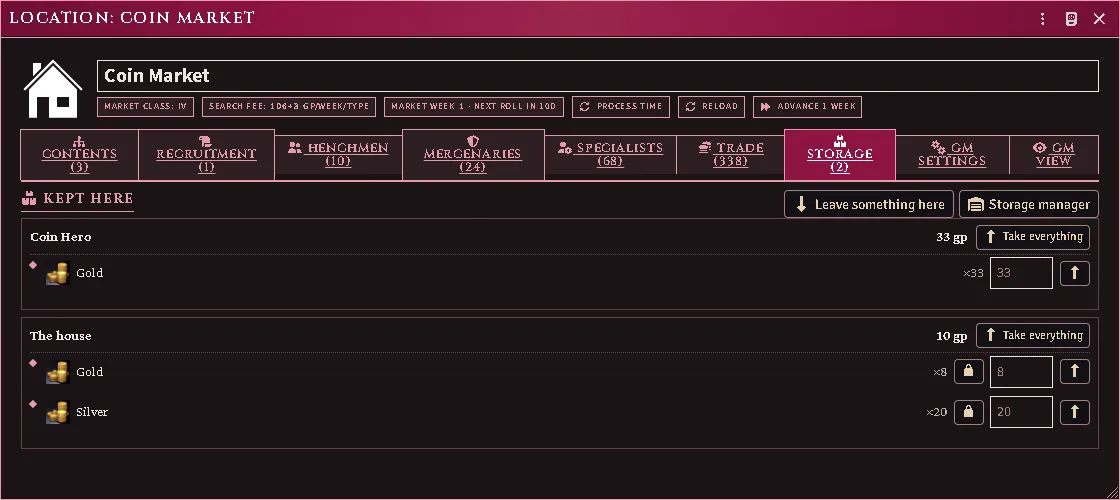
A market’s Storage tab: the coin one character keeps there, which their purchases at this market draw on, beside the house’s own.
Being at the market
Section titled “Being at the market”A market deals with a character who can reach it, the way any place is reached (being somewhere). A player’s purchase, sale, import order, commission, venture day or exchange for a character who cannot is refused before anything is rolled, and nothing moves. Where the market is on a map, the refusal names the character, the map and the market.
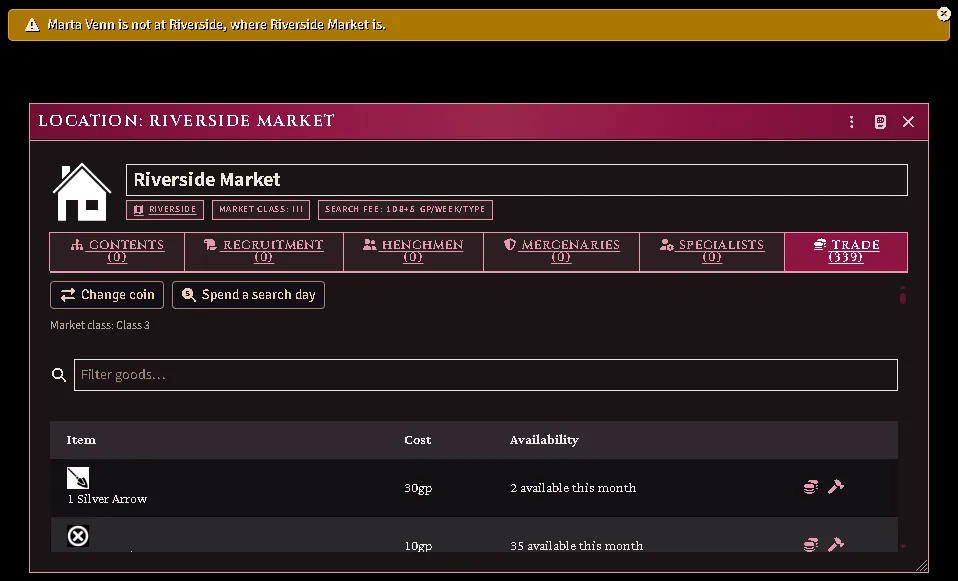
A player’s purchase for a character who is not on the market’s map: the refusal says who is not where.
The Judge’s seat is not held to it. A trade the Judge makes for a character who is not there goes through, and a line opening Judge’s override states the refusal that was set aside.
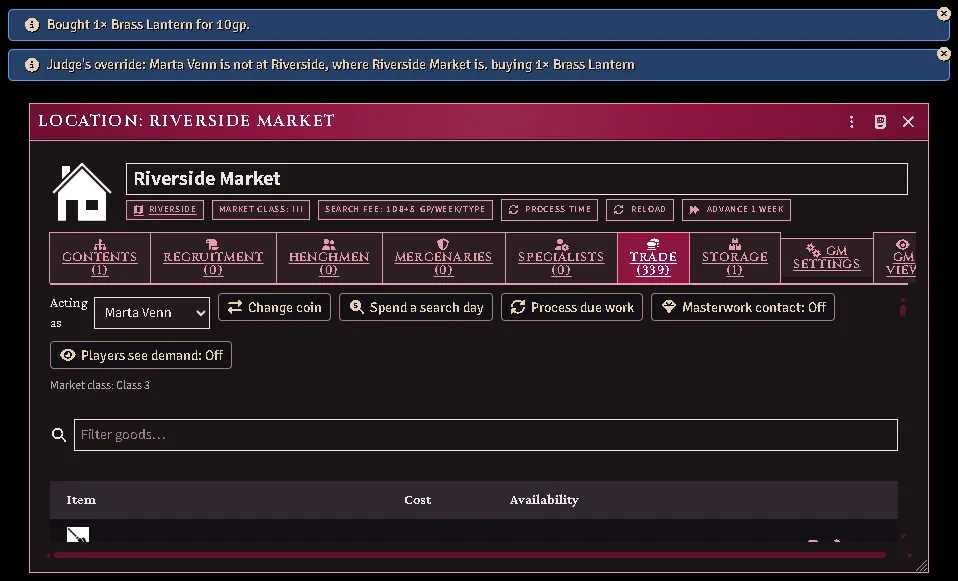
The same purchase from the Judge’s seat: it goes through, and the override line states the refusal it set aside.
Changing coin
Section titled “Changing coin”Change coin turns one denomination into another at face value: pick the stack, say how many, and pick what you want them as. It is a market’s service rather than a party’s, so it is refused where no market stands, and the Judge can set a market’s exchange to derived, market or none on the GM Settings tab. A player’s exchange is carried out on the Judge’s seat, so coin moves only when both sides of it do.
Magic items
Section titled “Magic items”The equipment sheet’s Construction tab carries the magic panel: the GM marks an item magical with its kind, rarity, apparent value, and base cost.
Unidentified items trade at apparent value. Identification runs the JJ ladder (JJ 130) through any qualified character or henchman; failures wait for a level. Fully identified items sell at base cost (more for their maker) and buy at the Tower’s premium (JJ 131). Availability and the purchase preview band a magic item on the magic grid, never the equipment one. A magic item sold to a market stays on its shelf — a held row on the Trade tab — and can be bought back.
Merchandise
Section titled “Merchandise”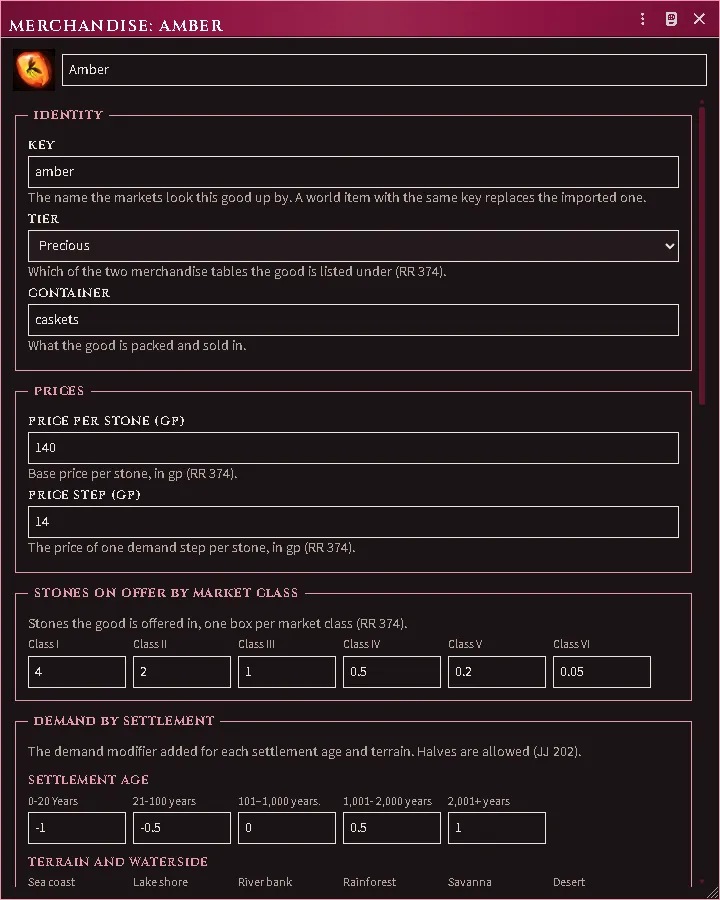
A Merchandise Item the Judge made: its key, tier and container, the prices and the stones offered per market class, and the demand columns it answers to.
A Merchandise Item is one trade good: its price per stone and price step, the daily stones on offer by market class, the settlement age and terrain columns that move its demand, the peoples that want it, its band on the random-merchandise tables, and the item kinds it stands for. The importer fills these from your books (RR 374, JJ 202); a good you add as a world Item — or a world Item with an imported good’s key — takes part in every roll and window like a printed one. Aliases name the older or setting-book goods it stands for; a setting-book import translates through them first.
Demand
Section titled “Demand”A market’s demand modifier per good is three layers: the base the Demand Generator or a book wrote, a derived layer reserved for trade routes, and the Judge’s pins, which win. Set demand on the Trade tab sets, pins, clears or unpins one good; Players see demand is the Judge switch that shows players the true modifiers rather than only what their party believes.
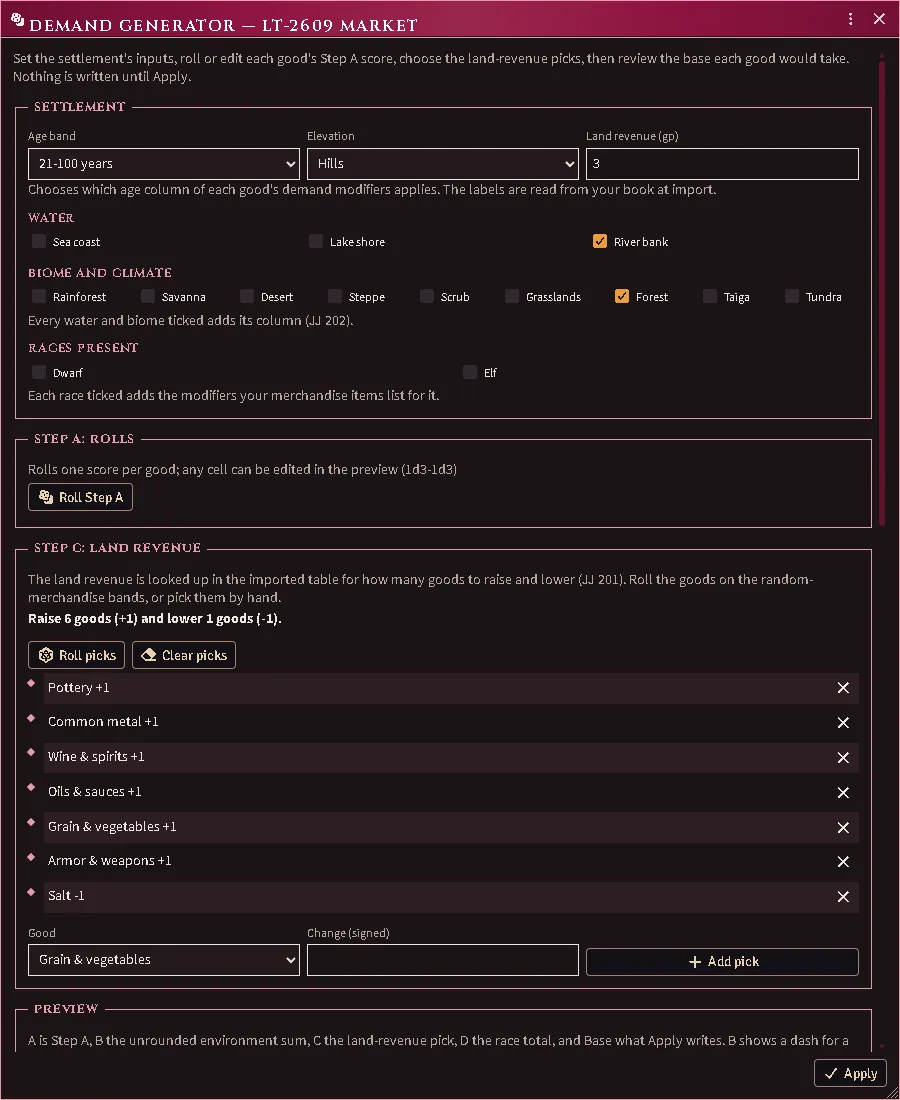
The Demand Generator: the settlement’s inputs, Step A rolled per good, the land-revenue picks, and (below) the preview of what Apply writes.
The Demand Generator (Trade tab, Judge) builds the base from the settlement’s age, water, biome, elevation, land revenue and peoples (JJ Ch6 Step 7 A–D). Every good’s roll and total is shown before anything is written; Apply replaces the base and leaves pins alone, and a base you typed or a book imported asks before it is replaced. The inputs and rolls are kept for the next visit.
Market research
Section titled “Market research”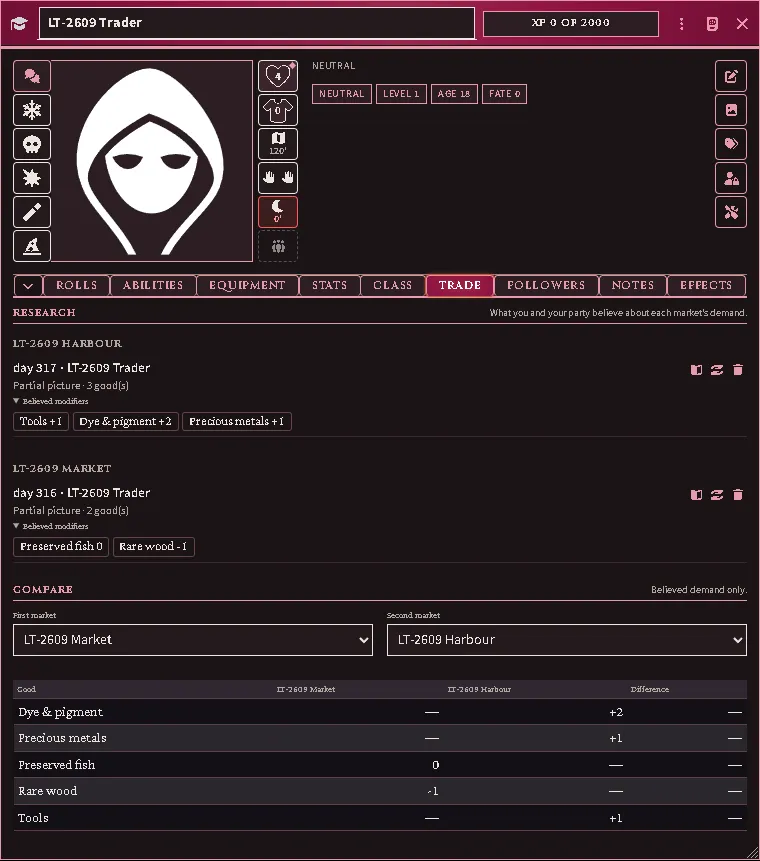
A trader’s Trade tab as the player sees it: the party’s reports by market with the modifiers each learned, and Compare across two markets.
An assessment (below) writes a market report: the market, when, who assessed, and the modifiers learned. Reports are Items kept in a trade house — a location actor the module makes on first use — and stamped to the assessor. A character with Bargaining, Mercantile Network, a merchant profession or a report of their own (or one the Judge marks as a trader on their sheet) has a Trade tab: Research lists the party’s reports by market, and Compare sets two markets side by side on believed demand only. A report can be opened and annotated, given to another character of the party, or discarded. A market’s own Trade tab lists the reports held about it. A false assessment is a report with wrong beliefs; only the Judge’s copy says so.
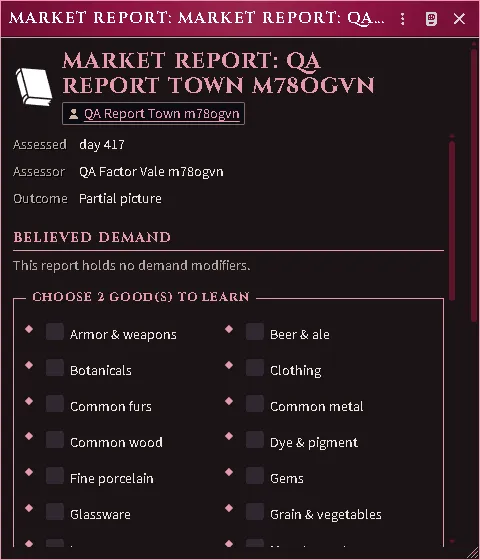
A partial assessment leaves the choice to the trader. A partial result of Assess supply & demand leaves the report holding a number of picks; its owner chooses the goods on the report sheet and learns their modifiers then (RR ch. 8, Assessing Supply and Demand). A false result asks the same choice and looks the same, but the modifiers it gives are wrong. The assessment card links the report.
Setting-book market profiles
Section titled “Setting-book market profiles”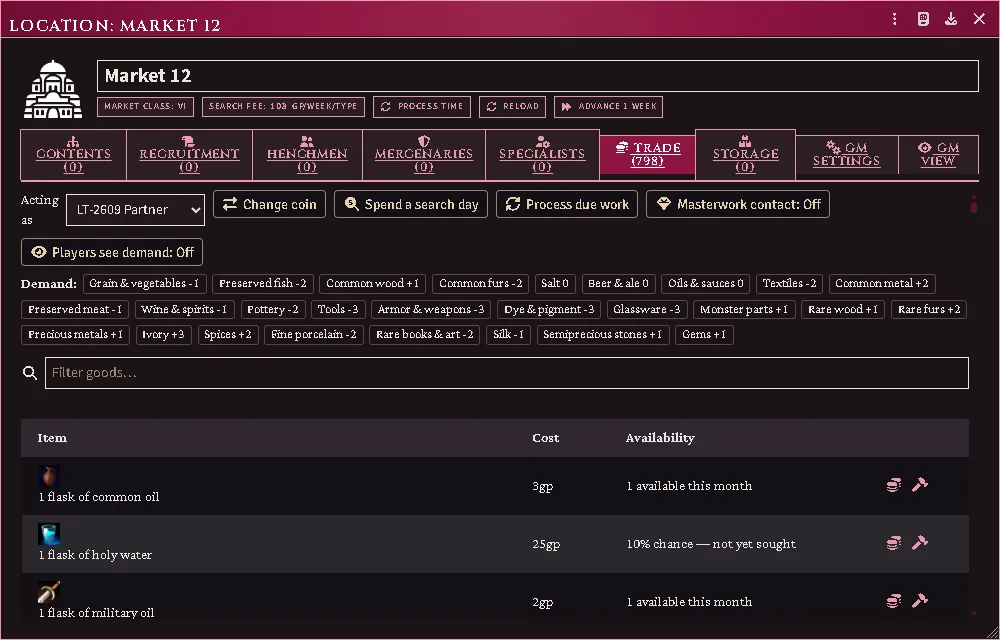
A market a setting book prints: imported as a location with its market class and the base demand modifier for every good the book’s grid names.
Importing a setting book that prints a regional demand grid and domain records (AX3) gives each market its class, urban families and base demand. A market the book gives no other entry becomes a location of its own; its printed name arrives with the import. Older-edition goods translate to your merchandise through the Judge’s aliases first, then the module’s map; a good that translates nowhere is reported, never dropped. A class, family count or base you already set is kept, and a re-import refreshes only what the same page wrote.
Mercantile ventures
Section titled “Mercantile ventures”Ventures run on dedicated days that resolve as game time passes:
-
Enter the market — declare what the party brings to the gate.
- What you bring. Declare cargo capacity, vehicles included (Taking it to market). Under Goods at the gate the dialog lists every merchandise load in the packs of your party’s members at the market and aboard each vehicle you tick. It also lists the treasure or gear they carry that has a merchandise type: tick Brought to sell on what you mean to sell. Anything with no merchandise type is not listed and not charged.
- What the gate takes. The toll falls on your capacity, loaded or empty, and your market impact is fixed from the imported baselines (RR 371). The tariff (RR 372) falls on every load listed and on each good brought to sell. It is charged at the rate your book prints for the market’s class on each good’s base price; a good marked exempt on its merchandise sheet pays nothing. The Enter dialog shows every charge, good by good, before you confirm. The trader pays it all, in one payment; who in the party chips in is yours to settle.
- No charge. If a member at the market rules the domain the market lies in, the gate takes neither charge. A good you tick Smuggled pays no tariff. Tick The party sneaks in and the gate takes no toll either, and everything you bring is smuggled. Either way the Judge is told what came in and resolves the attempt.
- As the party or separately (RR ch. 8, Entering the Market, Parties). A party of more than one chooses at the top of the dialog. Entering separately, each character posts an entry of their own, with their own vehicles, goods and toll, and trades in a venture of their own; the dialog shows the maximum market impact each then gets. Once one of you enters separately, the rest of the party can only enter separately that month, until everyone has left. A vehicle goes through the gate once a month, so each brings their own. Only the character who rules the domain enters free.
- Moorage and stabling (RR 372). Choose whether your ships take a berth and your animals the stables, or you anchor and pasture outside; one choice covers the whole entry. Each wagon or cart you bring asks how it is Stabled as, and remembers your answer for next time. Count your loose animals by kind; the dialog shows the day’s fee. You pay it when you leave, for every day you stayed, the day you arrived and the day you leave both included. A stay still running when the month ends is charged then, to the day the month ends. Sneaking in does not escape it; the character who rules the domain stays free. After upgrading, re-import the Mercantile rules tables so the rates arrive: until then an entry with anything to stable is refused.
- Judge’s options. The Judge may have the tariff thrown at each entry
(the Randomize the market tariff setting); the dialog then shows
the span it can come to. After upgrading, re-import the Rules tables
so the dice arrive. The module charges nothing the book does not. A
Judge who wants more, such as a bribe at the gate or a guild fee, adds
it with a world script on the
acksExtras.marketGateQuotehook (see below).
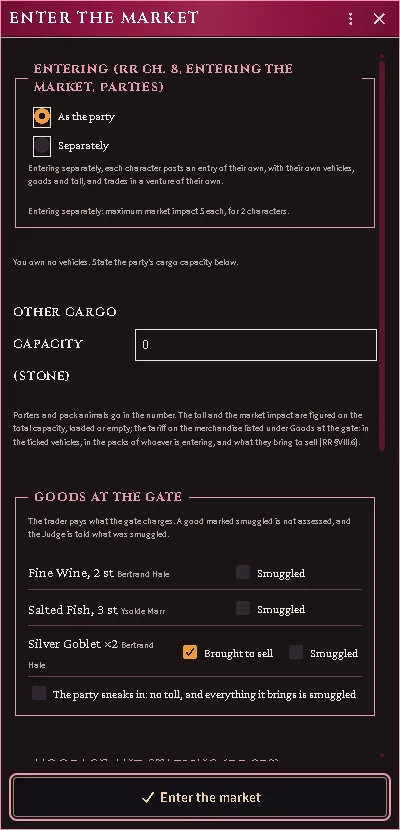
A party of two at the gate: entering as the party or separately, and the goods it brings, with the goblets ticked as brought to sell.
-
Assess supply & demand — opens the influence page against the market: your Charisma, a tone proficiency, a bribe (RR 287) and your reaction effects set the Judge’s throw against the imported bands, which decides how many demand modifiers you learn, and whether they are true; what you learn lands as a market report (RR 373). The bribe is paid to the market as the day is posted, whatever the day brings.
-
Solicit a merchandise type — opens base stones × impact to trade and reveals the month’s price (rolled once per type per month).
-
Trade merchandise — buy or sell stones against your solicitation, into or out of the hold you pick, optionally negotiating the spot price a step your way — or into an outraged refusal (RR 376).
-
Leave the market when you are done, or to declare again — you pay your stay, the toll and tariff stay with the gate, what you solicited closes, and any of your party’s days still queued are withdrawn. Leaving is refused while your purse cannot cover the stay. Entering again pays the gate again.
Adding your own gate charges. The gate charges what the book charges and
nothing else. A house rule goes in a world script, which must run on every
client: a module of your own, or a script macro run at startup. It listens on
acksExtras.marketGateQuote, which runs whenever the gate quotes: in the
Enter dialog’s preview and again at payment. A handler reads the quote and
pushes charges onto quote.extra, in copper, and the trader pays them with
the rest. The Enter dialog lists each added charge and the ledger records
it. A handler must give the same answer every time, or the preview
and the payment disagree.
Hooks.on("acksExtras.marketGateQuote", (quote, { location }) => { if (location.name === "Example Port" && !quote.sneaked) quote.extra.push({ label: "Harbor watch", cp: 500 });});The quote holds what is assessed (loads) and what is smuggled
(smuggled), plus the book’s charges (tollCp, tariff) and the
privilege or sneaked that waived them. The handler’s second argument
also says whether the trader enters separately. The stay is
quote.stay: its lines, and cpPerDay, the day’s fee in copper, which a
handler may set to charge a different stay; the days are counted as above.
The same functions are on acksExtras.markets.gate, and the stay’s on
acksExtras.markets.stay.
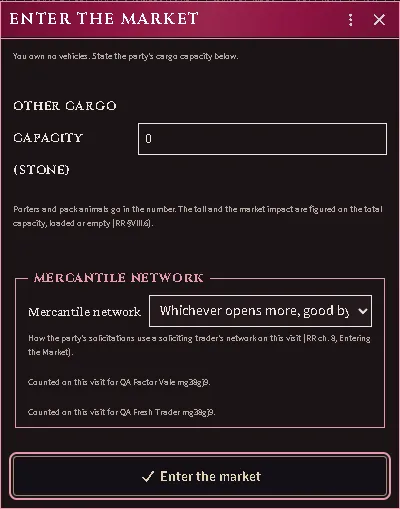
A mercantile network counts in a market its holder has visited before. On a venture each solicitation reads the goods of a market class larger or with more market impact; the module picks whichever opens more, good by good, and the Enter dialog lets the trader choose one for the visit. Tolls and the month’s prices never move (RR ch. 8, Entering the Market). A market is known only from an earlier visit: the days of one stay are one visit, and an entry, a hire or a purchase counts. The Judge’s switch on the market’s Trade tab marks it known as well.
The queue under the buttons lists your party’s days still to resolve. The same trader cannot queue the same day twice; a queued day has a withdraw button (the Judge’s, or the owner’s of the trader who posted it), and nothing paid for it comes back.
A day that cannot resolve because its table is not imported posts the table’s name to the trader and the Judge. Merchandise loads ride in the hold they were bought into, your packs or a vehicle’s, one stone per unit, ready to haul to a market whose demand pays better.
Trade history
Section titled “Trade history”Trade history on a market’s Trade tab lists what your own traders did there, newest first, with each row’s coin movement and the net; the Judge sees every trader’s rows with a trader column. The same history, across every market, is on a trader’s own character sheet under its Trade tab. A trader reads their assessment rows as the report said — a false picture is listed as partial.
The clock
Section titled “The clock”Imports, commissions, searches, and venture days all resolve when world time advances (any worldTime clock), on the GM’s client — or the Process due work button on the Trade tab, which the Judge always has and an owner has while something of theirs is pending.
Every feature here is free and none of it is gated. If it earns its keep at your table, you can chip in on Patreon.