
Importing from your books
Book content arrives from your own PDFs. The module ships extraction recipes — page geometry, patterns and anchors — and never the book text. The GM connects a book once, imports what the cookbook ships, and what comes out is ordinary world documents that everyone at the table can read, players who own no books included.
Connecting a book
Section titled “Connecting a book”The importer reads your own PDFs, from a copy the importing seat can reach: your own disk, or a book the GM has staged on the server for the table. A book is read at the moment something is imported from it; what comes out is written into the world, so nobody needs the file again afterwards.
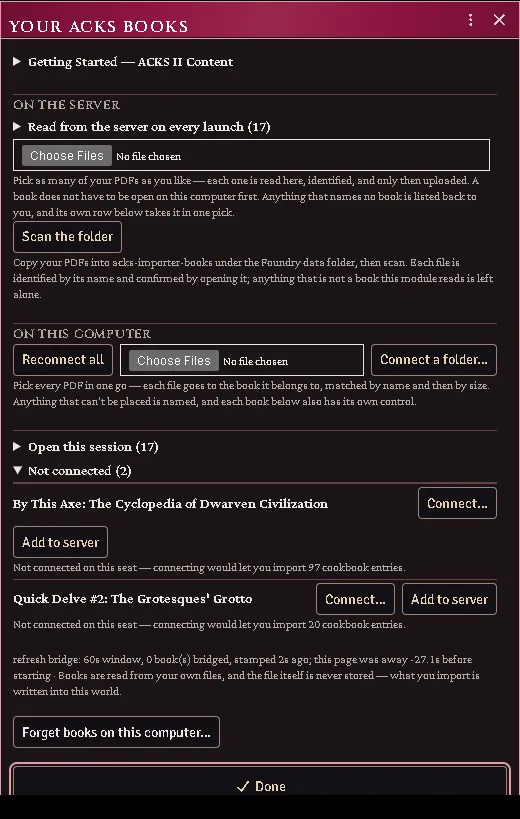
The book loader, with three books already open on this seat.
Connect
Section titled “Connect”Open Your ACKS Books (the macro in “Your Books”) and use the control on the book’s own row. One window covers all of it: the walkthrough, the server’s books, the controls that answer for several books at once, and a row per book.
The module identifies the edition by page count plus metadata title, never by file hash: DriveThruRPG watermarks each customer’s copy, so the bytes differ from person to person and a hash would only ever match one buyer’s file.
Once connected, the count beside the book tells you how many shipped cookbook entries that connection unlocks.
Several books in one trip
Section titled “Several books in one trip”Use Pick PDFs… and choose all of them at once. The order does not matter. Each file goes to the book it belongs to, worked out from the name this seat used for it last time, its size, or the book’s title in the filename — the stock DriveThruRPG filenames all carry one.
Anything that cannot be placed is named rather than guessed at: a book filled from the wrong PDF is far worse than a book left closed. Connect those from their own row, where the book is already named and nothing has to be inferred.
Connect a folder
Section titled “Connect a folder”Point Connect a folder… at the folder holding your PDFs (one level of subfolders is scanned too). Every book recognised inside connects itself, by the same evidence rules; other PDFs living there are left alone and named only in the console — in a folder they are the normal case, not a mistake.
On a Chromium browser over a secure origin the folder itself is remembered: next session, one permission click on the folder reopens everything in it, where per-file permissions cost one click per book. Elsewhere the folder scan still works; the books fall back to being remembered by name.
Books on the server
Section titled “Books on the server”Browsers will not hand a file back after a reload without a fresh click, which is why a book connected from your own disk asks for a gesture every session. A book the server holds asks for nothing.
There are three ways in, and none of them asks you to connect the book on this computer first:
- in the Books window’s On the server band, pick your PDFs — as many as
you like at once. Each one is read here, identified, and uploaded into
acks-extras-books/under the Foundry data folder. Anything that names no book is listed back to you and left alone; - press Add to server on any book’s own row. The row names the book, so the file you hand it needs no guessing at all;
- copy your PDFs into that folder yourself (drag, FTP, host panel) and press Scan the folder.
Every route opens and checks the file before anything is staged, and the first two check it before anything is uploaded: a PDF is only recorded as a book once it proves to be that book, so a misnamed file is refused rather than staged wrong. From then on every GM seat, on any machine, reads it automatically at launch — no picker, no permission click, nothing to remember.
If the server already holds a file under that book’s name, nothing is uploaded a second time: the copy already there is read and staged if it is that book, and named to you if it is not.
Every book on the server is also a journal. Look in the Journal sidebar under Your Books: one entry per book, holding a PDF page. Open it and press Load PDF to read the book inside Foundry, from any GM seat; the Open button on the book’s row in the Books window goes to the same place. The journal is yours alone until you share it — give a player Observer permission on it the way you would on any other journal, and they can read the book too. A player’s seat reads at launch only the books you have shared with it, so a book you keep to yourself costs their seat nothing when they join.
The official fillable character sheet has a row of its own. Nothing is imported from it: the character sheet’s export writes characters into it (see the character sheet guide, The official sheet (PDF)). Its journal is created shared with your players, because their exports read it too. A copy without the form’s fields is refused.
That journal is the module’s record of the book. Delete it and the book is no longer read from the server; the Remove button in the Books window does the same. Either way the file stays where it was put, and the window tells you where. A world that staged books before they became journals carries them across the first time a GM loads it, and says how many.
One thing to be clear about: a file under the Foundry data folder can be fetched by anyone signed in to your world who knows the path, whether or not you shared its journal. Staging a book makes it undiscoverable, not inaccessible. If that matters for your table, keep your books on your own disk and connect them per seat.
Status and reconnecting
Section titled “Status and reconnecting”The Books window lists every book with its state — open, waiting, or not connected — and what connecting it would unlock. It opens on join when remembered books are waiting, and from the Your ACKS Books macro any time.
Reconnect all does everything that needs no permission first — the server’s books, served paths, and anything the browser will still open by itself — and then spends its single click on the remembered folder, which re-reads every book inside. Whatever is left is named, because one click can only ever re-grant one file’s permission; those books keep their own button.
Each failure is reported as itself — “it did not reconnect” and “there was nothing to reconnect” are different problems.
Common problems
Section titled “Common problems”“That is not the edition I expected.” The page count or metadata title does not match any known printing. A different printing is not necessarily wrong; the book is read anyway, and some passages may not be found where they are expected.
“That file is X, not Y.” The file you picked is a book the module knows, and it is not the one it was about to fill. It is not read: a book filled from the wrong PDF imports the wrong pages under the right names, which is far harder to undo than connecting again. Connect that book on its own, or pick the right file.
The count says 0. The book connected but ships no cookbook entries yet, or you connected a book the current cookbook does not cover.
It forgot my book after a reload. Expected for a book on your own disk — the browser will not re-grant file access without a click. Reconnect from the window, or put the book on the server and stop being asked.

The forget confirmation, reported only when the clear really happened.
Importing from the cookbook
Section titled “Importing from the cookbook”The cookbook is the shipped database: structure, pointers and extraction assists, with no prose and no values read from a page. Importing turns an entry into a real Foundry document, filling in from your book what only your book can supply.
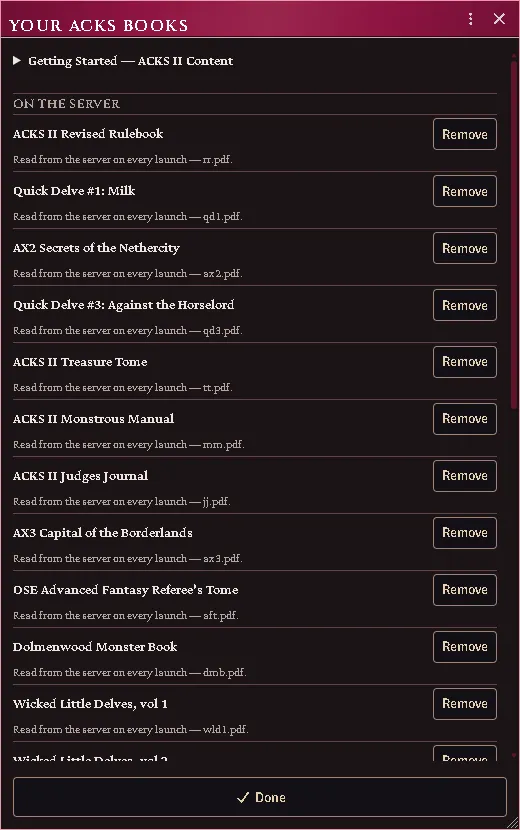
Connect your books, then import everything the cookbook ships.
Import an entry
Section titled “Import an entry”ACKS Content → Cookbook, find the entry, Import.
What you get depends on the entry’s kind — a monster becomes an Actor with its
weapons and abilities as embedded Items; a proficiency becomes an ability Item;
a piece of gear becomes a weapon, armour or item.
The descriptor text is read from your PDF as the document is created and saved into it, with the book and page as its closing line. Everyone at the table can read it from then on, and you can edit it like any other description.
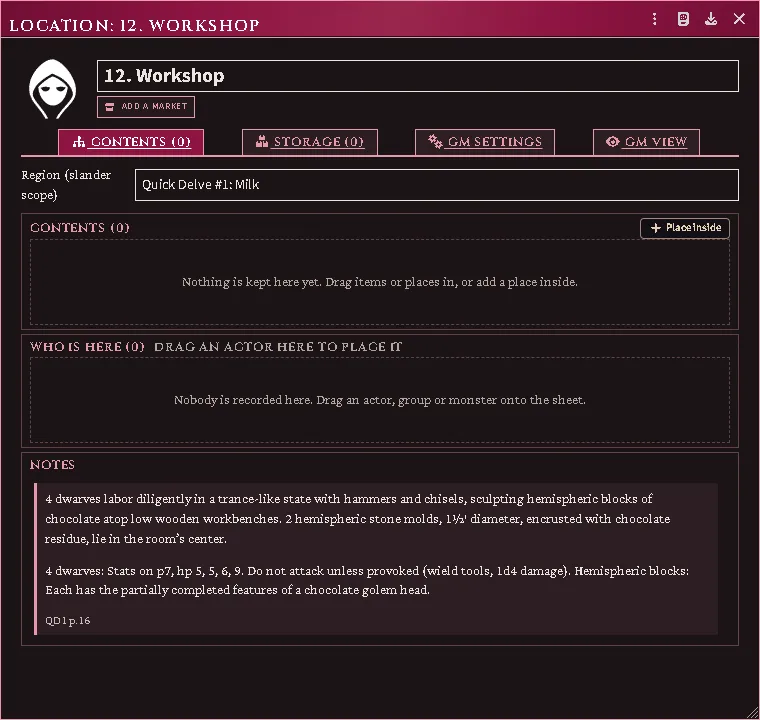
What an import now leaves behind: the entry’s own words in the document, closing on the book and page it was read from.
What is filled in, and what is not
Section titled “What is filled in, and what is not”Name and citation, always. Everything else depends on what a chef-authored locator was able to read from your book.
Absent a locator, an item is created with the system’s defaults and the printed
table governs — and the entry says so with an unaudited marker. What the type
buys even with nothing extracted is behaviour: a weapon can be equipped,
attacks and takes a fighting style; armour can be worn and counts toward AC.
A plain item could do none of that.
Gear typing
Section titled “Gear typing”With ACKS Extras installed, gear names route through its equipment root, so a torch imports as a carried light stack and a flask of holy water as a thrown splash weapon rather than both being generic items. Without it, the register’s own type stands.
Starting equipment on a class template
Section titled “Starting equipment on a class template”A template’s printed Starting Equipment line becomes one item per piece the book lists, and two kinds of piece are taken off that list because they are not gear:
- What a book is packed with. A cell that names a spellbook or a prayer book and then its contents — the shape of “battered grimoire with one spell, another, and a third” — is one book and three spells. The book keeps its printed name, its contents are preserved on its note, and the spells go to the template’s spell list. The contents are an English list written across commas, so they are put back together before anything is read from them; a divine caster’s prayer book is read exactly as a mage’s spellbook is.
- A choice the player has not made. A cell that offers a spell of the character’s choosing names a decision, not a spell. It stays on the book’s note and nothing is minted for it — see ROADMAP.md for turning it into a prompt.
Before 2.13.2 neither separation happened: a three-spell book arrived as the book welded to its first spell, with the rest of the list beside it as inventory. A character built then keeps what that run produced — Foundry does not revisit documents it has already written — so re-import the class and rebuild the character to pick up the current shape.
A template’s spells have to exist in your world already
Section titled “A template’s spells have to exist in your world already”The importer has no spell list of its own — the spells are book content it carries no recipe for — so each name on a template’s spell list is matched against the spell documents your world already holds, and a name nothing answers to is reported on the chat card rather than invented. Nothing is created for it, and nothing is lost: the template still names it.
So a caster can finish generation with an empty repertoire while another caster in the same world fills hers, and the difference is which spells the world holds — not which class was applied. If that happens, bring a spell library into the world and apply the template again. The system’s own Arcane Spells and Divine Spells compendia answer part of the ACKS II list; most worlds add the rest.
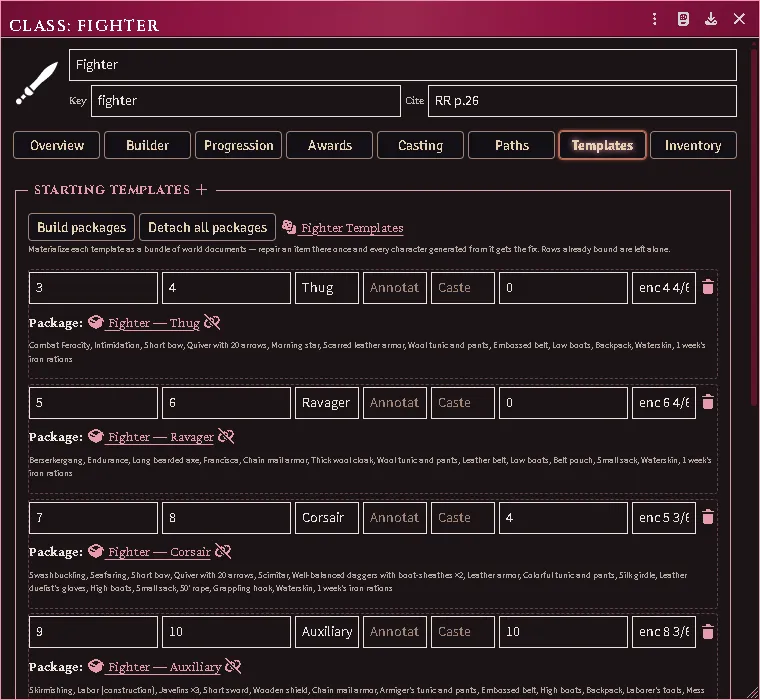
A class doc’s Templates pane: each printed template materialized as a bundle of world documents a Judge can repair.
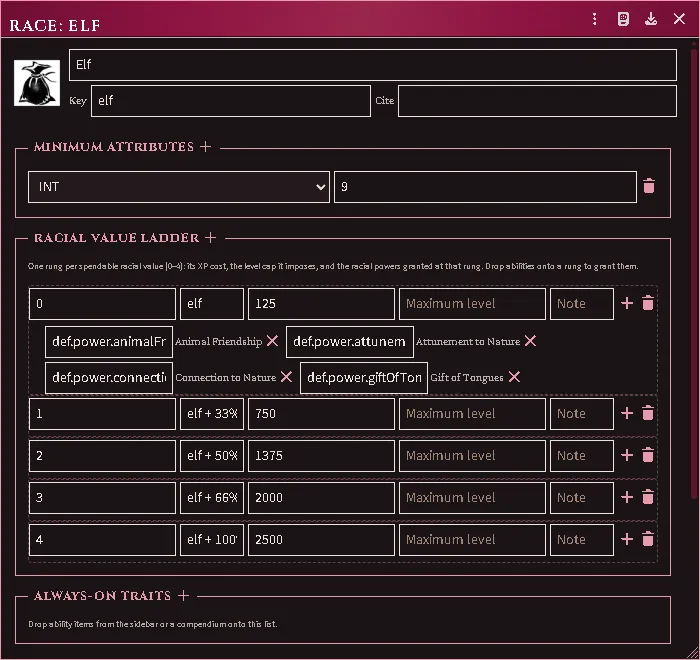
A race document materialized from the Judges Journal — the ladder, costs, and every power resolved to the definition its rung names.
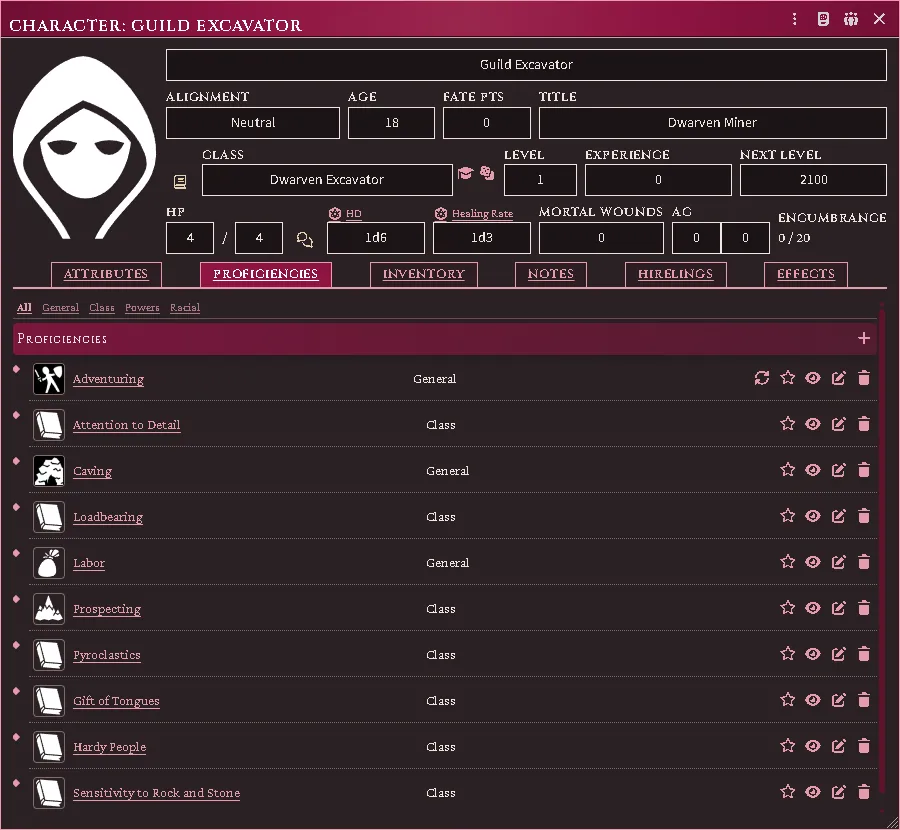
A 1st-level Dwarven Excavator carrying every power its spread grants at the start of play — including the three the import used to leave behind.
Where a monster files itself
Section titled “Where a monster files itself”An imported monster lands in a folder named for the type its own stat block declares, not for the chapter you found it in. A creature whose block types as a beastman files under Beastmen beside the others, however unrelated its entry.
A name that looks misspelled is usually the book’s own coinage — the Monstrous Manual names many creatures unlike their familiar equivalents, and Hobgholl (MM p.188) is a different creature from Beastman, Hobgoblin (MM p.53), not a misreading of it. An entry only imports at all when the heading on your page matches the one the cookbook expects, so a name that arrived is the name your book prints. Compare the stat block before assuming a typo.
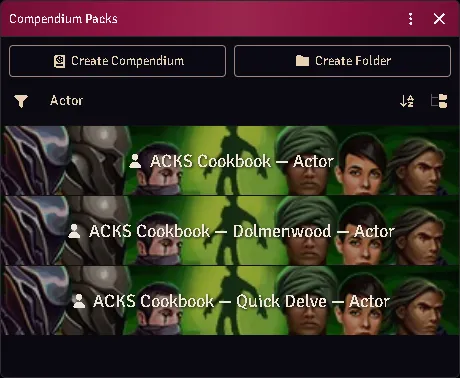
Where everything lands: a set of compendiums per SERIES, so another game’s creatures never share a shelf with the ACKS ones.
A community book’s own shelf
Section titled “A community book’s own shelf”A book from outside the ACKS II line files its classes and powers on its own series’ Item shelf, in its folder under From your books. Every seat can open that shelf. The rest of the book (its monsters, people, items, journals and Adventure) stays on the Judge’s shelves. Nothing from it merges into an ACKS II compendium. A world that imported such a book before keeps its classes where they are.
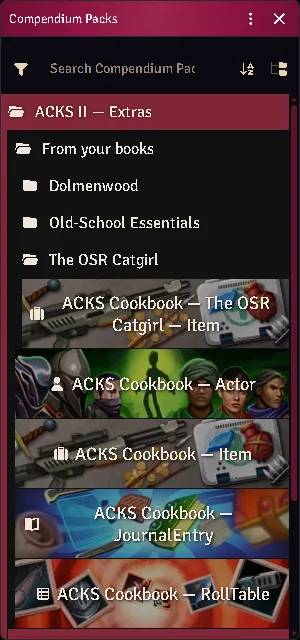
A player’s Compendium sidebar: the community book’s open Item shelf in its own folder, and none of the book’s Judge shelves.
Cross-book merging
Section titled “Cross-book merging”The same conceptual family imported from a second book gains that book’s new variants rather than becoming a twin. Two signals identify it: a shared member id and a shared family suffix.
Rebuild or repair
Section titled “Rebuild or repair”Reimport One Shelf and (Re)import Individual Entries each have a Mode. Rebuild, the default, deletes what you picked and imports it again: fresh documents in their home folders, with nothing of yours on them. Repair in place reads the entries again and writes the fresh reading over the documents you already have. Each keeps its id, so every character carrying it and every link to it still finds it. It also keeps its folder, owners and name, a description you wrote in, and what play has set on it: a trap’s level, a vehicle’s crew and damage, a stack’s quantity. Entries your world does not hold yet are imported as usual.
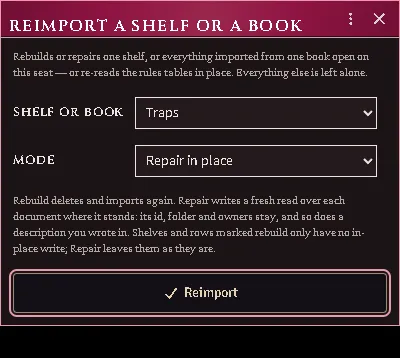
Reimport One Shelf with the Traps shelf picked and Repair in place chosen.
- A class is written whole: its name and any edit to it are replaced, except a description you wrote and training you edited on its sheet.
- A monster is read again whole: its stats, its token size, and the attacks and abilities its page yields replace the imported ones. Attacks you added stay, and so does a prose field you wrote in.
- An ability is refreshed wherever it is carried, characters included.
Some things only rebuild: the Weapons, Armor, Languages and Races shelves, the price list, monster templates and families, NPCs, adventure stat blocks and OSE creatures. The shelf list says rebuild only beside such a shelf, and the entry picker marks such a row with a hammer. Repair leaves them as they are and tells you how many it left. A document whose book is not open on this seat is left too; open the book and repair again.
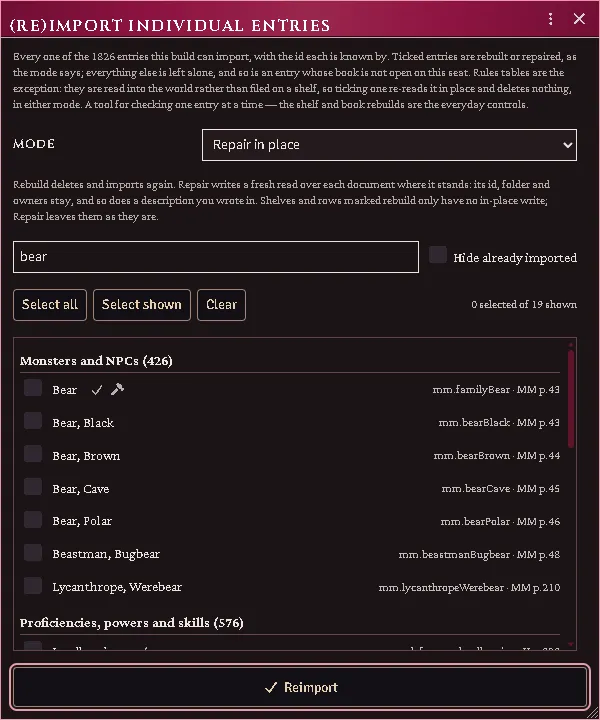
The entry picker in Repair mode: a monster family’s row carries the hammer, its members do not.
Rules tables
Section titled “Rules tables”The rules tables arrive with Import Everything. To read them again on their own, pick Rules tables in Reimport One Shelf: they are re-read in place, and nothing is deleted. They materialize as Foundry documents in your world. In ACKS Extras, those register into the shared tables registry and the henchmen and location features read them. The pick is every table at once, or one table’s own entry beneath it, so the formation’s figures or the travel tables can be read again on their own.
The re-read needs the books those tables come from open in the browser that runs it. A book is connected per browser, so on another computer or browser connect it again under Books first. A run with a book closed says which book it wanted and leaves the old tables in place. An update that adds tables to a document is caught up by the same re-read: the notice at load names the tables still missing, by document.
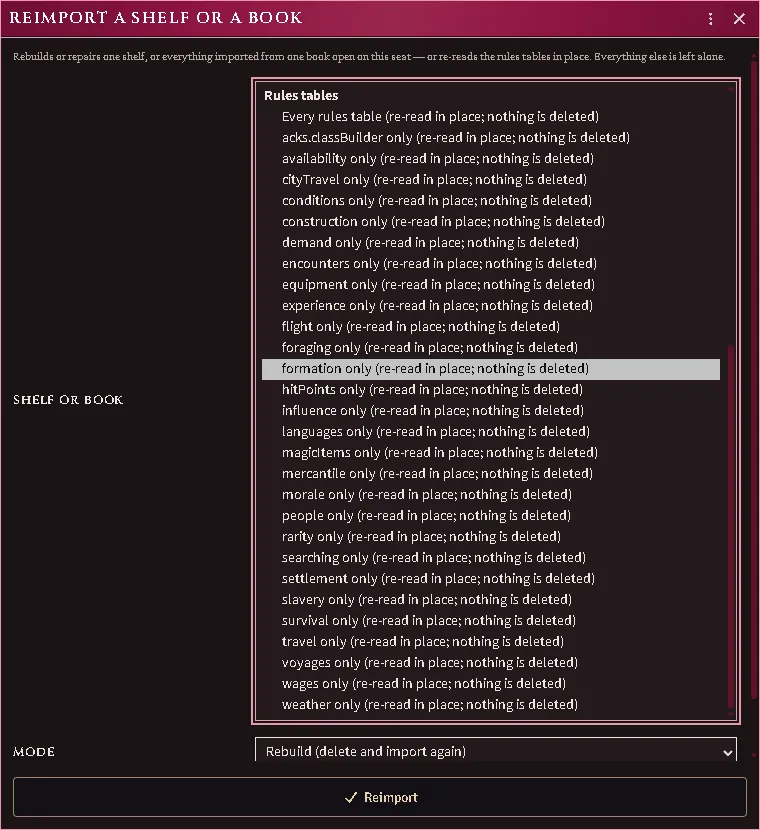
Reimport One Shelf with the rules tables open: every table, or one table’s own entry — here the formation figures alone.
(Re)import Individual Entries lists every rules-table document under Rules tables, ticked when your world holds its import, with the printed pages it reads beside it. Tick one to read just that document again. A table you have overridden in ACKS Imported Rules Tables keeps your override on top, and reverting the override brings back your book’s figure.
Each row of ACKS Imported Rules Tables names the book and page its table was read from, under the table’s name, so you can check any figure the module applies against your own copy. A table the module works out from others names the pages of the tables it was worked out from. A class’s tables name the page in the Cite field of its class sheet, so a class with none there, such as a homebrew one, names no page. A table you have overridden names no page while your override stands. A world imported before 8.6.0 shows each document’s whole page list on every row until you read its rules tables again.
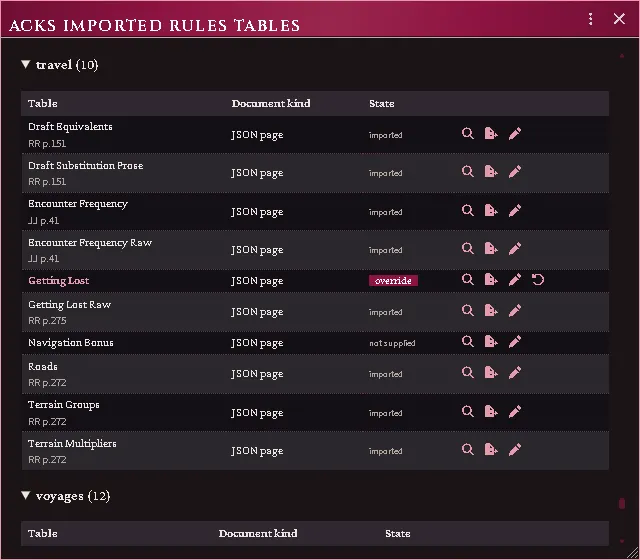
A re-read document in ACKS Imported Rules Tables: each table with the page it came from, and the overridden one with none.
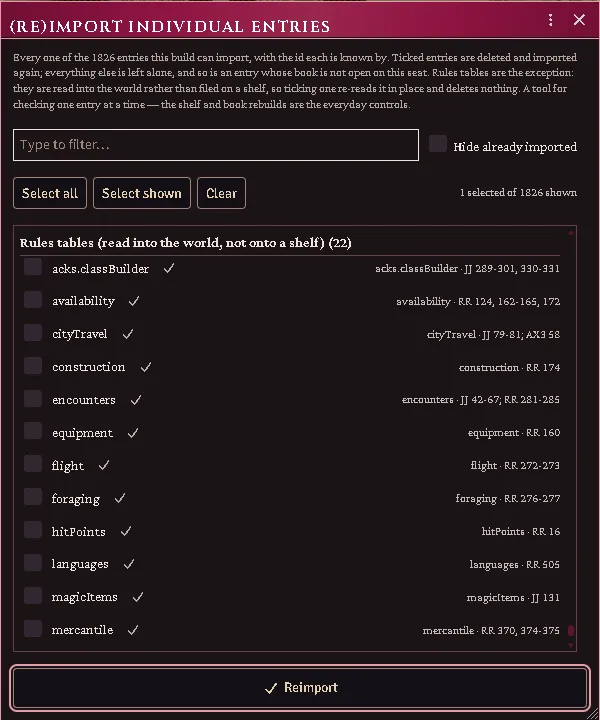
The entry picker’s rules tables: each document ticked as imported, its id and the pages it reads on the right.
The wilderness encounter charts arrive as RollTables, one for each column: the territory and rarity throws, each civilized group, each terrain’s monsters at every rarity, and the terrain-encounter lists. They are filed under Encounters in the RollTable shelf’s ACKS Imported Tables folder, and a world that imported them before this version gets them the next time it reads its rules tables again. Edit one in its sheet and drop it on its row in ACKS Imported Rules Tables: the travel panel’s encounter throw then draws from your version, while the chart’s other columns keep what your book gave them. Every column of that chart then shows override, and Revert on any of them brings back the whole chart. A territory or rarity result has to stay one that table already holds, because the throw acts on it, so a word it does not know is refused.
The tables a terrain encounter leads to arrive the same way, one RollTable each and each on its own die, with the treasure type and ruin modifier for every terrain beside them in the rules tables. They belong to the same rules table as the charts, so a world that imported the charts earlier gets them the next time it reads its rules tables again.
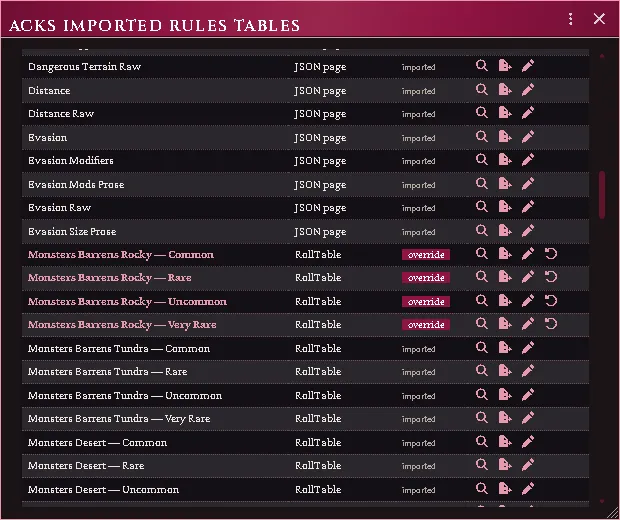
One terrain’s monster chart overridden by a dropped column: all four of its columns now read from the override, each with its revert, while the next terrain still reads the import.
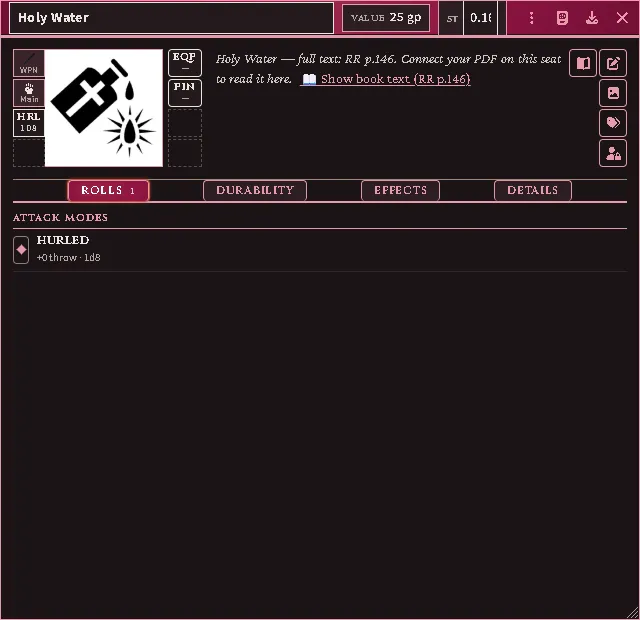
An item priced only in prose, its cost read from its own paragraph.
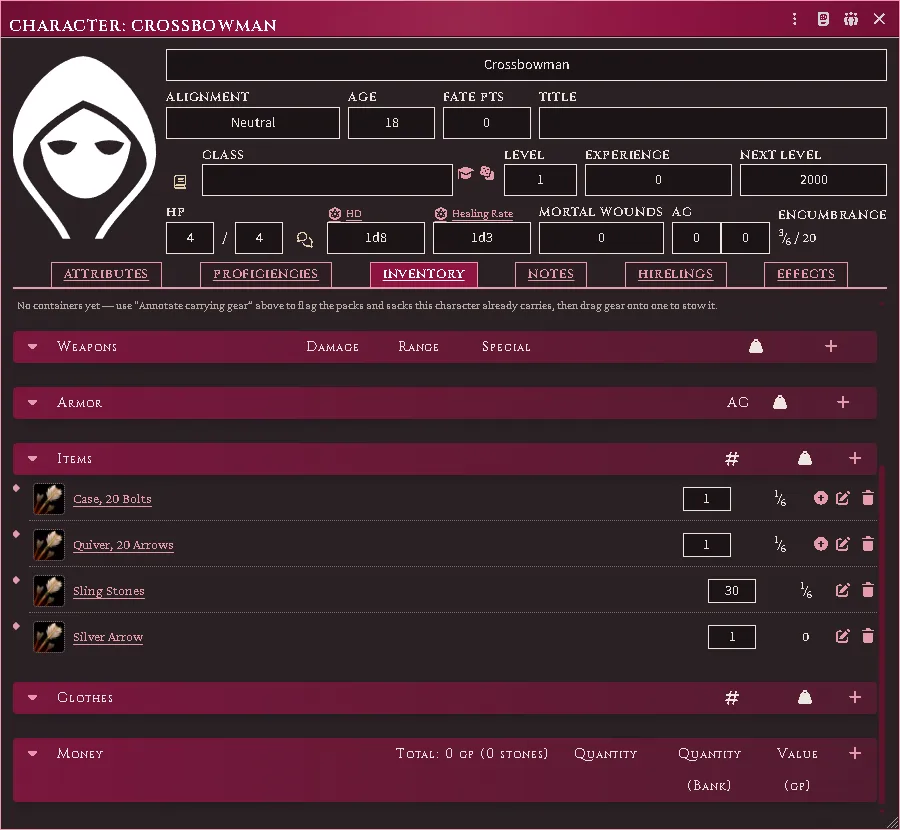
The four rows the weapons grid types Ammunition, filed as gear with a count and a fraction of a stone rather than among the weapons with a damage die.
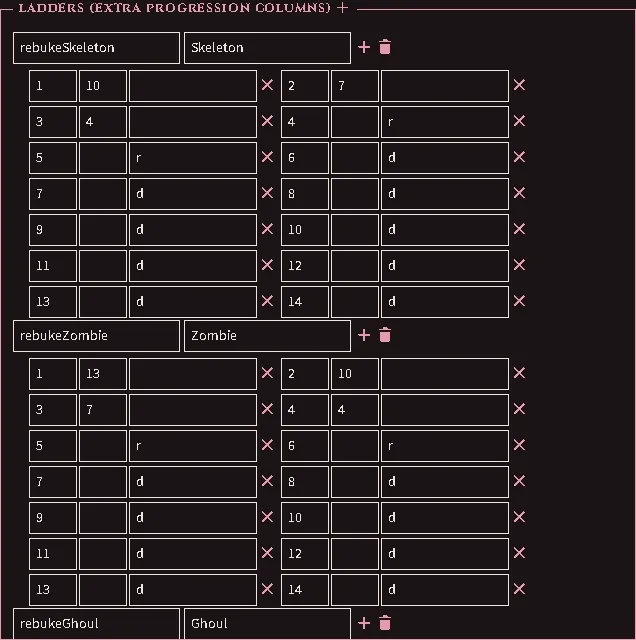
The crusader’s rebuking grid as ladders on the imported class — one per kind of undead, each rung carrying its target or the cell the page prints where no throw is made.
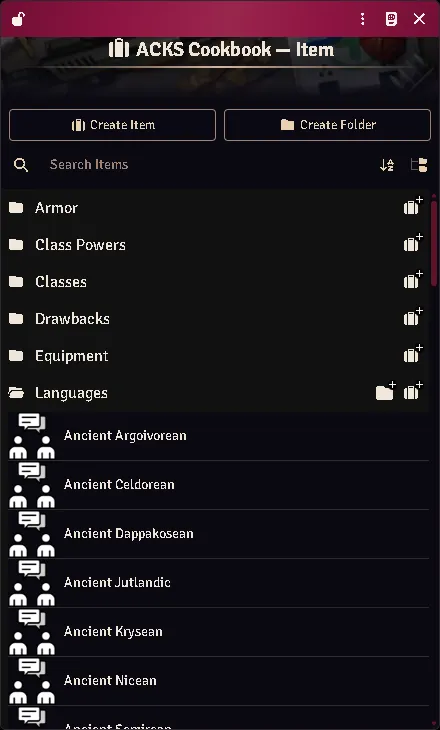
The Appendix A taxonomy read from the connected book, filed on its own shelf in the library — none shipped.
A settlement’s map
Section titled “A settlement’s map”Books that key a city to a map bring the map in as a scene, with a region for each quarter and a hidden token for each keyed place, in the getting started run’s maps step. Run it after the points of interest and organisations steps: the map stands on their places, and hands each organisation the quarters it controls.
A dungeon map’s walls
Section titled “A dungeon map’s walls”Some adventure maps are walled as they import. The maps step reads the plan off your own copy of the page and draws its walls, doors, secret doors, terrain walls and invisible walls (which stop movement and let sight through, like bars). The scene is dark and turns token vision on, so a token sees what its own torch or lantern, or its party’s, lights, and nothing past the walls. A creature that sees in the dark sees its own range too. Each player keeps the squares their tokens have explored. A map already in your world is never re-drawn. To draw it again, with these settings, delete the scene and run the step again.
A book’s passages, as journal pages
Section titled “A book’s passages, as journal pages”A book’s essays and other passages import whole, as pages of a journal on the book’s Judge JournalEntry shelf, one journal for each group the cookbook files them under. Each page is titled by what the passage is, keeps its paragraphs as the page sets them, and ends with its page reference. Import Everything runs the step.
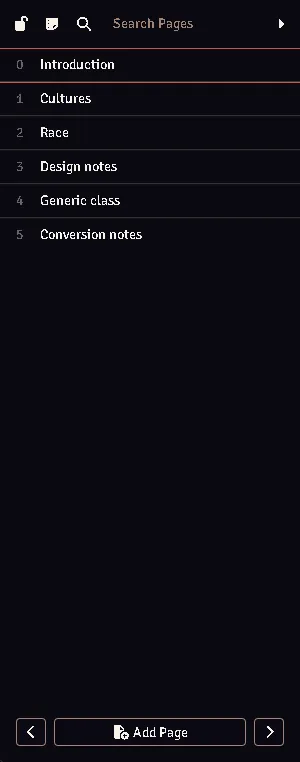
A journal of a book’s passages, by its page list: one page a passage.
An adventure book, as one Adventure
Section titled “An adventure book, as one Adventure”The last step of Import Everything keeps each open adventure book in your library as one Adventure, on the book’s Adventure shelf. It carries every document the book’s import made, every map, and the zones laid over those maps, filed in the world’s folders. Open it and click Import to set the adventure up again in another world. Import adds what that world is missing and changes nothing it already holds. To put a document back as the book has it, delete it and import again.
Your edits to the Adventure are kept. A later run rebuilds it only when what it carries has changed and you have not edited it since. A book’s per-map Adventures from earlier versions are retired once its Adventure stands.
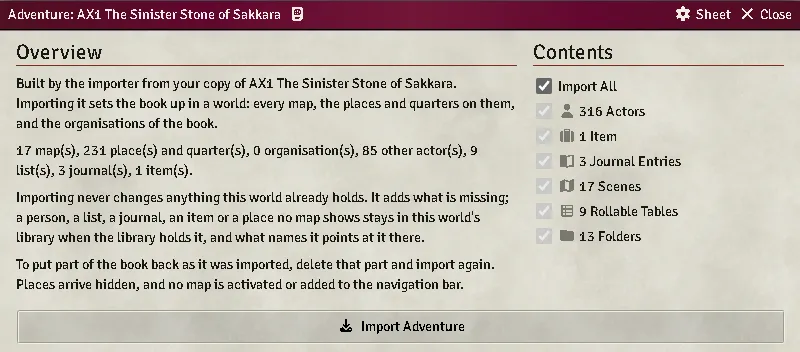
An adventure book’s Adventure in the library, from beneath its title and map: what it carries, counted, and the Import button.
The Books window shows each open adventure book’s count of what its Adventure holds, under the book’s row in Open this session.

People an adventure prints in full
Section titled “People an adventure prints in full”Where an adventure prints a person’s full stat line (class and level, scores, proficiencies, spells and gear), the import makes that person a character on the Judge’s shelf, never a monster. The class is bound at the printed level by the same import as the official character sheet’s, so saves, attack throw and spell slots are the ACKS II class’s. Older names are read as their ACKS II replacements. The biography keeps the line as printed, followed by a line for each figure the class gives differently and a line for each name your library could not match.
A person a book writes out as labelled lines under a display name (class and level, scores, hit points, proficiencies by kind, abilities, inventory) is made a character the same way. Class and general proficiencies go in their own rows, the inventory is worn and the coin counted, and the paragraph about the person is the biography, before the as-printed block. A proficiency your library lacks is imported from your open books first.
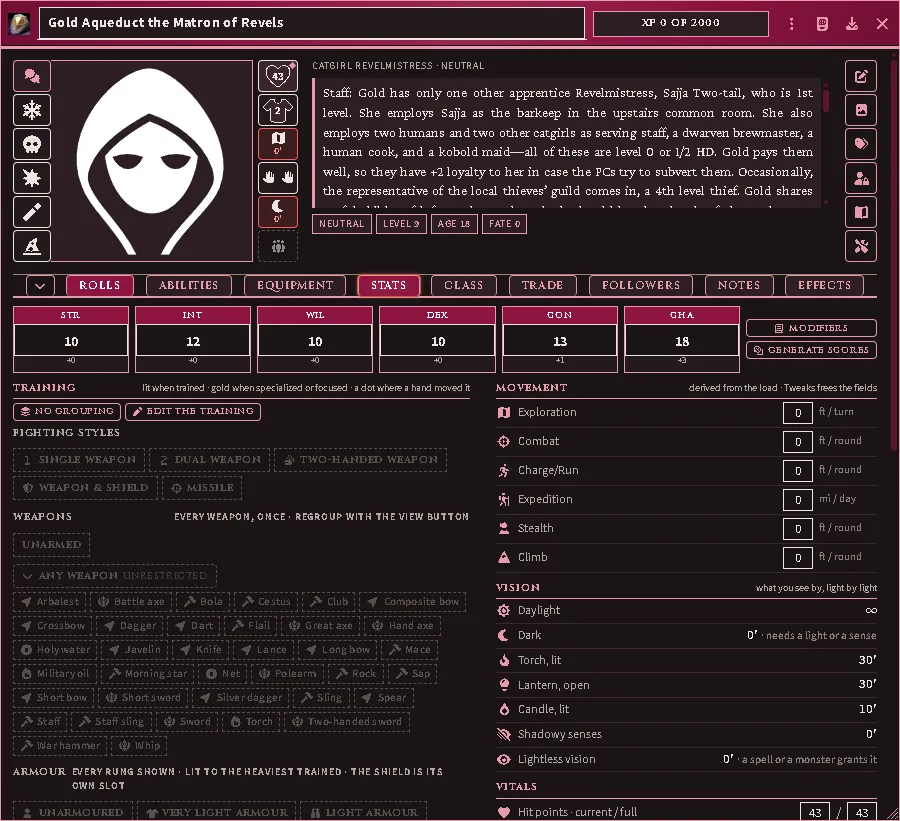
A person written out as labelled lines, as a character on its Stats tab.
A rebuild of the entry keeps the character’s id, so links to it hold. A rebuild, or Remove Imports, never deletes a character that a player owns.
An adventure’s pregenerated characters are made the same way and filed in the book’s Pregenerated folder, on the Judge’s shelf. To give one to a player, right-click its entry in the compendium, choose Import, and give that player Owner permission on the copy it makes. A rebuild of the pregen leaves the player’s copy alone. The copy keeps the entry’s id, so importing the same pregen a second time asks whether to replace the first copy; choose New Actor for a second one.
A class printed with a word before it, such as a tradition, is bound as the library class the rest of the name gives, and the as-printed block says Class read as. A class your library does not hold is named under Not in the library, and the character has no class. Build it with the class builder (Advanced mode) under the printed name, then rebuild the entry.
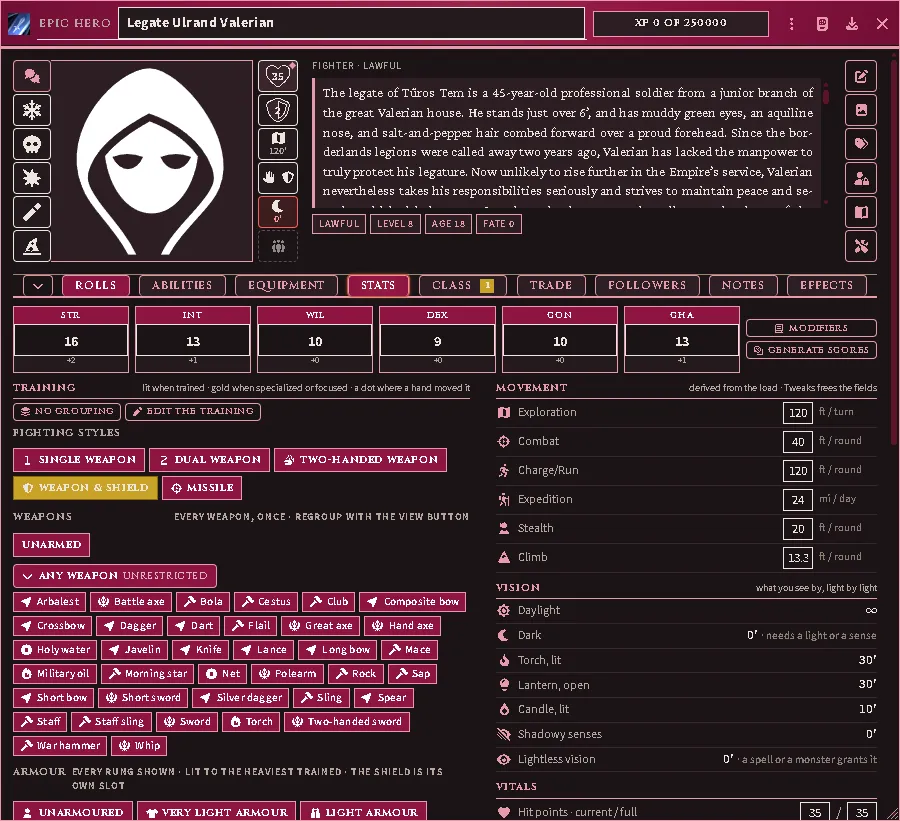
An adventure’s inhabitant as a character: the class bound at the printed level, and its saves and throws the class’s own.
An adventure’s rooms, as places
Section titled “An adventure’s rooms, as places”An adventure’s keyed rooms import as places in the book’s Places folder on the Judge’s shelf: one place for each room, inside the area or level it belongs to, and each level inside a place for the book. Import Everything runs the step after the people and creatures, so a room can link to them. A room’s notes are its text from your copy. Its roster lists who is there: the core creature where your library holds one, the adventure’s own person or creature, or, where nothing else matches, a creature made from the room’s own stat line, filed in the book’s Creatures folder. Roster rows are hidden from players. A count printed as dice, and the hit points, are in the row’s notes.
A room already in your library is not read again. To bring one in again as the book has it, delete it and run the step; the rooms inside it move onto the new one. Rooms an earlier version imported as journal pages keep their pages.
A plan of a dungeon level or a building is named for that place, and each room on it stands as a hidden token on the key the page prints. The maps step, and the Adventure’s Import, bring those rooms into the world with their plan, each inside the area, level and book it belongs to, so a place’s sheet lists the rooms in it. A room no plan shows stays in your library. A plan made before its rooms had places has no tokens: delete the scene and run the maps step again.
An empty place that other places sit in is no longer removed when the world loads, so a level with its rooms, or a town with only its tavern, stays.
Common problems
Section titled “Common problems”“Missing book.” The entry cites a book this seat has not connected. Connect it, or import anyway and accept the unresolved passage.
Everything reports as a missing book. No books are connected on this seat.
The rules tables say a supplement was skipped. A few tables come from supplements, and the notice names the ones not connected on this seat. Every other table was read. Connect the supplement and read the tables again (Reimport One Shelf, Rules tables) to fill the rest. A warning that names tables it could not read, from books that are open, is a fault worth reporting.

The notice for a supplement this seat has not connected: information, not a warning.
An imported ability shows a ladder, not a number. Correct — ladders travel whole and resolve against the character who owns the item.
I imported twice and got a duplicate. Import checks for an entry already present; a duplicate usually means the first copy was renamed or moved out of the folder it was created in.
Will a rebuild delete my own copy? No. A document you dragged out of the library into the sidebar, or duplicated there, is yours. Reimport One Shelf and (Re)import Individual Entries leave it as it is and put the library’s own document back beside it. Only Delete Everything Imported removes it.
Reimporting lost my edits. Rebuild deletes the library’s documents and imports them again, so a name, folder or note you gave one goes with it. Choose Repair in place instead (see Rebuild or repair): the document keeps its id, its name and your description, and takes the fresh reading.
A description shows @PdfText[...] instead of the text. The document was
written by a version that stored a placeholder and resolved it while you looked
at it; the text is materialized into the document itself now, and nothing
renders the placeholder any more. Importing again does not clear it — import
creates documents and steps over the ones you already have. Connect the book the
placeholder names and run Import Everything: its last step finds every
placeholder in the world and its compendia — gear on a character, a class
template’s copy of an item, a journal page — and writes the entry’s text in its
place. Anything you wrote beside a placeholder stays where it is. To see each one
first, open the repair tool (Configure Settings → ACKS II — Extras → Repair
this world) and scan Book text never brought over: it lists every placeholder,
says which book to connect for any it cannot fix on your seat, and fixes the ones
you tick.
The page an item cites is two pages past the entry. Fixed in 4.3.2: a citation now names the number printed on the page, where before it named the page’s position in the PDF file, which the front matter puts two ahead (one, in By This Axe). Documents already in your world keep the number they were written with — run Update Abilities to rewrite them, or delete and import the entry again. An item whose description you have edited yourself is left alone by Update Abilities, so its citation stays as it was.
Browsing, auditing and fixing entries
Section titled “Browsing, auditing and fixing entries”What the cookbook claims, what your book actually says, and what to do when they disagree.
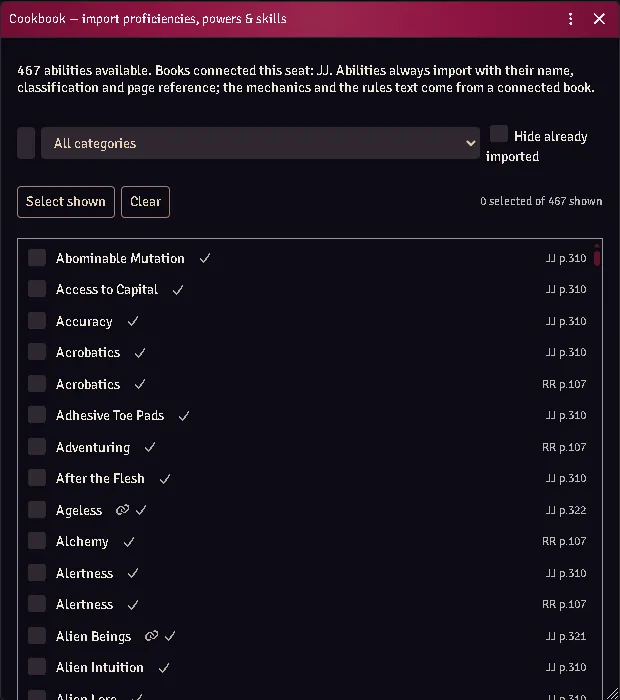
The entry picker: every ability with its book and page citation.
Browse
Section titled “Browse”ACKS Content → Cookbook lists every shipped entry with its book, its citation, and whether this seat can currently read it.
Importing an entry extracts its passage from your own PDF and writes it into the document. Extraction is per-entry — nothing is pulled on connect.
Unaudited entries
Section titled “Unaudited entries”An entry marked unaudited carries mechanics that have not been read against the printed page. It is a parse, not an interpretation: probably right, genuinely offered, and not asserted as the book’s ruling.
Treat it as a suggestion. If it disagrees with your book, your book wins.
When an entry points at nothing
Section titled “When an entry points at nothing”A definition can be withdrawn — some have been, once it turned out a harvest had read the tail of a spaceless heading as an ability of its own. Items already created in your world stay behind, pointing at nothing.
They are unambiguously this module’s (generated, with a cookbook id that no longer resolves), which is what makes them safe to offer for removal. Cleanup finds and lists them before touching anything.
What never ships
Section titled “What never ships”Worth knowing when you are judging whether something is a bug:
- No prose. Passages are read from your own PDF at import; what ships is where to find them on the page.
- No values read from a page. Costs, damage, AC and build costs are matched against your own extracted text at runtime by a shipped pattern — the pattern ships, the number it finds never does.
- No book tables. They are imported from your copy into your world.
Common problems
Section titled “Common problems”The passage came out garbled. A printed heading can carry glyph artifacts — a detached superscript, a decomposed accent. Matching folds both forms and falls back to a prefix, so a stray glyph does not zero the entry’s mechanics. If it still misses, the entry is worth reporting with the book and printing.
An entry says it needs a book I own. Check the edition: identification is page count plus metadata title, and a different printing may not match.
The art did not come through. Art is resolved geometrically and only for entries carrying an authored placement box. No box, no art — quietly, by design.
Importing an OSE adventure
Section titled “Importing an OSE adventure”Turn a stat block in an Old-School Essentials (or B/X, BECMI, Labyrinth Lord, LOTFP) adventure you own into an ACKS II monster, using ACKS II’s own published conversion.
Your PDF is read in your browser and nowhere else. Nothing about it is uploaded, and nothing from it is stored except the creatures you choose to import.
Before you start
Section titled “Before you start”You need the adventure PDF. You do not need anything else to begin — but the ACKS II System Compatibility Guide is what carries the conversion arithmetic, so armour class and attack throw are left blank until you connect it. You can import first and fill those in later; see the last section.
1. Register the adventure
Section titled “1. Register the adventure”game.modules.get("acks-extras").api.importer.oseRegister()Pick the file, give it a name yourself, say which series or publisher it belongs to, and say which rules it was written for. The name matters: a PDF’s own title is often just the file it was exported from, so the importer will not guess one for you.
The series is what decides which compendiums this book’s creatures go into. Books sharing a series share a set, so type the same thing for the next adventure from the same line — the field suggests the ones you have already used. Leave it blank and the book lands on a shared shelf with your other books.
If you register the same book twice, it recognises it and reopens it instead.
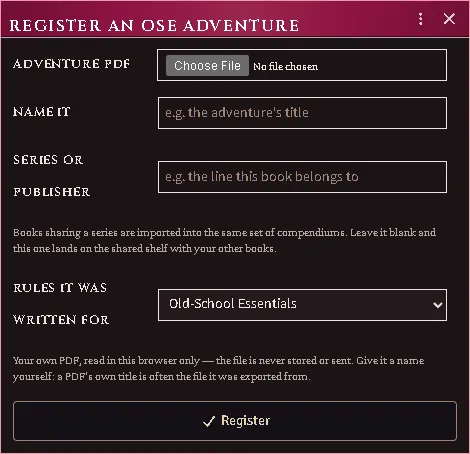
Naming a third-party book yourself — and the series it belongs to, which is the shelf its creatures will land on.
Where your creatures go
Section titled “Where your creatures go”Nothing you import from another game’s book is mixed in with the ACKS ones. Each series gets its own compendiums, named after it:
| Compendium | Holds |
|---|---|
ACKS Cookbook — Actor |
your ACKS books |
ACKS Cookbook — Dolmenwood — Actor |
the Dolmenwood books |
ACKS Cookbook — Your Books — Actor |
anything you registered without a series |
Inside, there is a folder per book, and inside that: Creatures, Templates for the ones that come in several sizes, and Areas for numbered rooms.
They are ordinary world compendiums — unlocked, so you can edit and drag from them — and sharing a whole book with your players is one setting on the pack rather than a folder at a time.
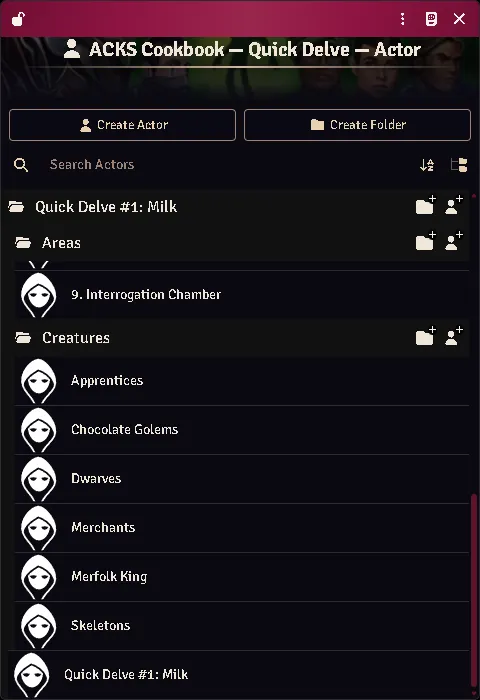
What the import chain’s OSE step leaves in the library: an authored adventure’s keyed rooms and the creatures it prints, filed under the book they came from inside its series’ own compendium.
2. Choose a page
Section titled “2. Choose a page”Any page with stat blocks on it. Blocks are found by their own labels, so you do not need a contents page or a particular section.
3. Read what it found
Section titled “3. Read what it found”Each block is shown three ways at once:
- as printed — the text exactly as it came off the page,
- what converted — every field, what it said, which rule was applied, and what it became in ACKS II,
- what was left alone — and why.
Check these against the page before ticking anything. That is what the step is for.
Some things are deliberately never filled in:
| Left alone | Because |
|---|---|
| Experience | ACKS II awards experience on its own schedule |
| Treasure type | the two games’ letters do not mean the same hoards |
| A single printed saving throw | one number is one number; the other four are not invented |
| A class ACKS II does not have | no equivalent to convert to |
The printed value is kept in every case — you can see it on the creature’s Source tab afterwards, and type it in yourself if you want it.
Blocks you cannot tick
Section titled “Blocks you cannot tick”Two warnings disable a block:
- “from a different game” — the block has an ascending armour class and ability modifiers rather than scores. Read as OSE its armour class would come out inverted, so it is refused rather than converted. (Some books print two systems’ stat blocks side by side; this is how the wrong half is caught.)
- “two blocks may have been read as one” — the armour class appears twice, which means two creatures were gathered together. This happens where a narrow stat block is set inside a column of prose.
In both cases, import the creature by hand.
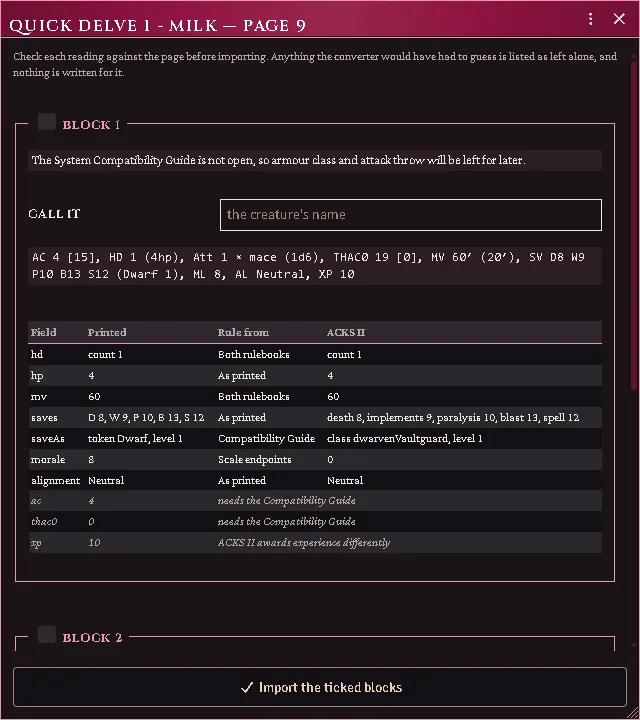
Each block as printed, what every field converted to and on whose authority, and what was deliberately left alone.
4. If the page uses unfamiliar labels
Section titled “4. If the page uses unfamiliar labels”Some publishers head their hit dice HIT DICE rather than HD, and so on. When
the importer sees a word standing where a label should stand, it says so, and:
game.modules.get("acks-extras").api.importer.oseCalibrate(sourceId, page)lets you say what each one means. What you teach applies to that adventure only — one book’s wording never changes how another book is read.
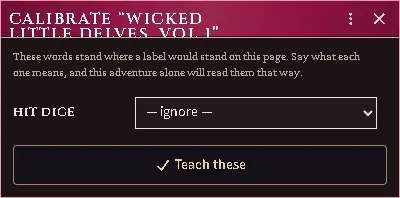
A publisher heading its hit dice differently, taught to that adventure alone.
5. Filling in what needed the guide
Section titled “5. Filling in what needed the guide”If you imported without the Compatibility Guide, each creature carries a note saying armour class and attack throw are still missing. Connect the guide, then:
game.modules.get("acks-extras").api.importer.oseConvertAll()It fills those in on everything waiting, and tells you how many. Running it again does nothing — it only ever touches creatures that were waiting.
When there is no PDF to read
Section titled “When there is no PDF to read”Some blocks the automatic path cannot take: a scanned adventure with no text in it, a block it refused because it could not tell two creatures apart, a monster from a blog post, or one you invented. For those:
game.modules.get("acks-extras").api.importer.oseManual()Paste the block and press Read it, and the fields fill in. Correct anything
it got wrong — each field takes the clause the way your own game writes it, so
SV holds D13 W14 P13 B16 S15 (Magic-user 1) and HD holds 1** (4hp).
Then Convert, check what it produced, and create the creature.
You can also ignore the paste box entirely and just fill the fields in. Nothing requires a book at any point.
Two things worth knowing:
- It uses the same reader as the PDF path, so anything the importer learns about reading stat blocks applies here too, automatically.
- It uses every wording you have calibrated on any adventure you have
registered — teach one book that it says
HIT DICEand every block you paste afterwards understands it. The editor tells you when that happened and which book taught it.
Anything it could not place is listed as not recognised, and goes nowhere unless you move it into a field. That is deliberate: it is better to see that a clause was ignored than to find out later that a creature is missing something.
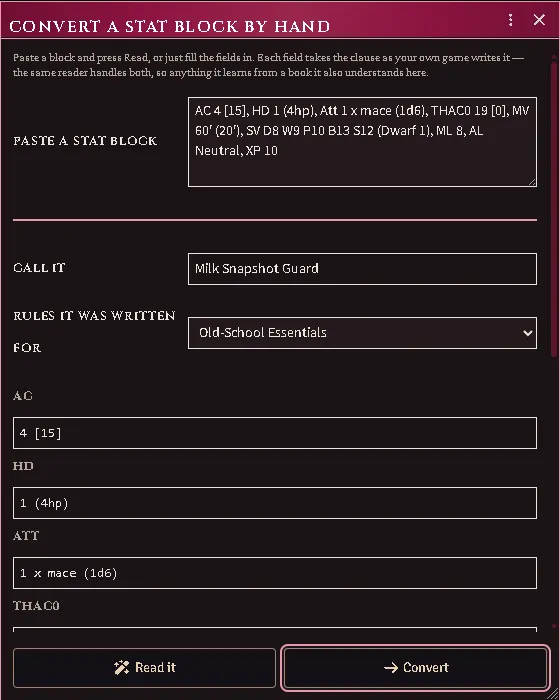
Paste a stat block and it fills the fields; correct anything the reader got wrong before converting.
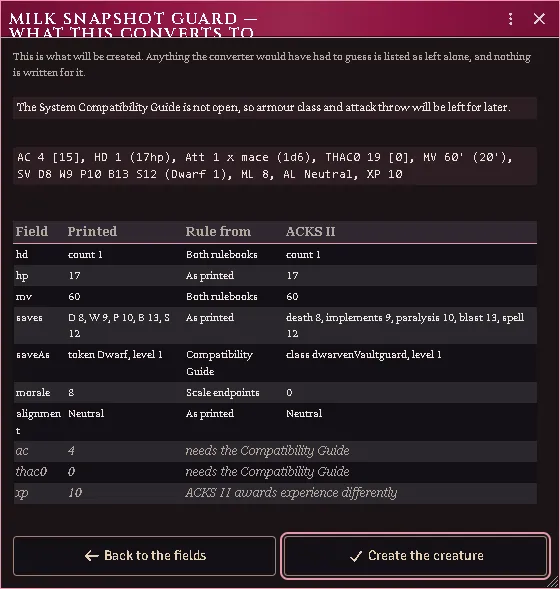
What each field became and on whose authority, with everything deliberately left alone listed beneath.
Checking a conversion later
Section titled “Checking a conversion later”Every converted creature — imported or hand-entered — has a Source tab on its sheet with the original block, the rule behind each converted value, and everything left alone. If a number ever looks wrong at the table, that tab is where you check it against your book.
Reading one creature again
Section titled “Reading one creature again”(Re)import Individual Entries has an OSE creatures group listing the creatures of every OSE book open on this seat. A creature the book prints as one block per step is a single row under its template’s id, because its steps are rebuilt together. Tick a creature and press Reimport: the library’s copy is deleted and read again from your book, and a copy you dragged out of the library stays as it is. A creature whose book is not open on this seat is refused before anything is deleted.
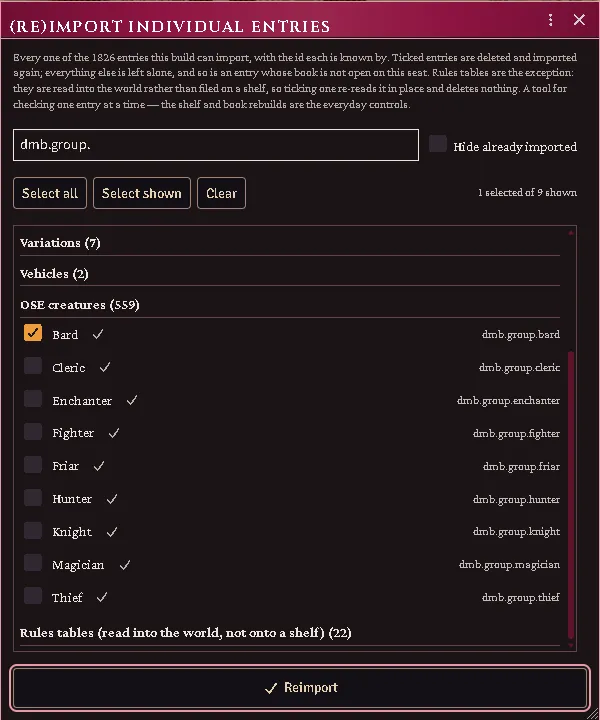
The OSE creatures group narrowed to one book’s templates: each a single row, rebuilt with all its steps.
Every feature here is free and none of it is gated. If it earns its keep at your table, you can chip in on Patreon.