
The character sheet
Every character opens on the module’s own sheet: the band across the window header, the portrait between two rails, and tabs organised by what you do at the table rather than by document type. The system’s sheet is still there — Sheet Config, on any actor, switches back — and nothing is migrated: the two read and write the same fields.
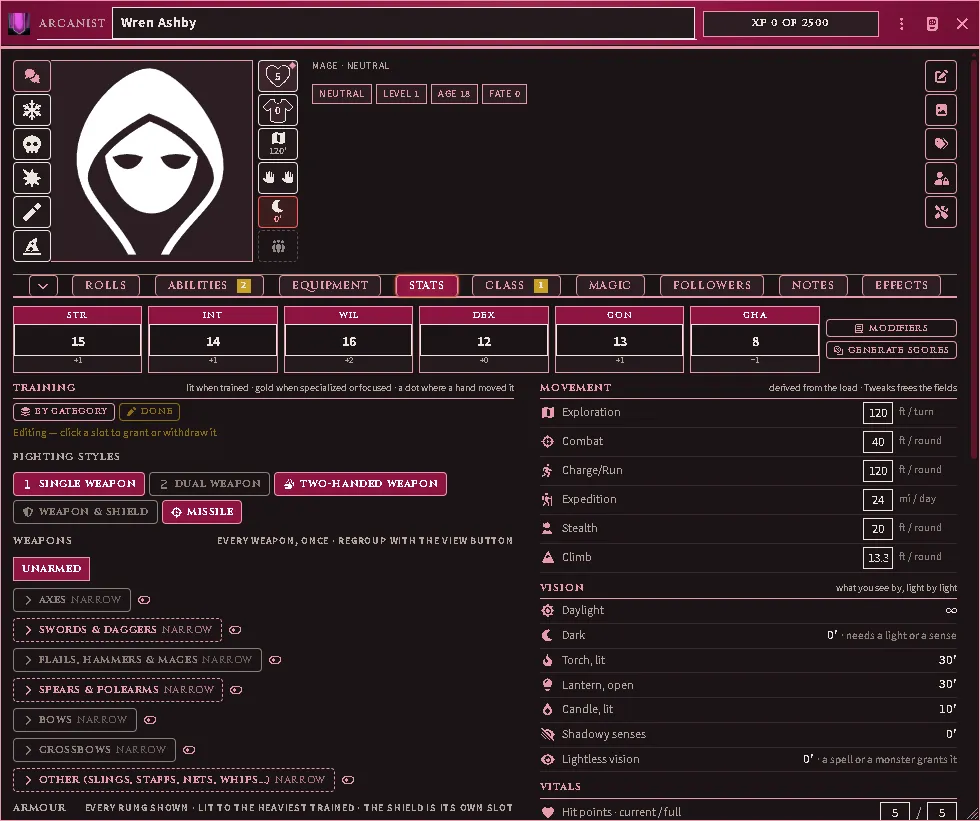
A character fresh from chargen: the class band across the header, the rails around the portrait, and the Stats tab with the Training editor armed.
Every throw is a row, and the whole row is the button. A proficiency or power that makes no throw is a row too, under Post to chat, ending in an eye: clicking it posts the ability’s card, the one the Abilities tab’s eye posts. The pin on any row keeps it on the folded card; for an ability, the pin is its own favourite star. A throw asks for a situational modifier first (Proficiencies and powers); hold Shift to roll at once.
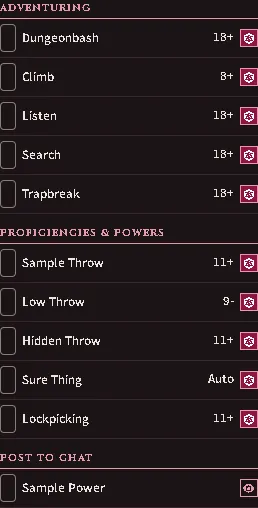
A power with no throw under Post to chat, its eye where a throw’s die would be.
Listen and Search always roll blind (RR 265), from this sheet, the system’s and the Follower Card alike. A player’s card goes to the Judge with its result, and the player sees only that the throw was made; a Judge’s own throw is whispered to that Judge. The window says so and offers no choice of who sees the roll; to show the table a throw once it is made, the Judge right-clicks its card in the chat log and chooses Reveal To Everyone. A class’s own Searching or Listening ability is a proficiency throw, and follows that ability’s Blind roll box instead.
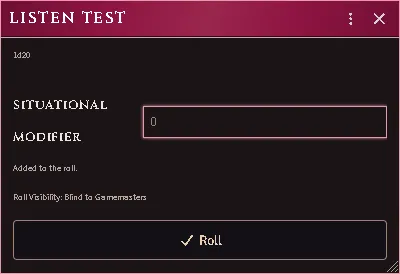
The Listen throw’s window on a player’s seat: the roll is blind to Gamemasters, and nothing in the window chooses who sees it.
The band and the rails
Section titled “The band and the rails”The header carries the class glyph, the level title, the name and the XP bar. The bar goes gold when the threshold is reached and reads Level up; the Class tab goes gold with it and carries the wizard.
Down the left of the portrait: Influence, then the five saves. A save cell shows its glyph; the target is in its tooltip and on Rolls. A condition that a save clears rides on that cell — its image, its clock, the save’s glyph in the corner — and a modifier in force on the save colours it with the number. Clicking rolls the save.
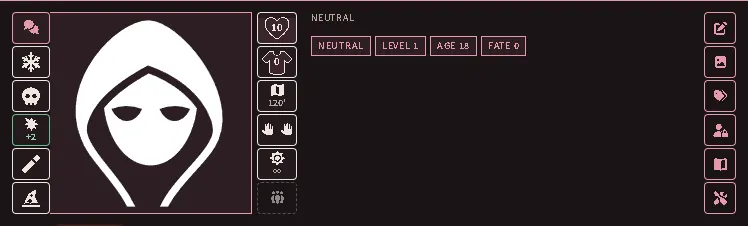
The rails of a character In Cover: the cover reaches one saving throw, and only that cell is coloured, with the figure the imported table gives it.
Down the right: hit points inside the heart with the fill as the fraction
(red at zero, where a click opens Mortal Wounds); armour class inside the
shield, the shirt or a dashed box, cycling with the shield, without it and
unarmoured on click; movement for the mode you are in, amber or red when the
load slows you, with a menu of the six modes; the grip, two hands open or
clenched, joined on one haft for a two-handed weapon, with the cleave count
beside them and a menu to draw, sheathe or change grip; what you see by —
a burning source with its reach and burn-down, daylight, a dark sense, or
the dark at 0′ — with a menu to light, douse, shutter or ready a torch; and
the party: how many of the character’s henchmen are on the scene, with an
asterisk for each summon present (1** is one henchman and two summons),
red while a henchman is down with a calamity pending. Click it for who is
here — a pick selects the token — and, as the owner, to bind the tokens you
have selected as this character’s summons or release them. When the
character marches in a formation that is on the scene, the cell is the
formation and opens the party sheet.
The far-right rail is sheet tools only: description, portrait, the alignment and age and fate tags, ownership, source, Tweaks.
Folding
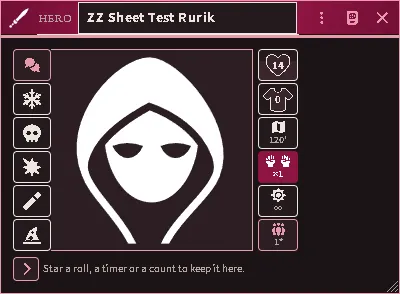
Section titled “Folding”The chevron before the tab strip folds the sheet to the table card: the band, the portrait, the rails and, along the bottom, the starred rolls, timers and counts. The fold is remembered per user, so an observer can fold a sheet they cannot edit.
Equipment
Section titled “Equipment”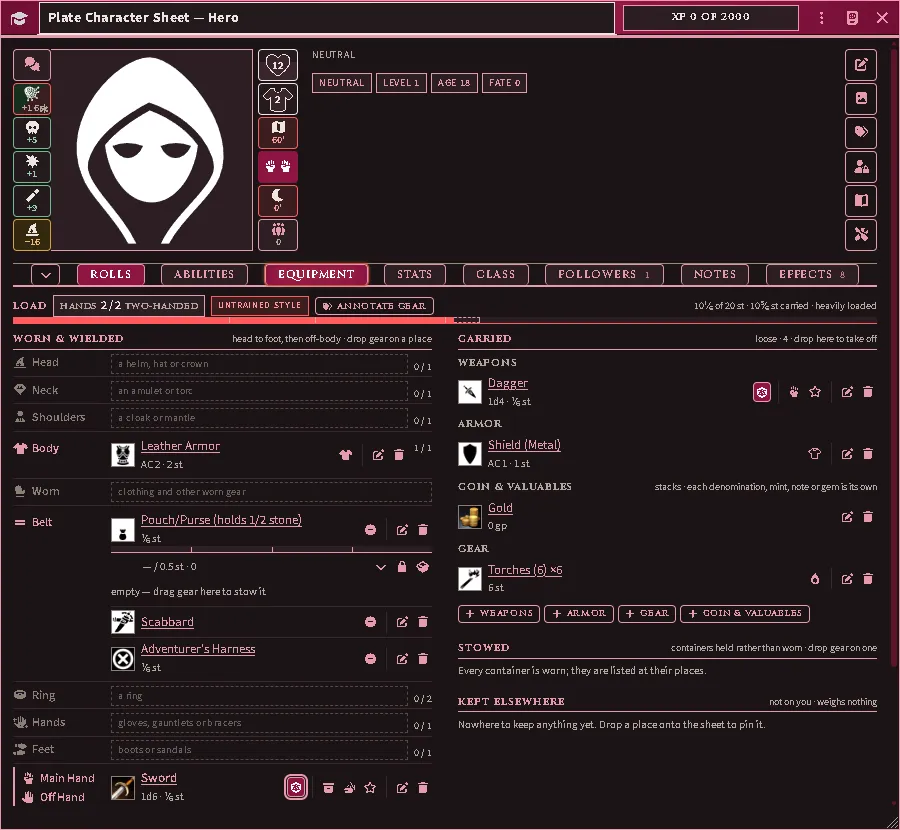
The Load header’s underline is the encumbrance bar with the breakpoints as ticks. The fill is the burden you move under. Where the carrying rules forgive some of what you carry — an adventurer’s harness, a slung shield, the clothes on your back — a dashed, unfilled phantom runs on from the fill to your true weight, the header reads both figures, and hovering the bar says how much is forgiven. Every wear slot lists on the left, head to foot then off-body, and is a drop target; a weapon held in both hands spans Main hand and Off hand as one row rather than taking a place of its own; a worn container shows its capacity bar and its contents. The count on a place is magic items against the form’s allowance or armour and weapons against the one place, whichever is larger, and clothing takes no room. Loose gear files on the right by kind, containers you carry rather than wear sit under Stowed, and every place holding your goods lists under Kept elsewhere. Drop a thing on a place to wear or draw it, on a container to store it, on the right column to take it off or out.
Mount names what you ride and what it is bearing, with a control to dismount and one to open its sheet. On foot it says how to mount: drop an animal anywhere on the sheet, or a monster on that line (mounts).
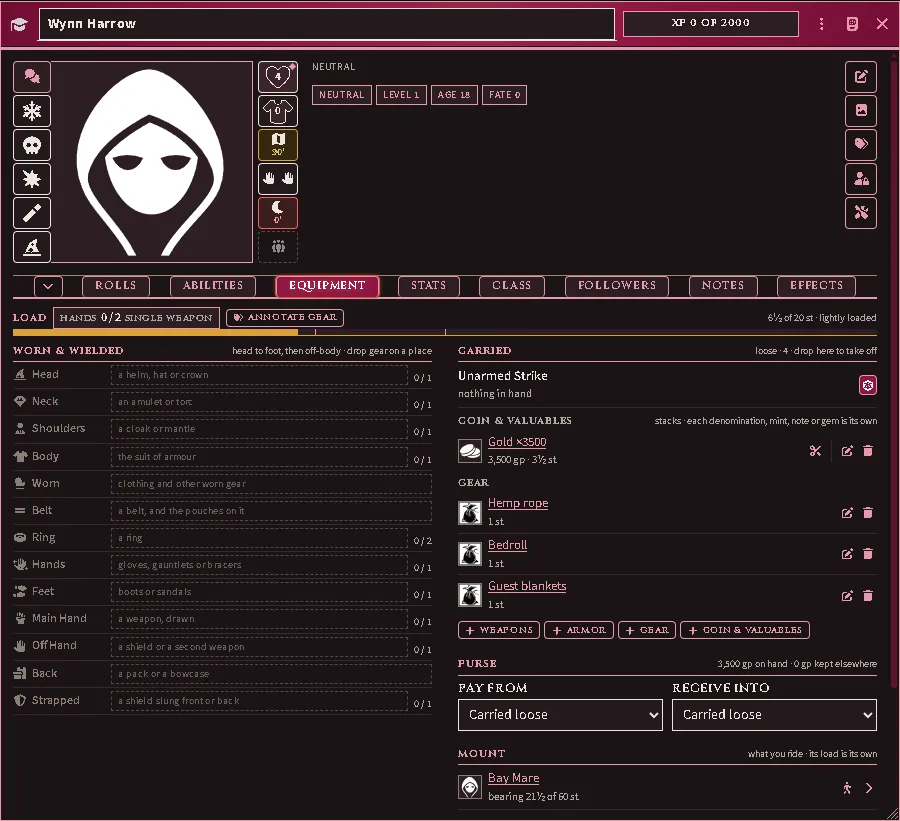
The Equipment tab from a player’s seat after an animal was dropped on the sheet: the Mount line names it, what it is bearing against what it can, and the controls to dismount and to open it.
Drop a bundle — a kit from the Items directory, a class template’s package — and its goods arrive, each row as the items it names. A stack you already carry is topped up when the arriving goods are identical to it; anything else arrives as a stack of its own. A row whose item is gone is filled from the library item of the same name and type; one that still finds nothing is named in a warning, and the rest arrive.
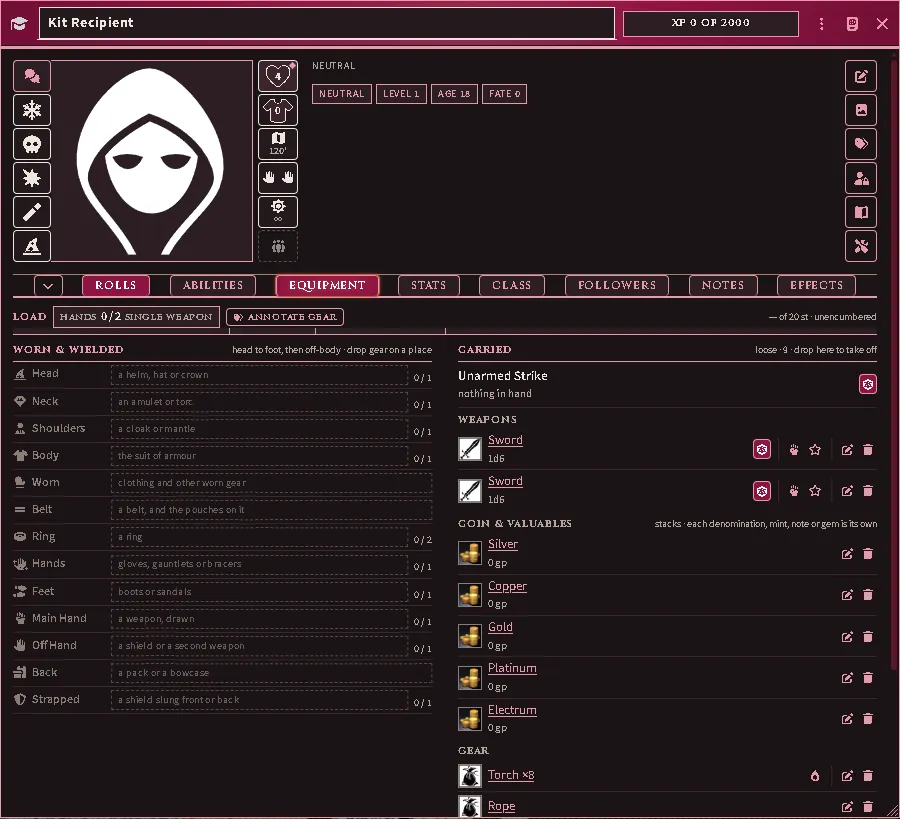
A kit of two swords, six torches and a rope dropped on a character carrying two torches: the swords under Weapons, one stack of eight torches and the rope under Gear.
Coin and stacks
Section titled “Coin and stacks”A coin row always shows how many there are, with what they are worth and what they weigh beneath. Your purse counts toward your load to the coin: its sheet states how many of that coin make a stone, and the Judge can type a rate of the coin’s own there.
To hand over part of a purse, or part of any stack that is not worn, press the scissors on its row, say how many to take off, and drag the new pile where it is going. Drop a pile on another row of the same thing to join them again. Coin dropped on another character or a hireling’s card is handed over, never copied, and joins the purse it lands in.
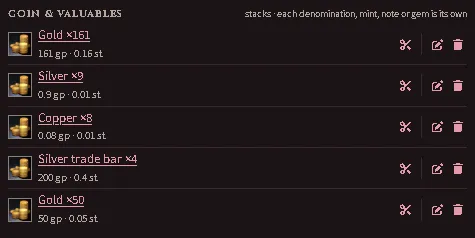
A purse on the Equipment tab: each coin a row with its count, its worth and its weight, a Judge’s own coin among them, and a pile of gold divided off with the scissors, ready to hand over.
Where coin is paid from, and where it lands
Section titled “Where coin is paid from, and where it lands”Coin is kept in stores: what you carry loose, each container you carry, and each place keeping coin for you — a vault, a bank, a market’s strongroom. Under the coin rows, Purse states what is on hand and what is kept elsewhere, and offers two choices once there is more than one store.
- Pay from is the store a payment draws on first. What that store cannot cover is drawn from the rest in their usual order: coin carried loose, then each container, then each place. Choosing a store never stops a payment your coin could make.
- Receive into is where coin handed to you is put — wages, the proceeds of a sale, a share. Coin that cannot be put there is carried loose.
A container locked to you is passed over: its coin still counts as carried and still weighs, and no payment opens it. Which stores a payment may reach at all is the Judge’s to set for the world (location storage), and a purchase at a market takes coin on hand or kept at that market (markets).
Where one store holds the same coin in more than one row, Gather coin folds them into one. The same choices sit under the Money header of the system’s own sheet, on a hireling’s card and on a hired unit’s sheet.
A payment, a deposit or a withdrawal that touches a place your seat cannot write to — a bank the Judge runs, an abbey you left your gold at — is carried out by the Judge’s seat on your behalf. With no Judge connected it is refused and says so; nothing is taken.
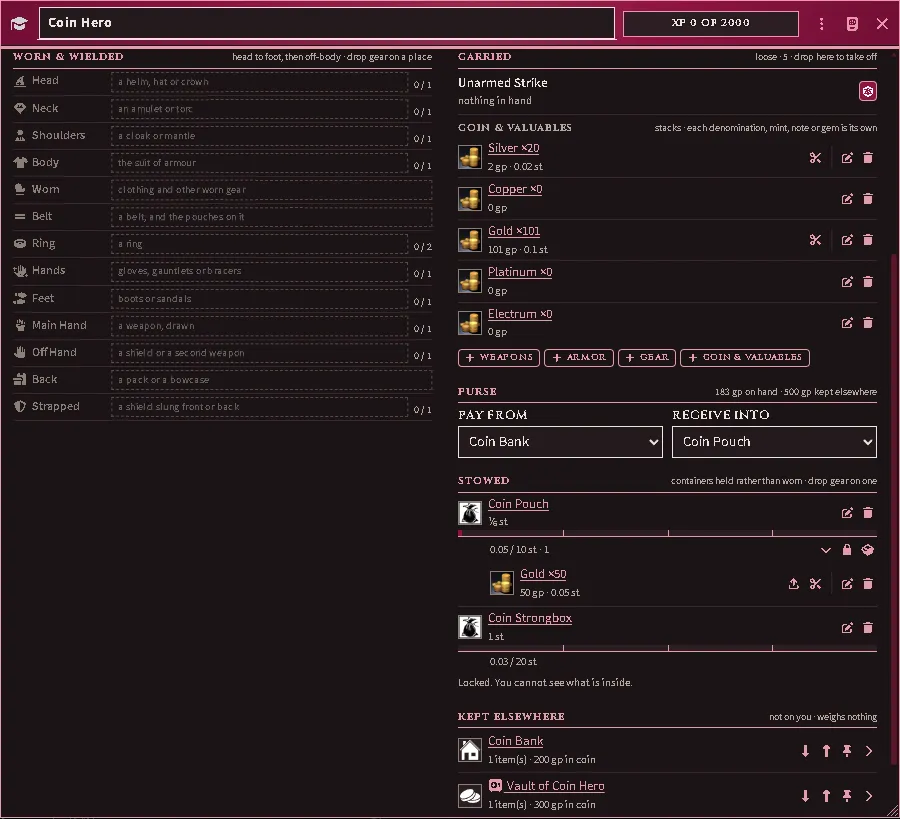
A player’s Equipment tab: the Purse rule stating what is on hand and what is kept elsewhere, a payment set to draw on the bank first and arriving coin to go into the pouch, a strongbox the player cannot open, and the two places keeping coin under Kept elsewhere.
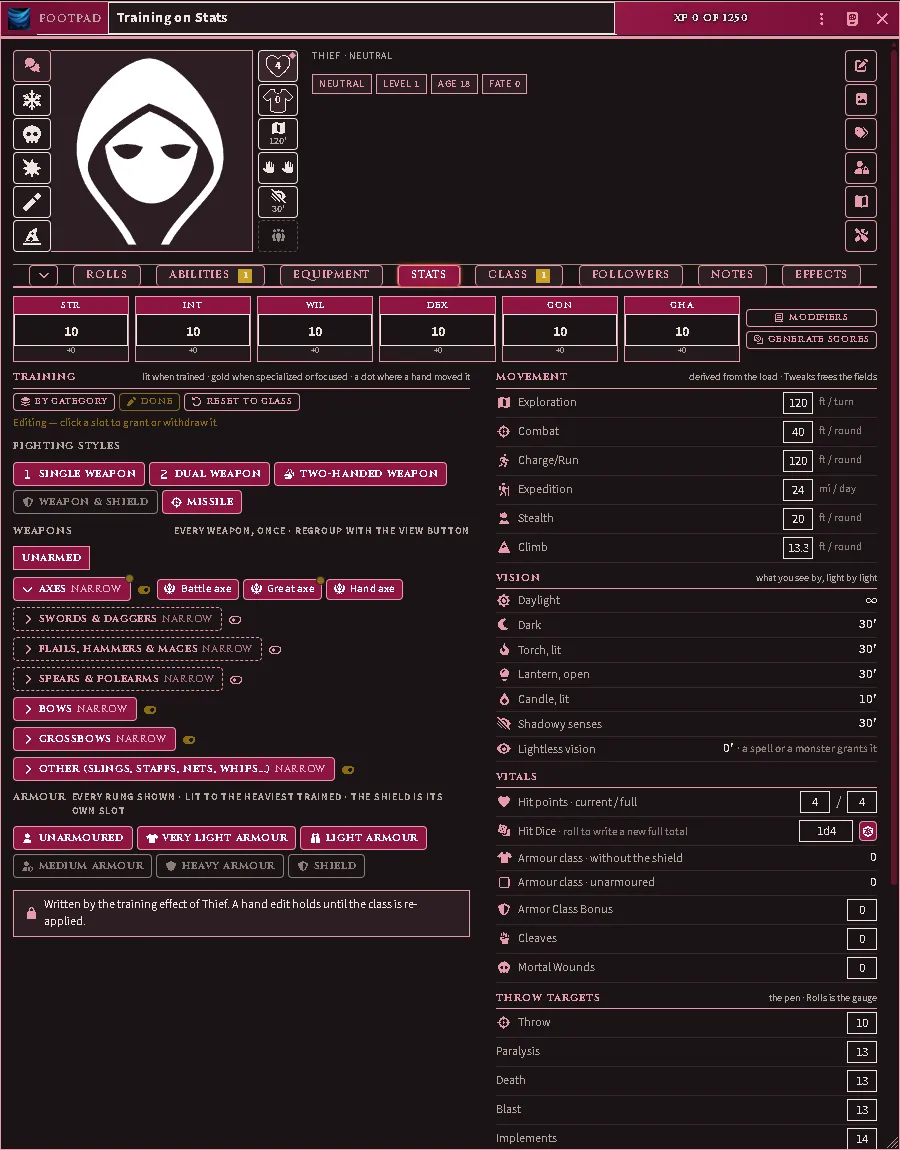
What is not a throw: the attributes, the training, movement by mode, vision light by light, the vitals, and the throw targets that Rolls reads.
Morale is one of those targets on a hireling and on a character no player owns — an NPC the Judge built as a character — and Rolls lists its roll. A player’s own character has none (RR ch. 6, Morale).
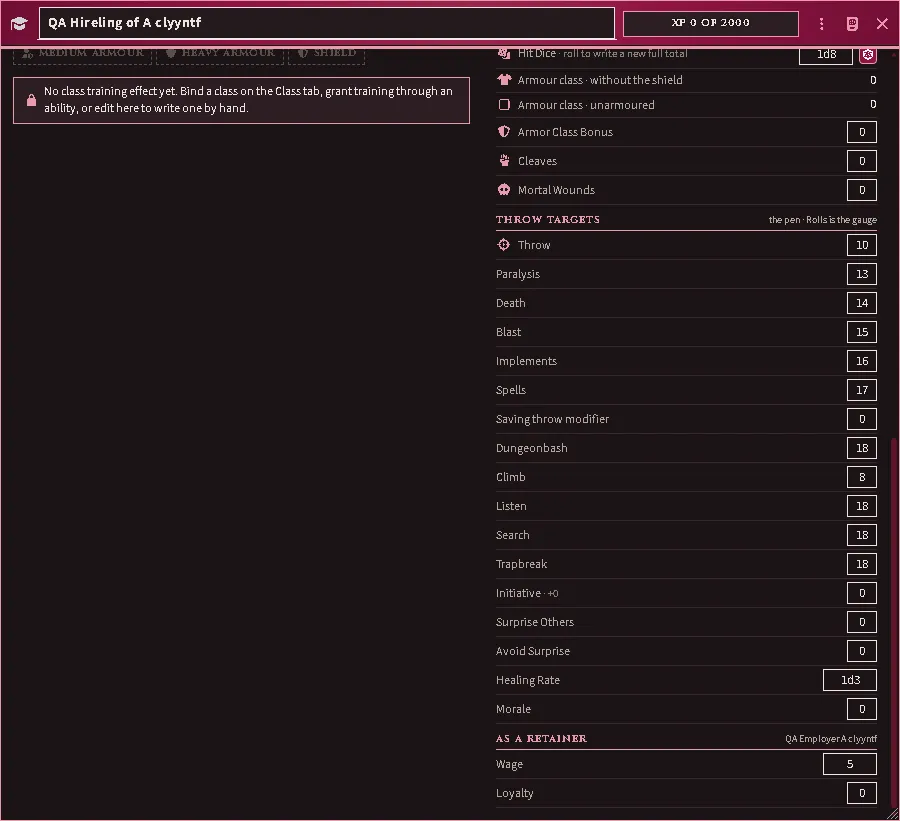
A hireling’s Stats tab: Morale closes the throw targets, with the wage and loyalty it serves for beneath.
Every field you can type into holds the figure you typed — the stored value, never the sum an effect makes of it. Where an effect changes a field (a proficiency, an item, an effect written by hand) the field is marked, and hovering it names the figure in force. That is why an AC modifier of 0 can sit beside an AC that shows the effect applied: the modifier is yours, the AC is the sheet’s arithmetic. The system’s own character and monster sheets do the same, with the field underlined.
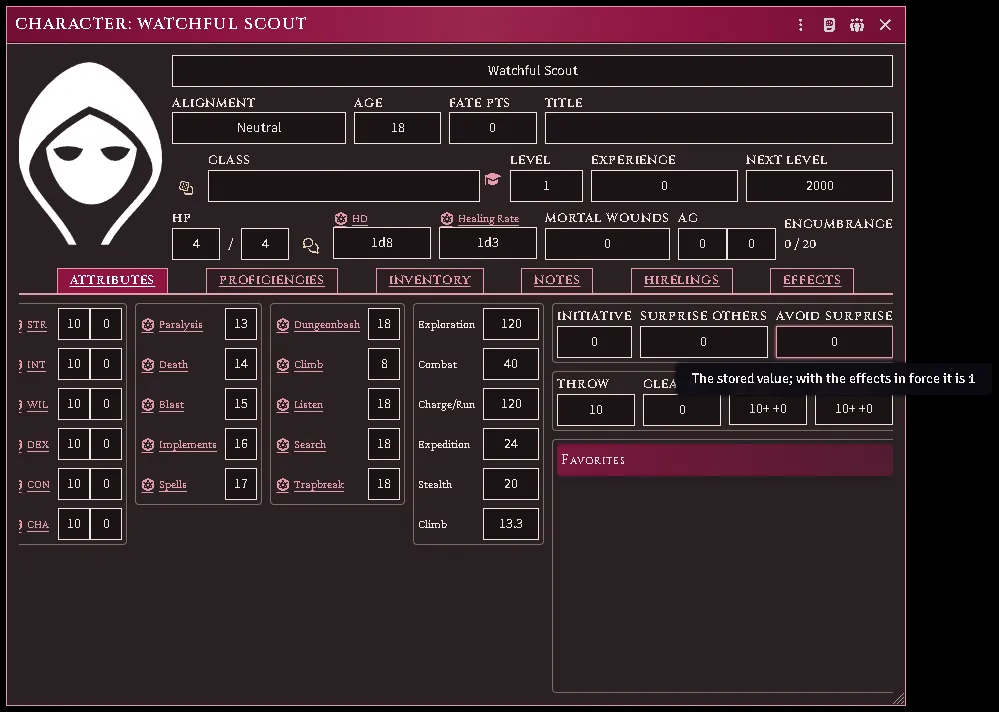
The system’s own character sheet, with an effect on Avoid Surprise: the field holds the stored figure, underlined, and pointing at it gives the figure in force.
Training is where a character’s combat training is read and edited. Every fighting style, every weapon in the game as its own pill, every armour rung and the shield; lit when trained, gold when specialised or focused. The view button regroups the weapons — by category, by size, or as one flat list — and each group’s header is captioned with the kind of choice it is (broad, narrow, unrestricted). Hover a pill to see where the training came from when it was not the class: an ability, another effect, the sheet’s own profile.
An owner presses Edit to arm the pills: click a weapon, a whole group’s toggle, a style, an armour rung (it sets the ceiling; clicking the ceiling clears it) or the shield (which is the Weapon & Shield style). A pill that another source lit refuses the click and names the source. A pill moved off what the class prints wears a dot, and Reset to class puts the printed training back. A character with no class gets a Training, by hand effect on the first edit; applying a class later replaces it.
Class, Magic, Followers, Notes, Effects
Section titled “Class, Magic, Followers, Notes, Effects”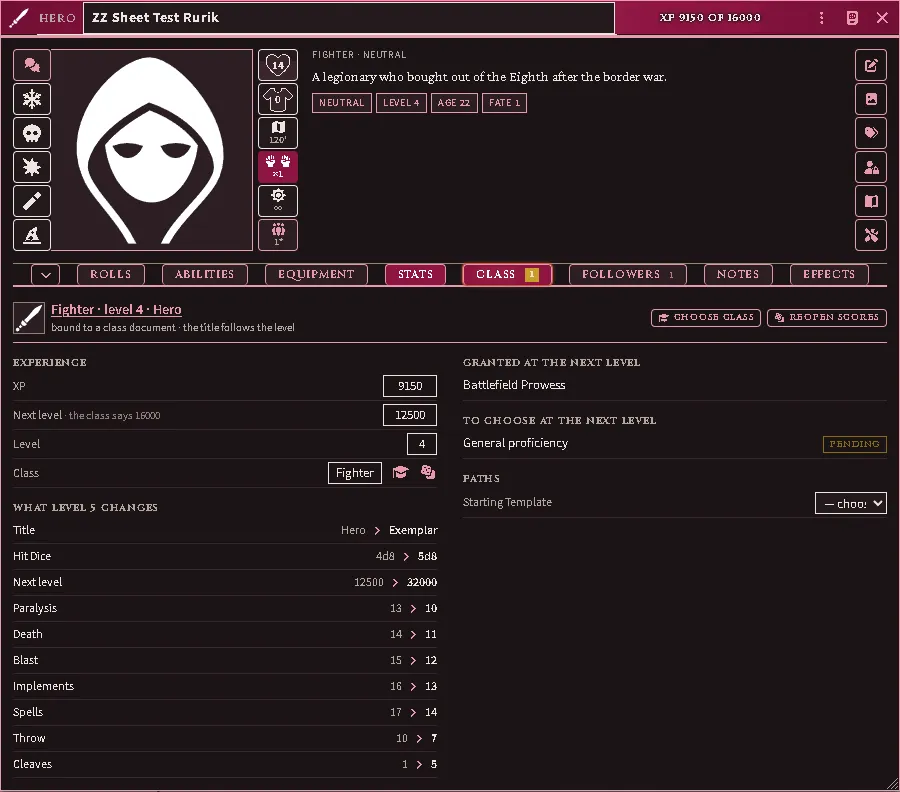
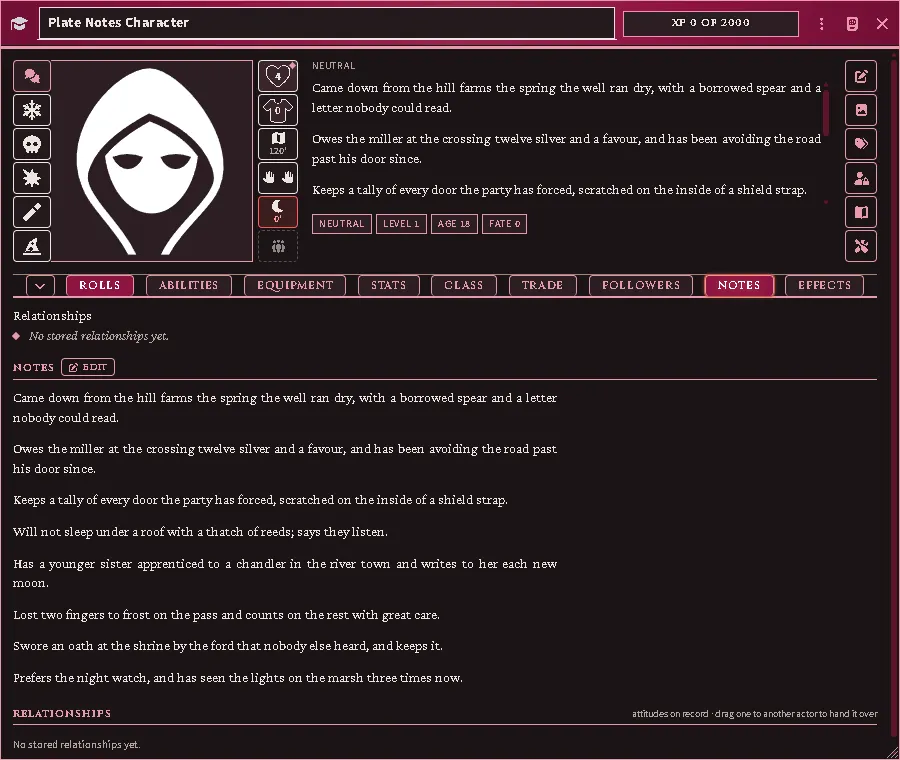
Class shows the bound class document, the XP pair, and — while the bar is full — what the next level changes, grants and asks, with the Level up button. Magic appears for a caster, with the casting pools and the repertoire. Followers renders the hirelings as Follower Cards beside the Roster chip. Notes holds the notes and the relationships on record, the notes shown whole however long they run.
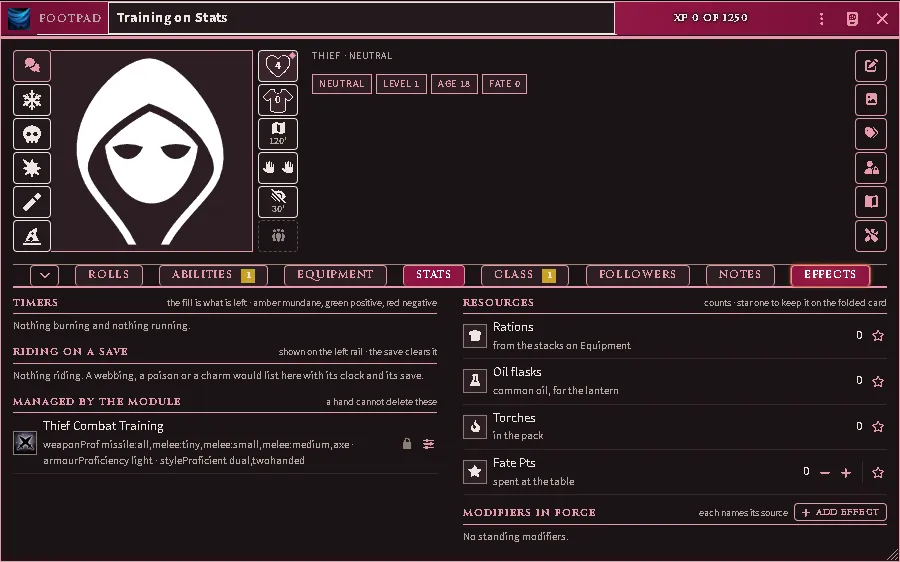
Effects is where the timers live — what is burning, what is blessing you, what is riding on a save — with the counts a player checks between fights (rations, oil, torches, fate points, a caster’s pools) and the modifiers in force. A star on any row keeps it on the folded card.
The official sheet (PDF)
Section titled “The official sheet (PDF)”A character kept on the official fillable character sheet comes into Foundry from the PDF itself, and goes back out into the blank sheet. You need the fillable edition; a printed or flattened sheet has nothing to read and is refused.
Opening it. On a character you own, the window menu (the ⋮ in its title bar) has Official sheet (PDF). To make a new character from a sheet, the Actors directory has Import sheet for anyone allowed to create characters. The Official Character Sheet (PDF) macro in the module’s macro compendium opens it on your selected token’s character, or your own.
Importing. Pick the filled sheet. Before anything is written, the window says what it found: the class and level, and how many of the proficiencies, languages and spells this world holds. Press Import. If the sheet lists henchmen your roster lacks and you may create characters, tick Create the henchmen the roster does not hold first; otherwise they are written into the notes.
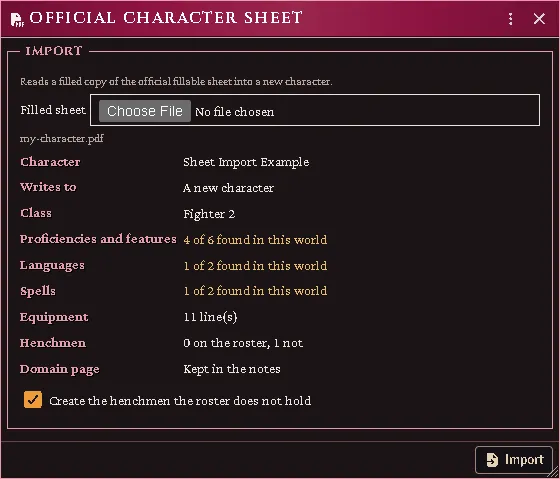
A filled sheet picked from Import sheet, before anything is written: the class and level found, how much of each list this world holds, and the henchmen box.
The report says what was written and what was added, and lists two more things:
- To check: where the sheet and the character disagree. Nothing in this list was written. A value the class decides (saves, the attack throw) has Keep sheet value for a house ruling. A value with the wand mark is set by an Active Effect, and writing it would count the effect twice. The rest the character works out for itself, so fix the cause instead.
- Not found: names this world has no item for. They are kept in the character’s notes, and an export writes them back onto the sheet.
Everything the character has no field for goes into one block in its notes: the domain page as tables, the tick boxes, gems, the magic facilities. Import the same sheet again after editing it and the character takes what is new. Nothing is added twice, and the notes block is replaced, unless you have edited it, in which case the new one is added beside it.
Where gear goes. Armour goes on the body. The main- and off-hand lists are wielded. The backpack, sack and pouch lists go into a container of that name, which must be on the character, so list the backpack itself on the back. A weapon at the belt or on the back is carried, not drawn. Hidden items are carried and named in the notes.
Exporting. Export writes into the official sheet from Your Books, the same window your rulebooks are connected in. The sheet has its own row there. As the Judge, put the fillable blank on the server once with Add to server, and every seat opens it on joining, players included: its journal in the Your Books folder is shared with them. To keep players from it, remove their access on that journal; a player can still connect a copy of their own on the sheet’s row. The export section’s Your Books button opens that window.
Press Export and the filled sheet downloads. It shows the character as it stands, effects included. What only the sheet held, such as the domain page and the ticks, comes from the last import. A list longer than the sheet’s rows is cut, and the window names what was left off.
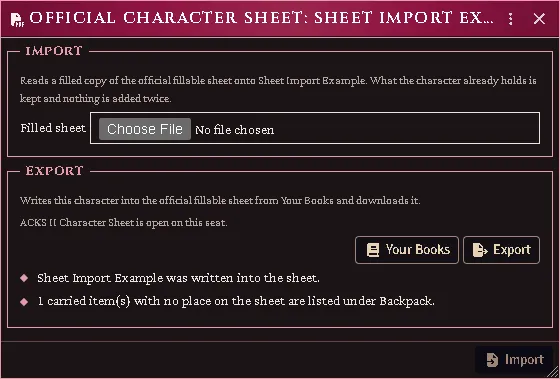
A character’s own window after an export: the sheet open from the server, and what the export wrote.
Conditions
Section titled “Conditions”The status palette on a token is the ACKS II conditions (RR Appendix B) and the states a combatant declares or takes up in a round (RR 291-303: Readied, Delayed, Casting, Defending, Countercharging, In Cover, Retreating, Withdrawing), in place of Foundry’s generic list. Click one to put it on the creature and again to take it off; rest the pointer on an icon for its name.

A token’s status palette with the states of a round among the conditions: Defending lit, the tower near the middle, beside Defending with a Shield, Delayed and Casting.
A condition is read by every roll it bears on — the creature’s attack throws and damage, its saving throws, its proficiency and adventuring throws, its morale, surprise and speed — and by attacks made against it. What it changed is named where the roll is shown: a term on the attack card, a row on the Combat Morale page, a notice beside any other roll. A condition that bears on a roll only in a circumstance the roll does not state is told to you with its figure and left for you to add.
The figures are your book’s. Import the rules tables from your Revised Rulebook (importing from your books) to supply them; until then a condition can be set and lifted, nothing is applied, and you are told so.
The combat tracker lifts a condition that ends with the creature’s turn when that turn begins, and one that ends with the fight when the combat is deleted. A round begins once its initiative is rolled: while the tracker waits on the roll, nothing is lifted. If you play a round without rolling, it begins when you move the tracker on.
Mark an ally Defending during its defender’s turn and the state is the defender’s: it is lifted when the defender’s turn comes again, and it is the defender’s declared spell that stands it down. Readied and Casting are also taken off by damage and by a failed saving throw, and Readied when the creature’s token moves while another combatant acts (RR 293-295). Whoever caused the loss is told, and one click on the palette puts the state back.
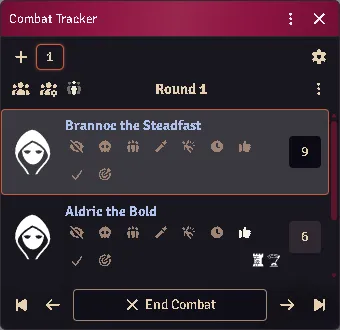
The tracker on the first combatant’s turn: the second was marked Defending and Readied during it, and carries both icons. Readied goes when its own turn begins; the defence stays until the first combatant acts again.

The notice on the seat that dealt the damage: the creature is no longer Readied or Casting.
Arranging the palette
Section titled “Arranging the palette”The Judge decides what the palette offers and in what order. In this module’s settings, Token status palette → Arrange the palette opens a window with the statuses on the palette above the ones off it. Drag a tile to move it, or onto or off the palette; with a tile focused, the arrow keys, Home, End, Delete and Enter do the same. Foundry’s own statuses and the combat tracker’s marks wait under Off the palette, each group with an Add all.
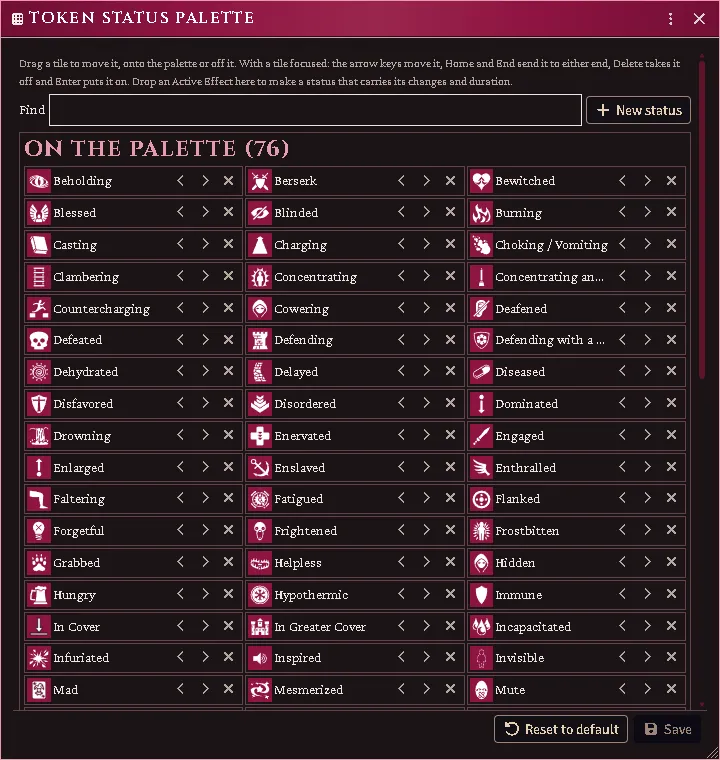
The window as it opens: the statuses on the palette in their order, each with the controls that move it or take it off, and Save idle until something changes.
New status makes one of your own from a name and an icon. An Active Effect dragged onto the window from a character’s Effects tab, by its row under Timers or Modifiers in force, becomes a status that carries that effect’s changes and duration; it acts through Foundry’s own effects, and the conditions’ figures are not read for it.
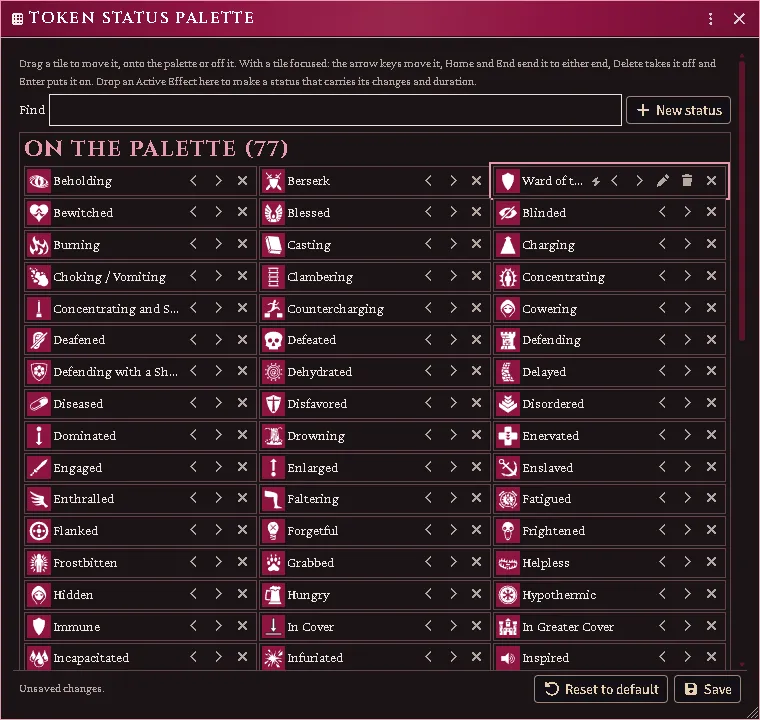
A timed ward dragged in from a character’s Timers row: it lands where it was dropped, marked as carrying an effect, with the controls to rename or delete it, and the window says the changes are not saved yet.
Nothing changes until Save. Reset to default returns to the list above, by name, and keeps the statuses you made.
Every feature here is free and none of it is gated. If it earns its keep at your table, you can chip in on Patreon.