
Hiring henchmen and hirelings
Recruitment runs off a place with a market. You post a paid search, the market rolls what turns up, and you make a hiring throw against the people it found.
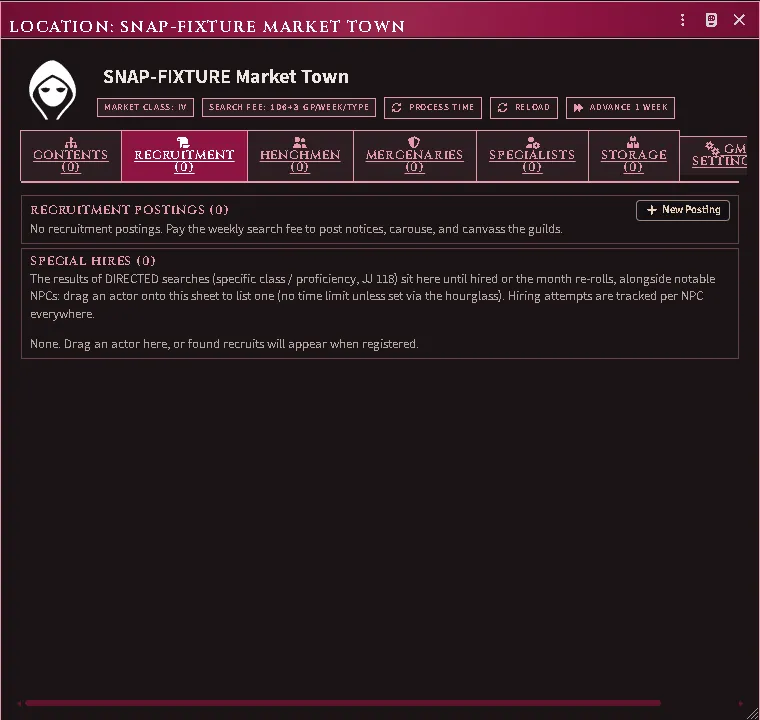
A market on a location sheet, ready to take a posting.
Post a search
Section titled “Post a search”Open a location with a market → Recruitment tab → New posting.
Choose what you are looking for:
- Adventuring henchmen — the general post; covers the whole henchman market.
- By level — 0th to 4th. Capped by your character’s level (RR 168).
- By class, optionally at a level — a directed search (JJ 118).
- By proficiency, optionally with a class — also directed.
- Mercenaries / Specialists — by troop or specialist type.
Set the employer, and the presented level if your character is passing themselves off as more important than they are. That is a real option with a real cost: if it is discovered later, the loyalty throw takes −1 per level of difference.
A mercantile network searches wider. An employer holding the Mercantile Network power is offered Search with the mercantile network on the posting, ticked where the market counts as one the holder has visited before (RR ch. 2, Mercantile Network). The search fee is the larger market’s, and a general posting adds whoever a search at the larger class finds beyond the town’s pool; those candidates are the holder’s alone to see and to hire.
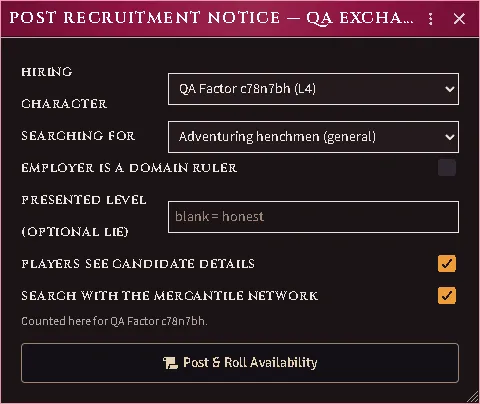
No GM needs to be online. A location defaults to OWNER, so players can post, process and hire on their own.
Let time pass
Section titled “Let time pass”Availability belongs to the town, not to you (RR 162): a market rolls a monthly pool and candidates arrive across weeks 1, 2 and 3.
Advance the world clock, or press Process now — it is idempotent, so pressing it twice costs nothing.
Directed searches behave differently. A directed result is available immediately, for the whole month, and is private to the recruiter. It appears in the Recruitment tab’s directed bucket, not the shared walk-in tabs.
Hire someone
Section titled “Hire someone”Henchmen tab → Recruit on a candidate.
The throw dialog shows every modifier that applies, with the situational ones as toggles so you decide what is really in play. Roll, and on success the candidate becomes a real actor, owned by whoever owns the employer.
The signing bonus on offer is priced on the wage the hire will be paid: the wage the hireling states, else, for a henchman, the wage table’s for their level. A mercenary or specialist with no wage set is offered no bonus.
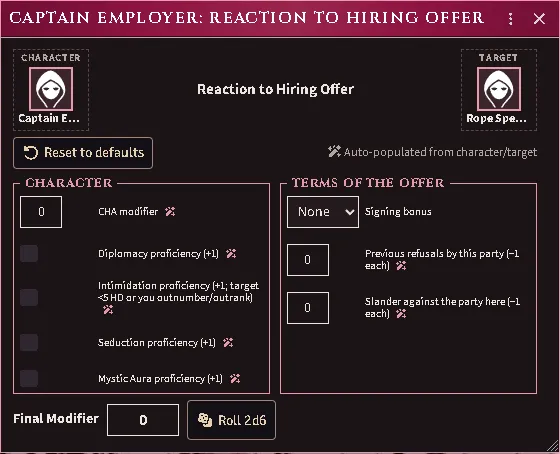
An offer to a specialist whose sheet sets no wage: the signing bonus offers None alone.
The throw reads its table from your book. The Reaction to Hiring Offer’s results, and what each earlier refusal and each slander takes off the roll, come from the Revised Rulebook’s tables once they are imported (RR 162). Until then the hiring page and the dialog say the table is missing and do not roll.
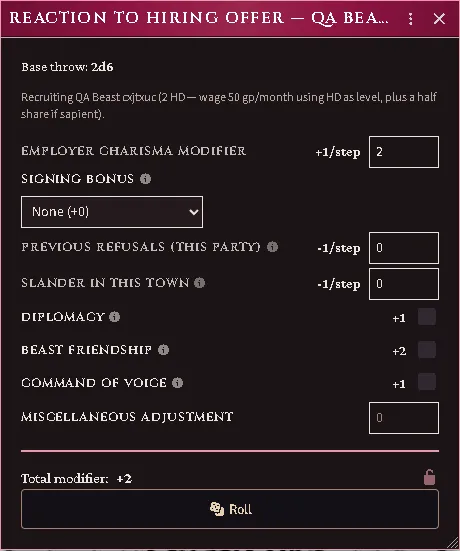
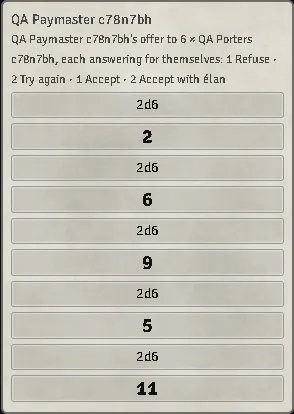
A bulk row is offered head by head. Hire on a mercenary or specialist row asks how many heads the offer goes to, and each head rolls its own reaction (RR 162). Heads that answered alike become a row of their own, so the next offer to those who refused carries their penalty and leaves the rest untouched. The heads who accept join as one hireling of that count, and the signing bonus is paid per head.
Candidates are plain records until this moment — a Class I market can roll hundreds of them, and creating hundreds of actors would be unusable.
Keep a retinue
Section titled “Keep a retinue”Roster (from the character sheet, or the actor’s context menu) shows every hireling with its loyalty, morale and wage standing, filtered by kind, under the henchman limit and the month’s wage bill. Drop a character on it to take them into service.
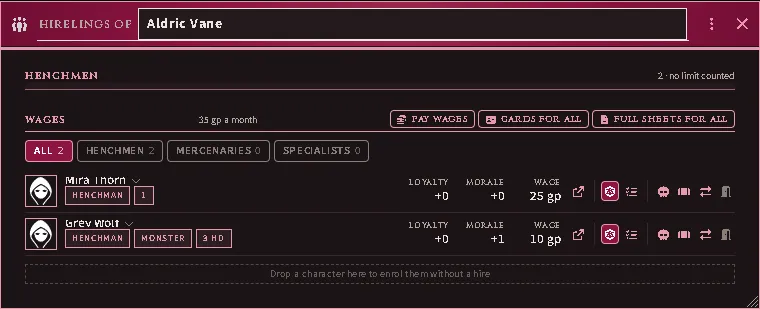
An employer’s roster: who is hired, on what terms. Press a hireling’s name for its wage clock, record and history; the Judge’s actions on it — a loyalty or obedience throw, a calamity or a penalty on the record, a transfer, a dismissal — sit on the row.
A hireling’s own sheet carries a Service tab: the same record from the hireling’s side — loyalty and its parts, morale, the terms, the wage clock, the employer, the ledger and the events — with the Judge’s throws beside it. A calamity still owing its loyalty throw marks the tab and the sheet’s in-service chip until the Judge rolls it.
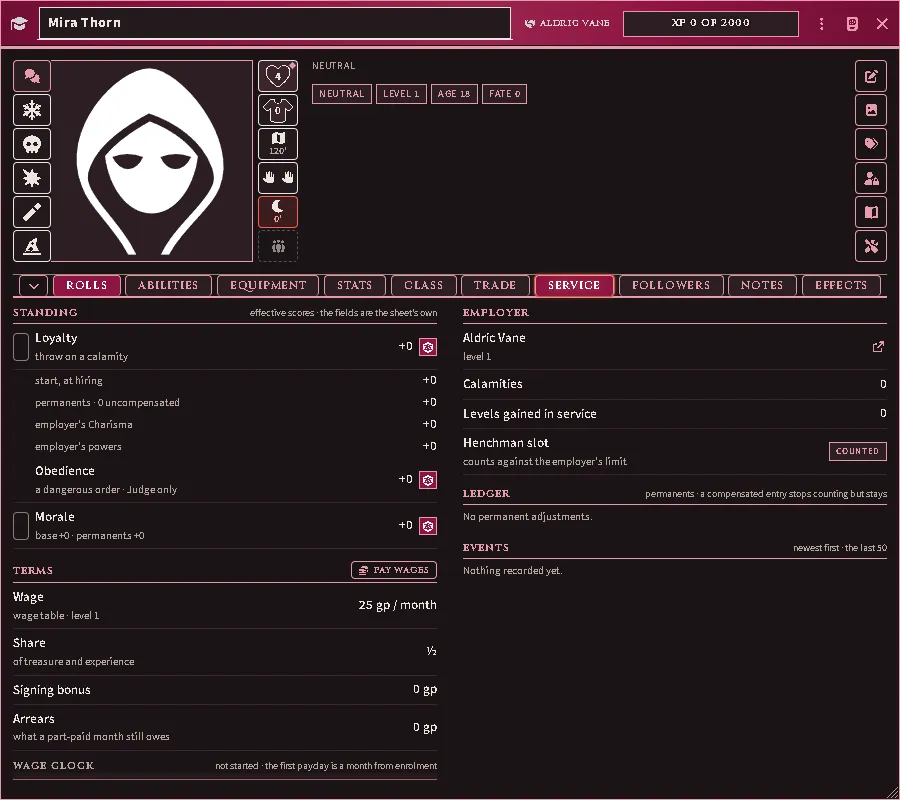
A henchman’s Service tab: standing, terms and employer, then the ledger and events, with the employer’s chip in the window header.
Hover any figure on the Service tab to see where it came from: a score’s parts, the wage’s terms or the wage table it was read from, with the page.
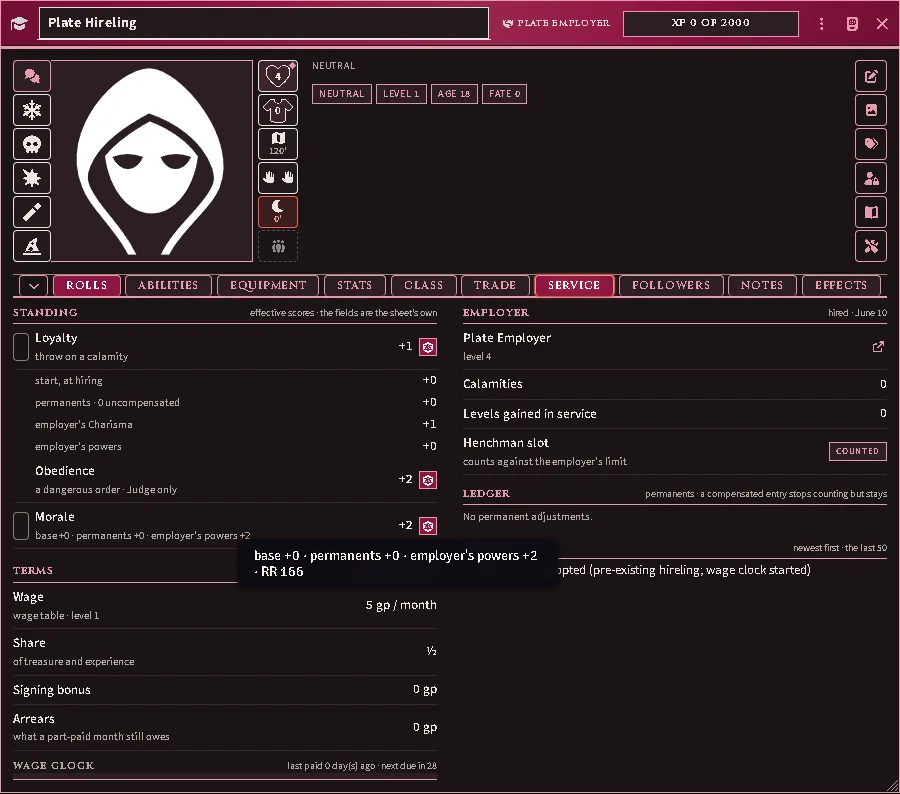
The morale figure hovered: its parts, the employer’s morale power among them. Obedience reads the same morale score.
A hireling opens on the same sheet as any character. The compact Follower Card is there if you want it: right-click the hireling in the Actors directory and choose Use Follower Card sheet (Use full sheet turns it back), or press Cards for all on the roster to give the whole retinue the card at once (Full sheets for all undoes it). With the module’s sheets, a monster opens on the card whether hired or not, with the full stat block behind its Full sheet link.
The card is the sheet’s shape, smaller. Its band sits in the window header with the portrait, class and level (or Hit Dice), the name, and the tools: Attack and Skill add a line for the table only, Commit and Reset keep or drop the card’s own figures, Full sheet opens the rest. Below, three columns: hit points, the card-only armour class, speed and load, morale, loyalty and the six scores; the powers and proficiencies, each on one line with its roll, the adventuring throws and the attacks (press the row to throw, the pencil to edit it); notes, what is carried with the worn toggle and the coin, and a caster’s slots. Star a power and the employer’s Followers tab shows it on the follower’s compact card beside the attacks; unstarred, that card shows the six readings, the attacks, the saves and what is worn, and a red dot after the name while a calamity throw is owed.
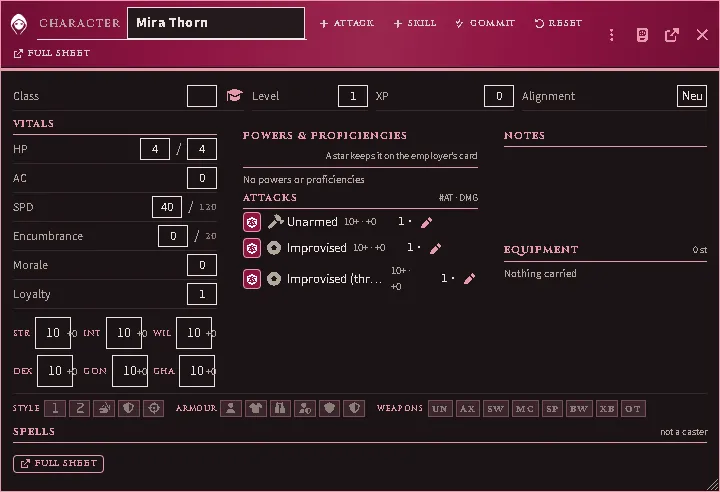
A follower’s own card: the band and its tools in the header, then vitals and scores, powers, throws and attacks, notes and what is carried.
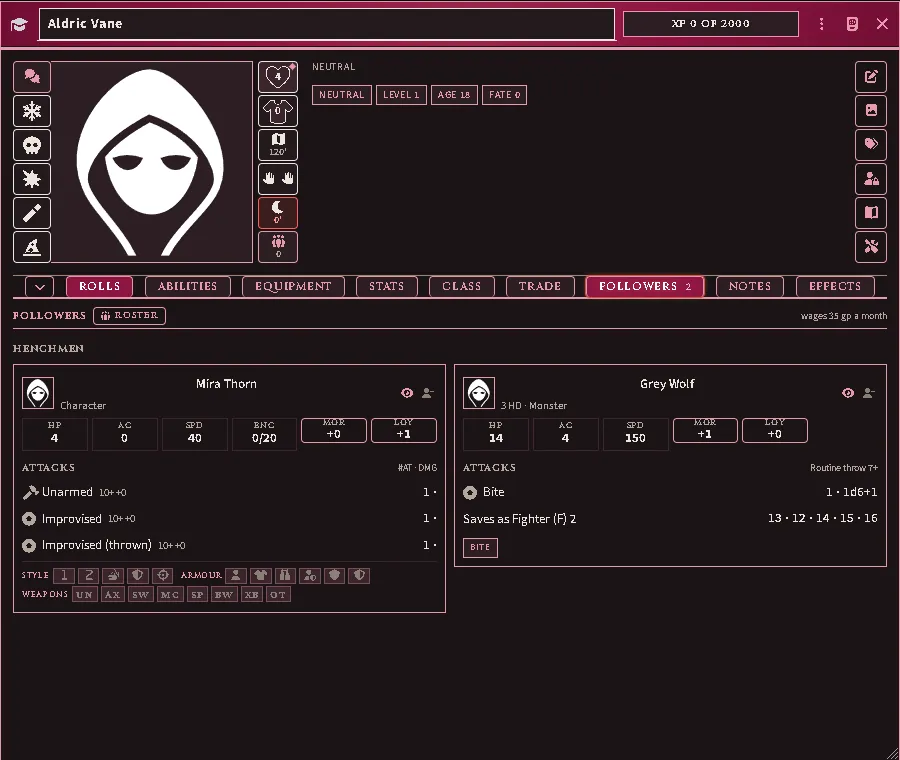
An employer’s Followers tab: a compact card for a henchman and for a hired monster, with its saves-as line, and the month’s wages above.
A power is worth what your book says. The henchman limit, a hire’s base loyalty, the hirelings’ morale bonus and the hiring-offer bonuses read the value the importer located on each power’s page, or an Active Effect the Judge gives the power; the module supplies no figure for a power it knows only by name. A power held with no value is named where it would apply: on the roster, in the henchman-limit refusal, and on the hiring and obedience pages. Characters holding powers imported before 11.4.0 refresh them with Update Abilities at the top of the Items sidebar, with the books open.
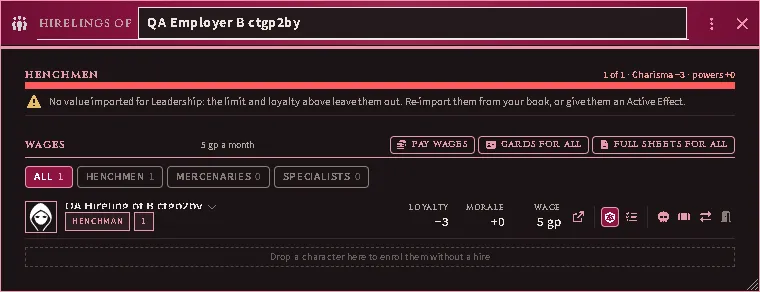
The limit starts from your book’s figure and the employer’s Charisma, or not at all. The base arrives with the Rules tables. A world that imported them before 11.8.0 runs Rules tables in Reimport One Shelf (ACKS Extras Macros) once; until then no limit is counted, and the roster’s tooltip says so. An employer with no Charisma score, such as a monster leading henchmen, shows no limit on its roster, and none is enforced on its hires.
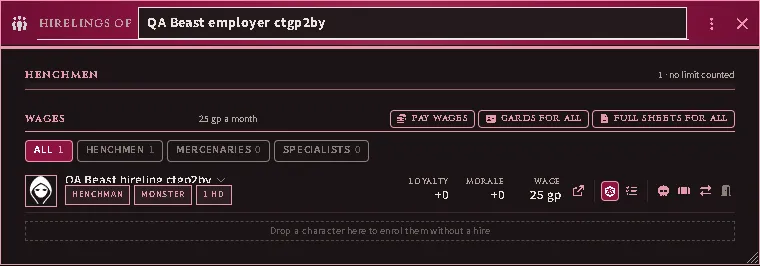
A wage is coin that changes hands. On payday the employer’s coin leaves their stores in the order their sheet states (where coin is paid from) and lands where each hireling receives coin, so the two have to be where coin can pass between them: together, or the hireling on the employer’s roster. What the employer cannot pay exactly is kept as arrears, and the hireling’s history records that payday as a part-payment with what is still owed. A payment that is refused says why and records no payday.
Pay wages is one payday wherever you press it — on the character sheet’s Followers tab, on the system sheet’s Hirelings tab, in the roster, or on the Judge’s wage card. It pays what the wage clock says is due — a month’s wage (RR 168) for each whole month gone by since that hireling was last paid — and when nothing is due it says so, with the days until something will be. The Followers tab states what is due beside the button, and offers the button only while something is; until then it states what the payroll costs a month and how many days remain before the next wage falls due. Those days pass as the world’s clock does. A player who presses it for hirelings the Judge runs has the payday carried out by the Judge’s seat; with no Judge connected it is refused and says so, and no coin moves.
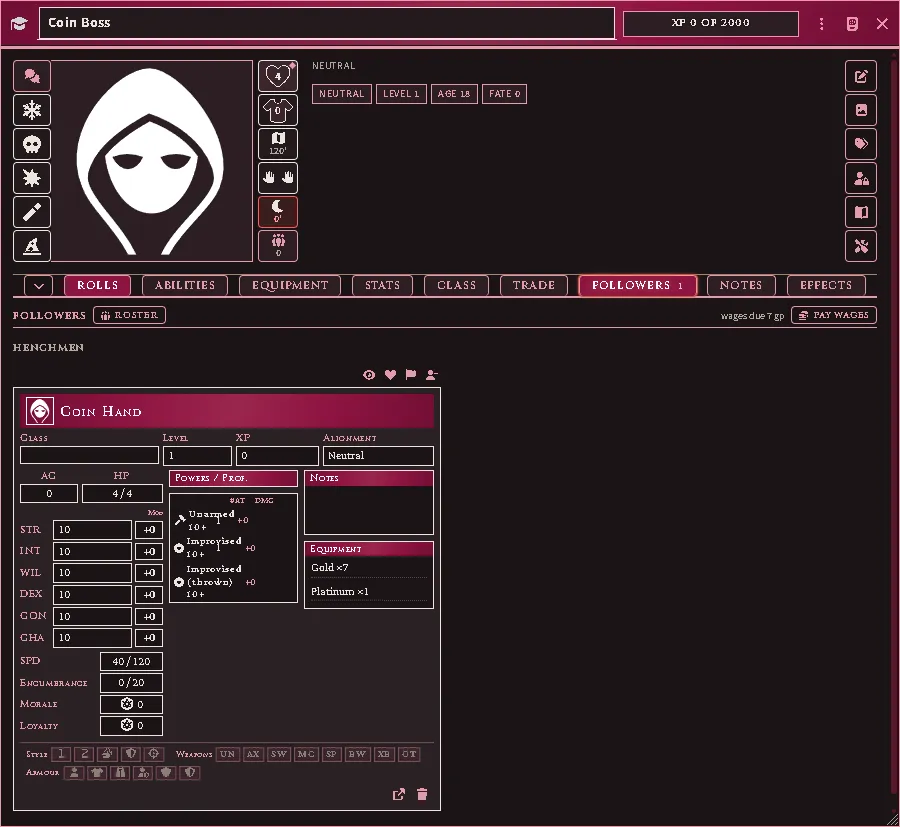
The Followers tab with a wage due: what is owed stated beside Pay wages, and the hireling’s card listing the coin they hold.
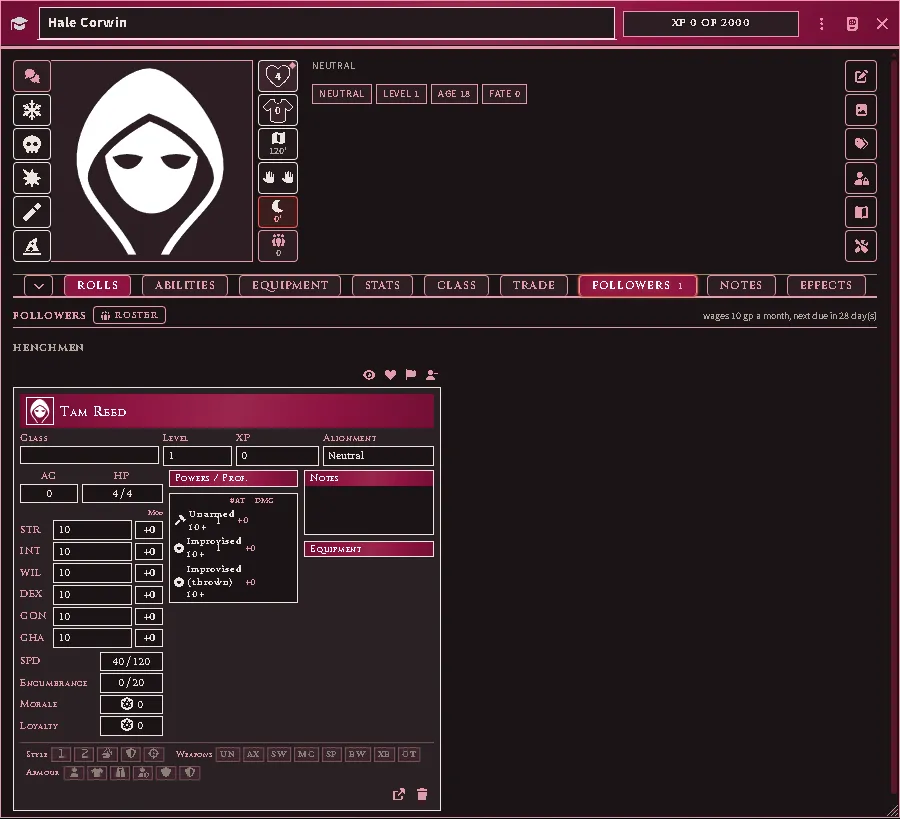
The same tab with nothing due: what the payroll costs a month and the days before the next wage, and no Pay wages button until then.
A hireling’s coin is theirs to arrange. On a full sheet it is arranged as any character’s is. On the Follower Card, each coin row is listed; a row holding more than one carries the scissors, which divide a pile off to hand over, and Gather coin folds matching rows back into one. Once they have more than one place to keep coin, the card offers the same Pay from and Receive into choices a character has.
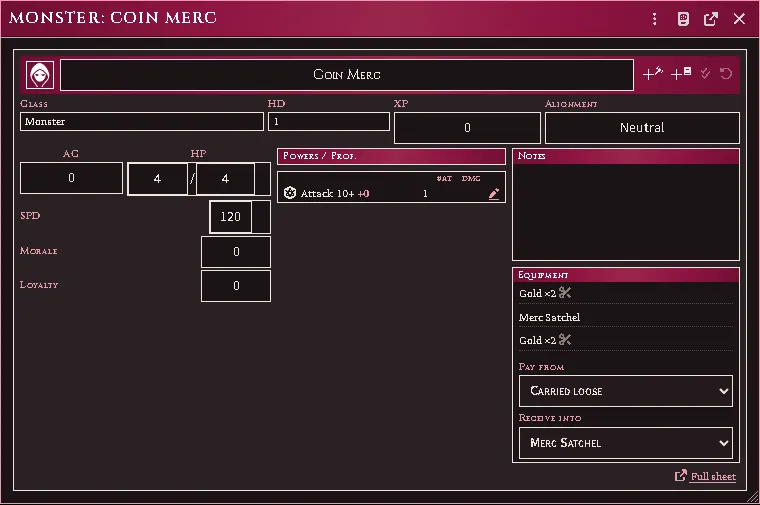
A hireling’s card from their player’s seat: coin carried loose and coin in a satchel, each row with its divide control, wages set to land in the satchel.
A hired unit keeps its own purse. A unit’s sheet lists its coin under Purse, which is where its wage lands. Coin can be dropped onto the sheet and dragged off it again like any other purse. A unit carries nothing else, so any other item dropped there is refused and stays with whoever held it.
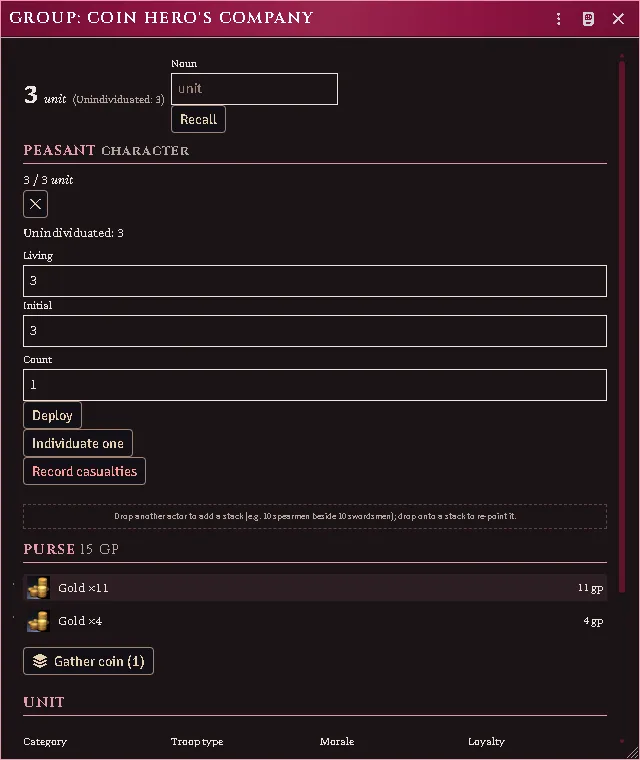
A hired unit’s sheet: its purse totalled above the coin it holds, with Gather coin offered because two rows hold the same coin.
The Judge adds permanents (a rescue, a betrayal), and can mark an entry Compensated — it stays on record but stops scoring.
Common problems
Section titled “Common problems”“No market at this place.” Add one from the location’s GM Settings.
Nobody arrived. Time has not passed, or the month’s pool was rolled and came up empty. Check the posting’s roll detail.
A candidate says “reserved”. They accepted with no GM online and nobody present could create the actor. It materializes at the next GM connect.
The level cap rejected the posting. RR 168 caps henchman level against the employer’s level — the level you presented, if you set one.
Two actors appeared for one hire. This should not happen; hiring is exactly-once even across duplicate GM sockets. If you see it, it is a bug worth reporting.
Every feature here is free and none of it is gated. If it earns its keep at your table, you can chip in on Patreon.